
Foxsin00 - Minecraft Skins & Skin History
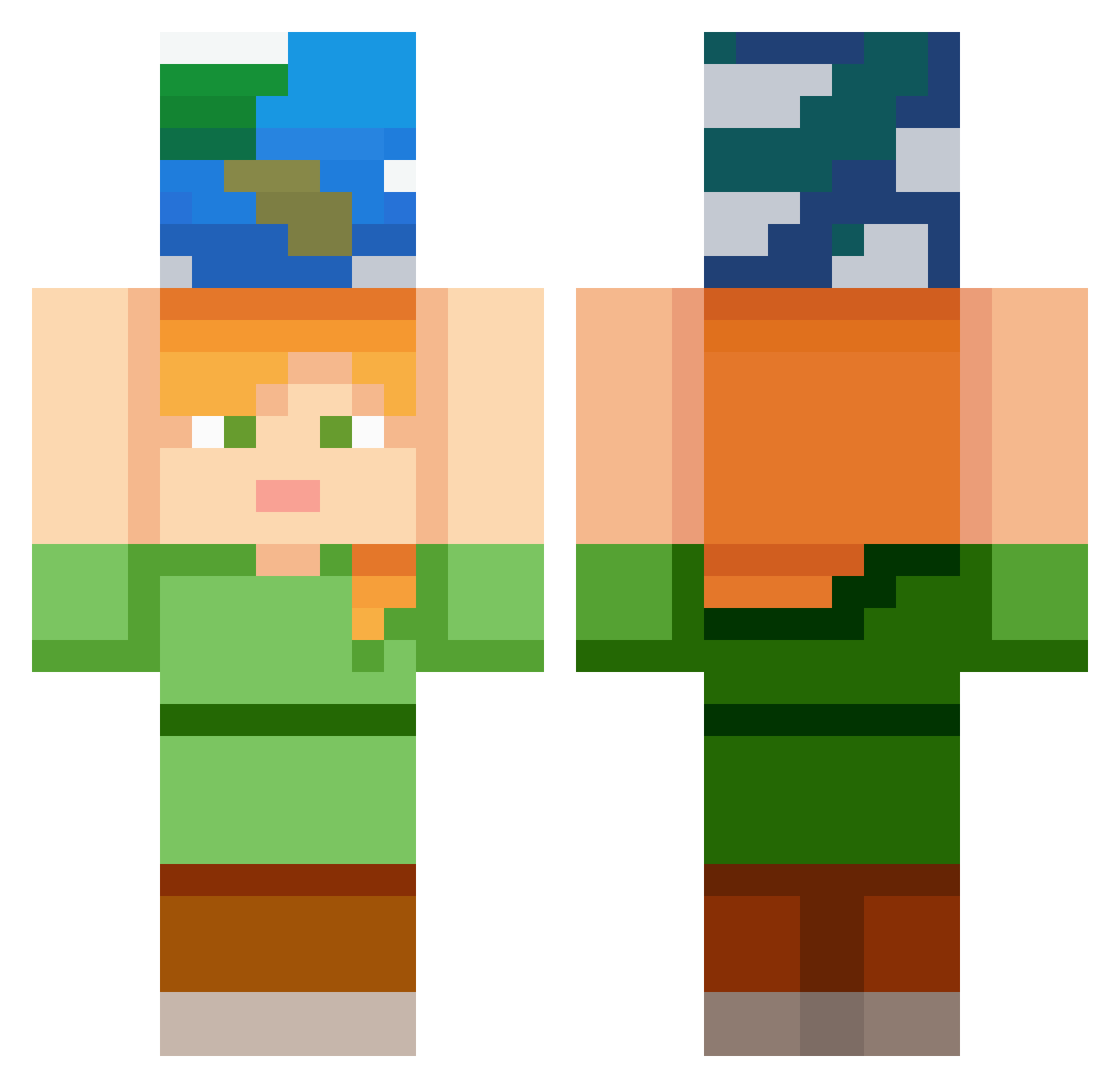
Current Minecraft skin of the player Foxsin00, loaded from the official Mojang API. Rotate the 3D model with your mouse or finger, then download the skin as a PNG file and use it in Minecraft: Bedrock Edition or Java Edition for free. When Foxsin00 changes their skin, this page updates automatically and the old skin stays in the history below.
Other players with this skin (402)
Foxsin00 was the 351st player we have seen with this skin, first spotted on 28.10.2026. The same skin was seen on these players. Open a nickname to see their current skin and skin history.
 jjung768 assassin4668 Milbejeans yarim1 Paulo_10 steamdear ATLAS0903 suhwabn Perkinssatx KIMMANGKO Pirambelos gmin22551 Domerdonut sejin11112 andino_ro D1EGX pathdeer Balen1312 Raweu chezyfries777 blossomn Igolin LoomiNova4770 TRANTHO0902 Phoenix_MC747 mentalist42 HerosHenrik qjtjtaosz carlote97 Fronzee EMILBROS PlasmageniuS BlueWolfS5 sonor5 falling1123 Cra1gyyy Carrloos minenim rexrap4 loadingdotdot tilcy ikura222 irohasu966 Begies poppanda3001 _ja1d0n_ Franzxc lece_na_kordy Whisp5609 aasdadasadas Lizz1303 Mystery1739 phiccao FLO3R BlackAngel2666 NinjaLichi lAngelo97 yxoss CheeseBread1274 PL4SM4_Destr0yEr
More Planet Minecraft skins
How to install the Foxsin00 skin
- Press the Download button above to save the skin as a PNG file.
- Minecraft: Bedrock Edition (PE): open the Dressing Room from the main menu (or tap your character → Edit Character), go to Classic Skins → Owned, press the + (new skin) button, choose the downloaded PNG and pick the Classic (Steve) model. Works on PC and mobile; consoles cannot import custom skins.
- Minecraft: Java Edition: open the Minecraft Launcher, go to the Skins tab, click New Skin, load the PNG, pick the Classic (Steve) model and press Save & Use. You can also upload it at minecraft.net → Profile → Change Skin.
The skin does not show up after import - what should I do?
Restart Minecraft and open the Dressing Room again - imported skins sometimes appear only after a restart. Also make sure you selected the imported skin and picked the Classic (Steve) model.
Which model should I choose, Classic or Slim?
This skin is designed for the Classic (Steve) model. If you pick the wrong model, the arms of the skin will look stretched or squeezed.
Is the skin of Foxsin00 free to download?
Yes. Press Download, save the PNG file and use it in Minecraft: Bedrock Edition or Java Edition - no payment or registration needed. The skin also works on multiplayer servers and Realms.
More skins
Looking for more? Go back to all Minecraft skins and check the top skins of the week, month and all time, or find any player's skin by nickname.