
Finndiebratwurst - Minecraft Skins & Skin History
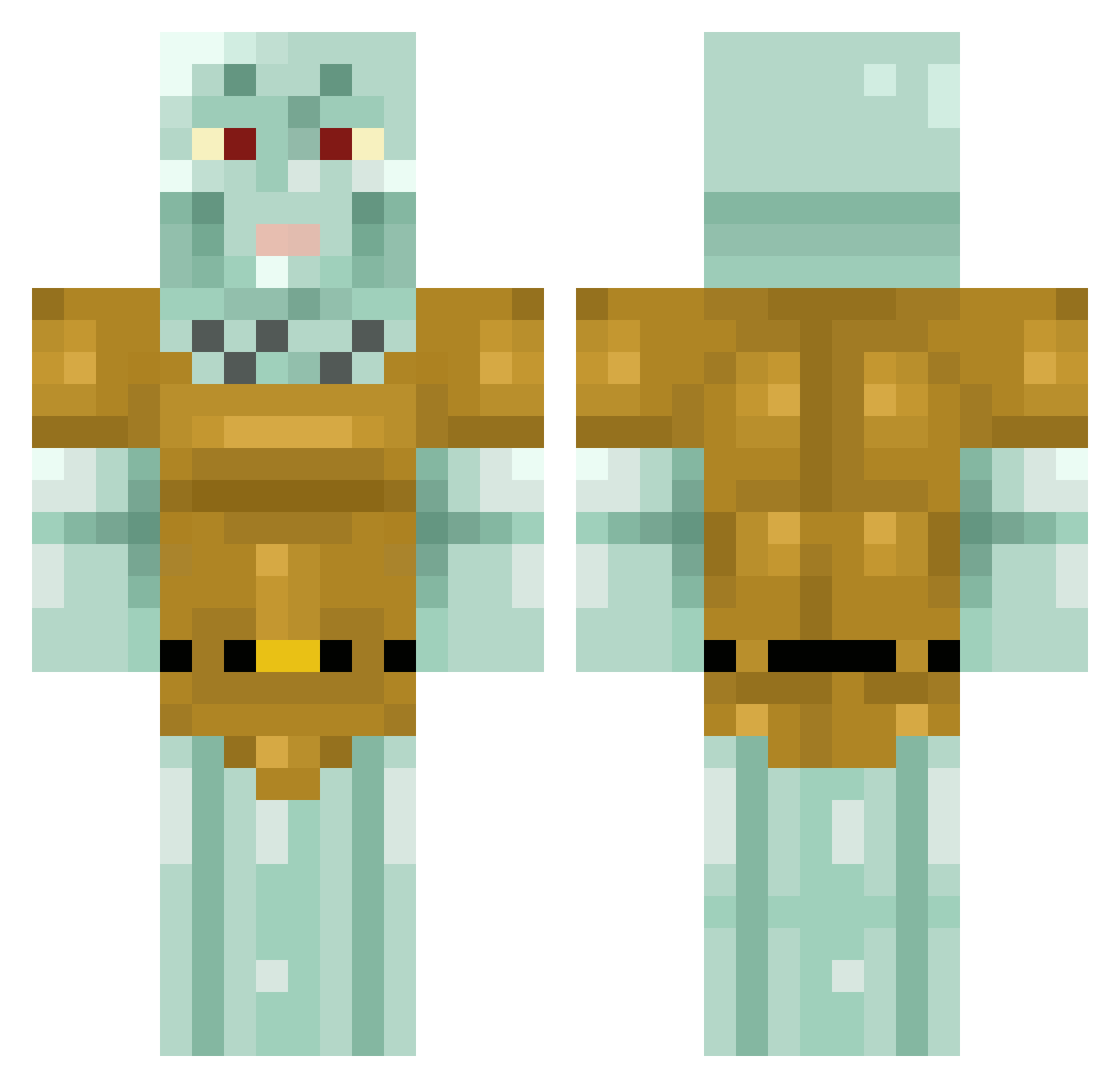
Current Minecraft skin of the player Finndiebratwurst, loaded from the official Mojang API. Rotate the 3D model with your mouse or finger, then download the skin as a PNG file and use it in Minecraft: Bedrock Edition or Java Edition for free. When Finndiebratwurst changes their skin, this page updates automatically and the old skin stays in the history below.
Other players with this skin (465)
Finndiebratwurst was the 422nd player we have seen with this skin, first spotted on 03.11.2026. The same skin was seen on these players. Open a nickname to see their current skin and skin history.
 AtelesBelzebuth Jared_xd19923 Landino_09 xFOFERx skinnytenticals1 Mousens AyeDeeTee Holyhell53 jellolamb33 Obelix044 TheUddo psychoalive Howarudo Reddhiman4U zxj0326 TheMassive3345 Sivham07 AgentTunets Brosky1899 Birbson Esprite ellartjo WillPherrell BlegoTheKing Goofy_Green ScOpeZzSt FlexTape1 Pinoodle Cherry0nt0p monkeyemil54 parjolillo IKEA_Desk_Chair batenamuller Lumiha Bulthorpe DaddyDevito soap3 MentalH1ppo toodleloo Buuntf FelicianoElGato BerryBoy99 SWAGLILY123 maltyjojo evelyngzman ElramR WindBlossom crumboid69 Matyika130 Hankt Ypotrope georgenewell123 DonJosesito Theunes mavdotexe Looperson202 THELORDNEX Yar_n RustySnippers miguelcarz
More Squidward Tentacles Minecraft skins
See all 93 Squidward Tentacles skins
How to install the Finndiebratwurst skin
- Press the Download button above to save the skin as a PNG file.
- Minecraft: Bedrock Edition (PE): open the Dressing Room from the main menu (or tap your character → Edit Character), go to Classic Skins → Owned, press the + (new skin) button, choose the downloaded PNG and pick the Classic (Steve) model. Works on PC and mobile; consoles cannot import custom skins.
- Minecraft: Java Edition: open the Minecraft Launcher, go to the Skins tab, click New Skin, load the PNG, pick the Classic (Steve) model and press Save & Use. You can also upload it at minecraft.net → Profile → Change Skin.
The skin does not show up after import - what should I do?
Restart Minecraft and open the Dressing Room again - imported skins sometimes appear only after a restart. Also make sure you selected the imported skin and picked the Classic (Steve) model.
Which model should I choose, Classic or Slim?
This skin is designed for the Classic (Steve) model. If you pick the wrong model, the arms of the skin will look stretched or squeezed.
Is the skin of Finndiebratwurst free to download?
Yes. Press Download, save the PNG file and use it in Minecraft: Bedrock Edition or Java Edition - no payment or registration needed. The skin also works on multiplayer servers and Realms.
More skins
Looking for more? Go back to all Minecraft skins and check the top skins of the week, month and all time, or find any player's skin by nickname.