
FRS23 - Minecraft Skins & Skin History
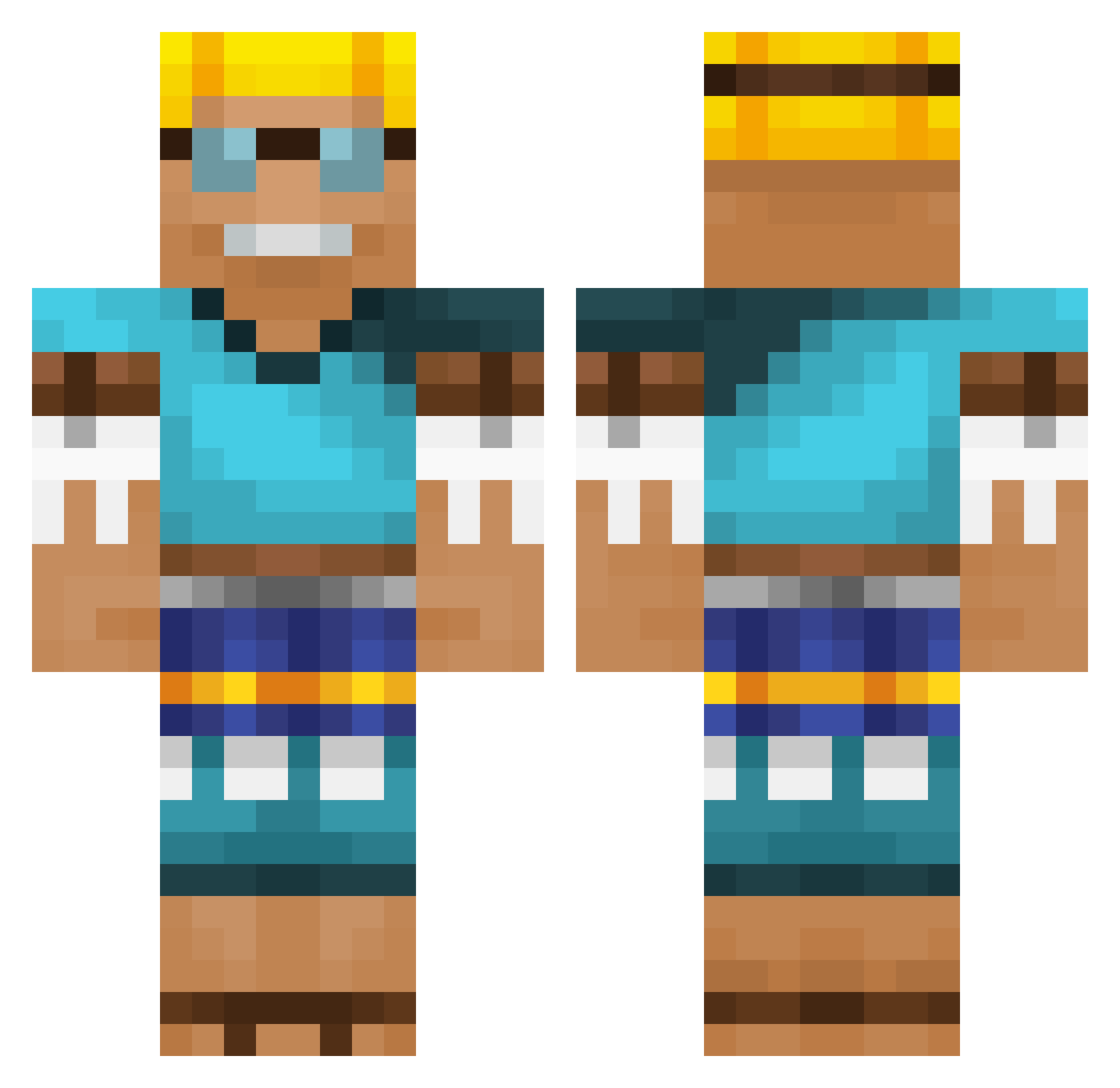
Current Minecraft skin of the player FRS23, loaded from the official Mojang API. Rotate the 3D model with your mouse or finger, then download the skin as a PNG file and use it in Minecraft: Bedrock Edition or Java Edition for free. When FRS23 changes their skin, this page updates automatically and the old skin stays in the history below.
Other players with this skin (666)
FRS23 was the 577th player we have seen with this skin, first spotted on 27.10.2026. The same skin was seen on these players. Open a nickname to see their current skin and skin history.
 vicctorr Soccerboy191 ElisatorLP Newbez999 Kadir190775 Lemurus666 ThatNibbles88 i3n9u ItsLiko Pokkejong Meerkat1355 ravezIGui6ui dindindun PooBoy808 Jonnelel Einmaa Toongble AbybachirTrahov bigk777 WilleH06 Beniboy1999 enzz06 KeepEsEcht Bulwir RUULEER yevgeniy26 Profe30 Lazlo_Panaflex kakkapreo luca_ae05 juanccahh12 Sbug98 HurriedCafe5902 Professor_Ober joshymann62 Worbme SolsticeBreeze _costin_ r4ZORb4Ck GoRiLaXd Kelni deal_dough haogugu randomman203 Azoz_20 DerBaron18 KiLLr0y1121 Drokado Novitchidle05 Mast3rBuild3r L0ck0 XiXi_Tech Jonah_03 AdvaitPalve DrDakota89 Soldaat3110 Xolbors _Schnakenberg_ MaDPiNda MrFicsit
More Adventurer Minecraft skins
How to install the FRS23 skin
- Press the Download button above to save the skin as a PNG file.
- Minecraft: Bedrock Edition (PE): open the Dressing Room from the main menu (or tap your character → Edit Character), go to Classic Skins → Owned, press the + (new skin) button, choose the downloaded PNG and pick the Classic (Steve) model. Works on PC and mobile; consoles cannot import custom skins.
- Minecraft: Java Edition: open the Minecraft Launcher, go to the Skins tab, click New Skin, load the PNG, pick the Classic (Steve) model and press Save & Use. You can also upload it at minecraft.net → Profile → Change Skin.
The skin does not show up after import - what should I do?
Restart Minecraft and open the Dressing Room again - imported skins sometimes appear only after a restart. Also make sure you selected the imported skin and picked the Classic (Steve) model.
Which model should I choose, Classic or Slim?
This skin is designed for the Classic (Steve) model. If you pick the wrong model, the arms of the skin will look stretched or squeezed.
Is the skin of FRS23 free to download?
Yes. Press Download, save the PNG file and use it in Minecraft: Bedrock Edition or Java Edition - no payment or registration needed. The skin also works on multiplayer servers and Realms.
More skins
Looking for more? Go back to all Minecraft skins and check the top skins of the week, month and all time, or find any player's skin by nickname.