
Esca - Minecraft Skins & Skin History
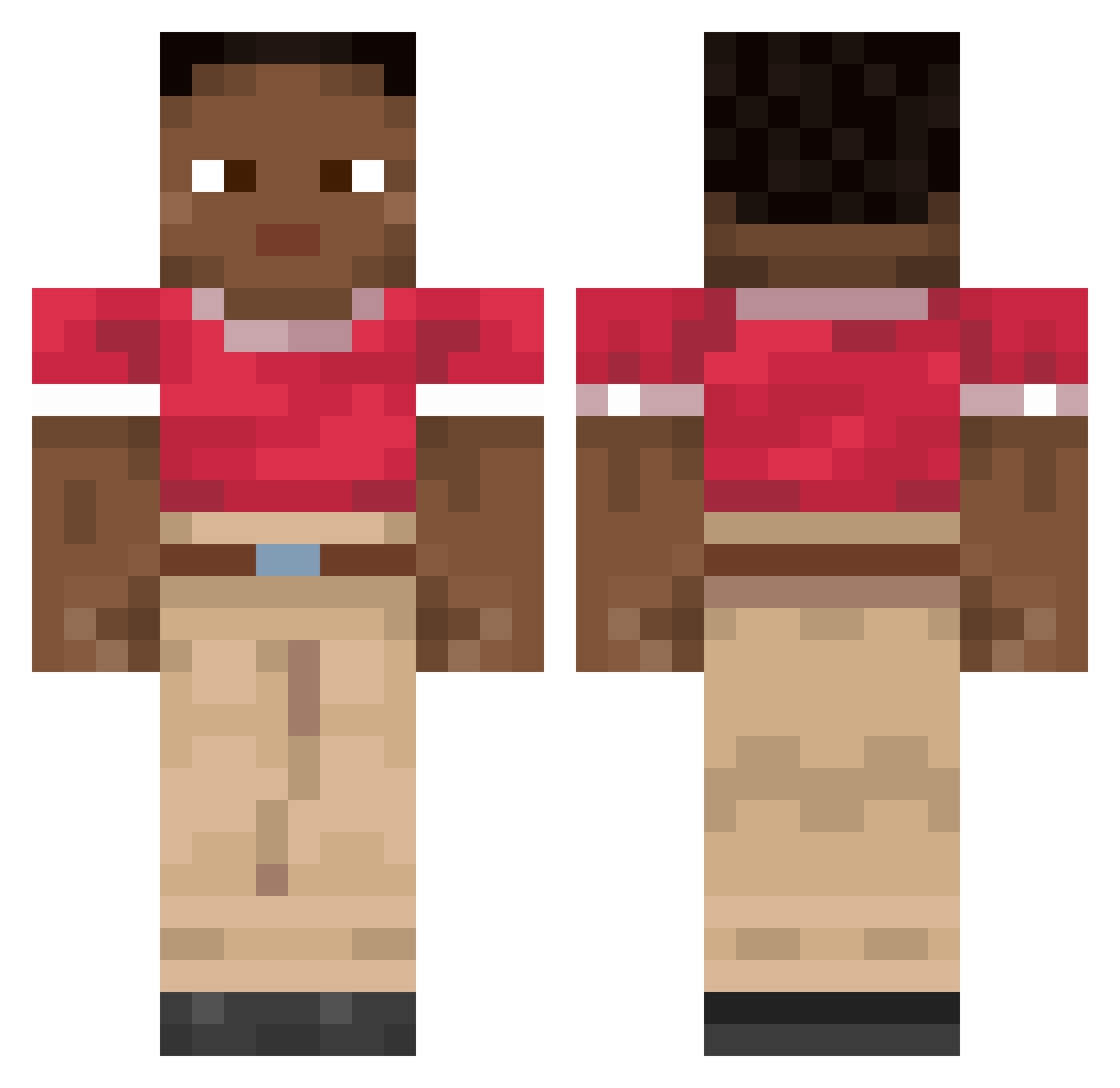
Current Minecraft skin of the player Esca, loaded from the official Mojang API. Rotate the 3D model with your mouse or finger, then download the skin as a PNG file and use it in Minecraft: Bedrock Edition or Java Edition for free. When Esca changes their skin, this page updates automatically and the old skin stays in the history below.
Other players with this skin (1879)
Esca was the 1813th player we have seen with this skin, first spotted on 03.11.2026. The same skin was seen on these players. Open a nickname to see their current skin and skin history.
 Initial_ ESBENOBLOCK Heittauer _Tichy_ MrHabsburg xuxul napalony_johnny kipidze MomInMinecraft bananaquit Ferbacha Golilla BestBro1108 GaminMelon547 Lurio2003 Lewindra kr2x Androide7461 jaxxmachine ulloajfa TtakTtok_2 DJ_VIXIARZ_YT Diaphony bushwack svaeez YummyTroll biszel Collateral Ilyaaaaaas Plater LordGilbert FinnGgC Angst mikrofala___ _Dankle wngns equally TeeFyOG kkiy zKrizz Renkeisan qDash Nehs67 anon413646 Archlinuxus3r Roki_Loki zookg Rapturous leisureless Nmhuxtoo Arriet dauniel TOASTYAPE212028 Chamade BrorsanP3 Rax_DK creeptoon Qwiizly KeyPuncher Cwanwit
How to install the Esca skin
- Press the Download button above to save the skin as a PNG file.
- Minecraft: Bedrock Edition (PE): open the Dressing Room from the main menu (or tap your character → Edit Character), go to Classic Skins → Owned, press the + (new skin) button, choose the downloaded PNG and pick the Classic (Steve) model. Works on PC and mobile; consoles cannot import custom skins.
- Minecraft: Java Edition: open the Minecraft Launcher, go to the Skins tab, click New Skin, load the PNG, pick the Classic (Steve) model and press Save & Use. You can also upload it at minecraft.net → Profile → Change Skin.
The skin does not show up after import - what should I do?
Restart Minecraft and open the Dressing Room again - imported skins sometimes appear only after a restart. Also make sure you selected the imported skin and picked the Classic (Steve) model.
Which model should I choose, Classic or Slim?
This skin is designed for the Classic (Steve) model. If you pick the wrong model, the arms of the skin will look stretched or squeezed.
Is the skin of Esca free to download?
Yes. Press Download, save the PNG file and use it in Minecraft: Bedrock Edition or Java Edition - no payment or registration needed. The skin also works on multiplayer servers and Realms.
More skins
Looking for more? Go back to all Minecraft skins and check the top skins of the week, month and all time, or find any player's skin by nickname.