
Epicplayer12367 - Minecraft Skins & Skin History
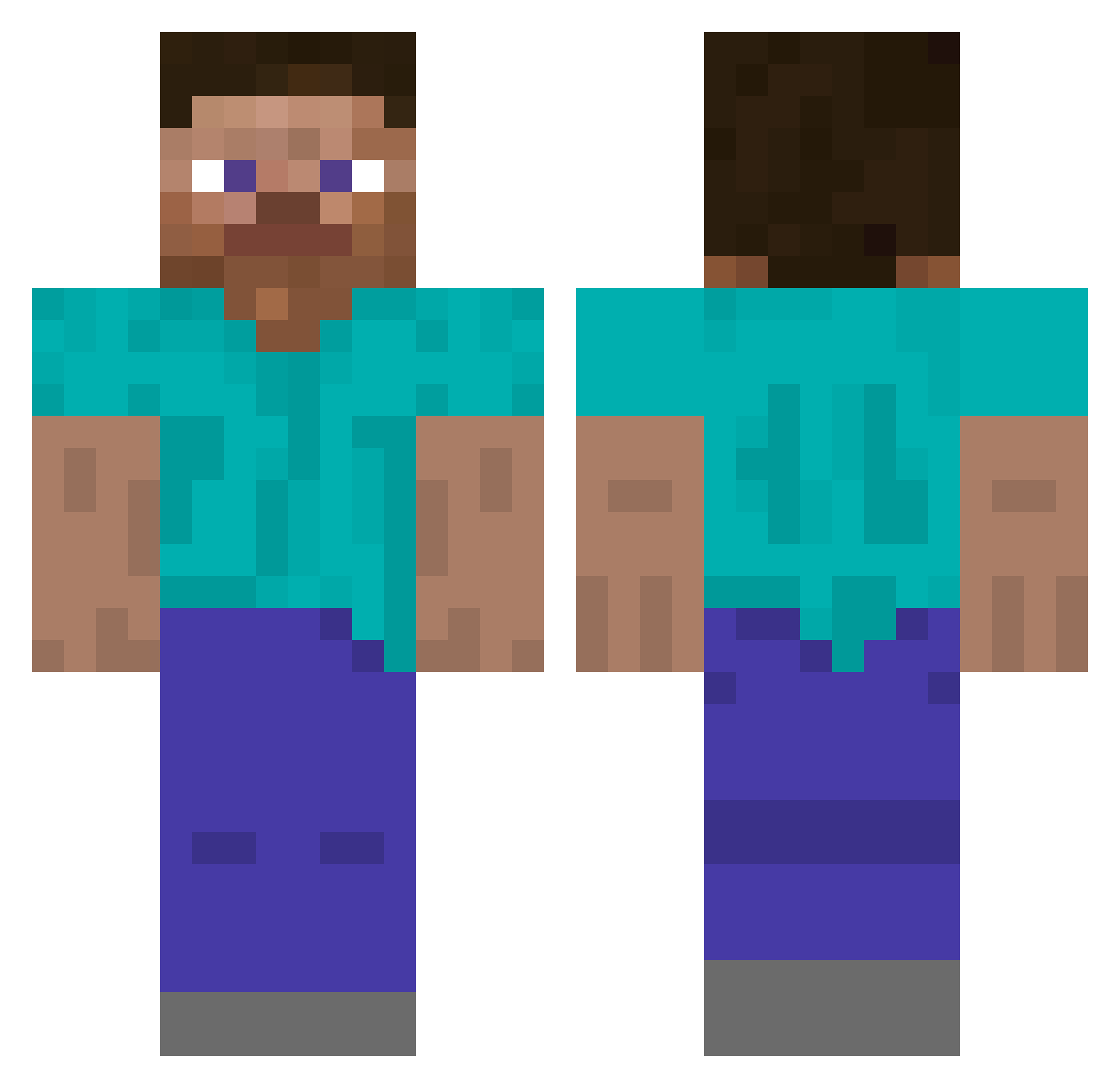
Current Minecraft skin of the player Epicplayer12367, loaded from the official Mojang API. Rotate the 3D model with your mouse or finger, then download the skin as a PNG file and use it in Minecraft: Bedrock Edition or Java Edition for free. When Epicplayer12367 changes their skin, this page updates automatically and the old skin stays in the history below.
Other players with this skin (5294)
Epicplayer12367 was the 4986th player we have seen with this skin, first spotted on 05.11.2026. The same skin was seen on these players. Open a nickname to see their current skin and skin history.
 Diamondized Nonam_THR Cityhunterxyz cccvvv Bedrockbasher itZ_TaReK ShoeBird SkyVoided angryapplebottom Jordbomben 5bits iloveanxiety GujoHachiman Mu_k Forskin MRKNUSPRIG ImBowrd optimusprime123 orange2711 _Bauke_ Bawtie Shawnki899 DapperTXH dustlike biri xxx_Railiz_xx TOMBLOCK305_ fucyouiPrench rkdeoeo1 JimmyNuetron101 3int PThun Mr_Naean RJM06 Sy3tem0_ Gronkar OxitamaYT peag Humoriste beeeany DIMI534 Aple Adamek0_ KaleeDzedaj Rxxu The972bossss NisanDude 16h58 Daddy1986 Colorfy Trexoman XDiamonds Rookeyyy wraytmerq NF_Imperator kersle n4k5 ApolloDoro Enjoied Cariban
How to install the Epicplayer12367 skin
- Press the Download button above to save the skin as a PNG file.
- Minecraft: Bedrock Edition (PE): open the Dressing Room from the main menu (or tap your character → Edit Character), go to Classic Skins → Owned, press the + (new skin) button, choose the downloaded PNG and pick the Classic (Steve) model. Works on PC and mobile; consoles cannot import custom skins.
- Minecraft: Java Edition: open the Minecraft Launcher, go to the Skins tab, click New Skin, load the PNG, pick the Classic (Steve) model and press Save & Use. You can also upload it at minecraft.net → Profile → Change Skin.
The skin does not show up after import - what should I do?
Restart Minecraft and open the Dressing Room again - imported skins sometimes appear only after a restart. Also make sure you selected the imported skin and picked the Classic (Steve) model.
Which model should I choose, Classic or Slim?
This skin is designed for the Classic (Steve) model. If you pick the wrong model, the arms of the skin will look stretched or squeezed.
Is the skin of Epicplayer12367 free to download?
Yes. Press Download, save the PNG file and use it in Minecraft: Bedrock Edition or Java Edition - no payment or registration needed. The skin also works on multiplayer servers and Realms.
More skins
Looking for more? Go back to all Minecraft skins and check the top skins of the week, month and all time, or find any player's skin by nickname.