
Ego_Rito210 - Minecraft Skins & Skin History
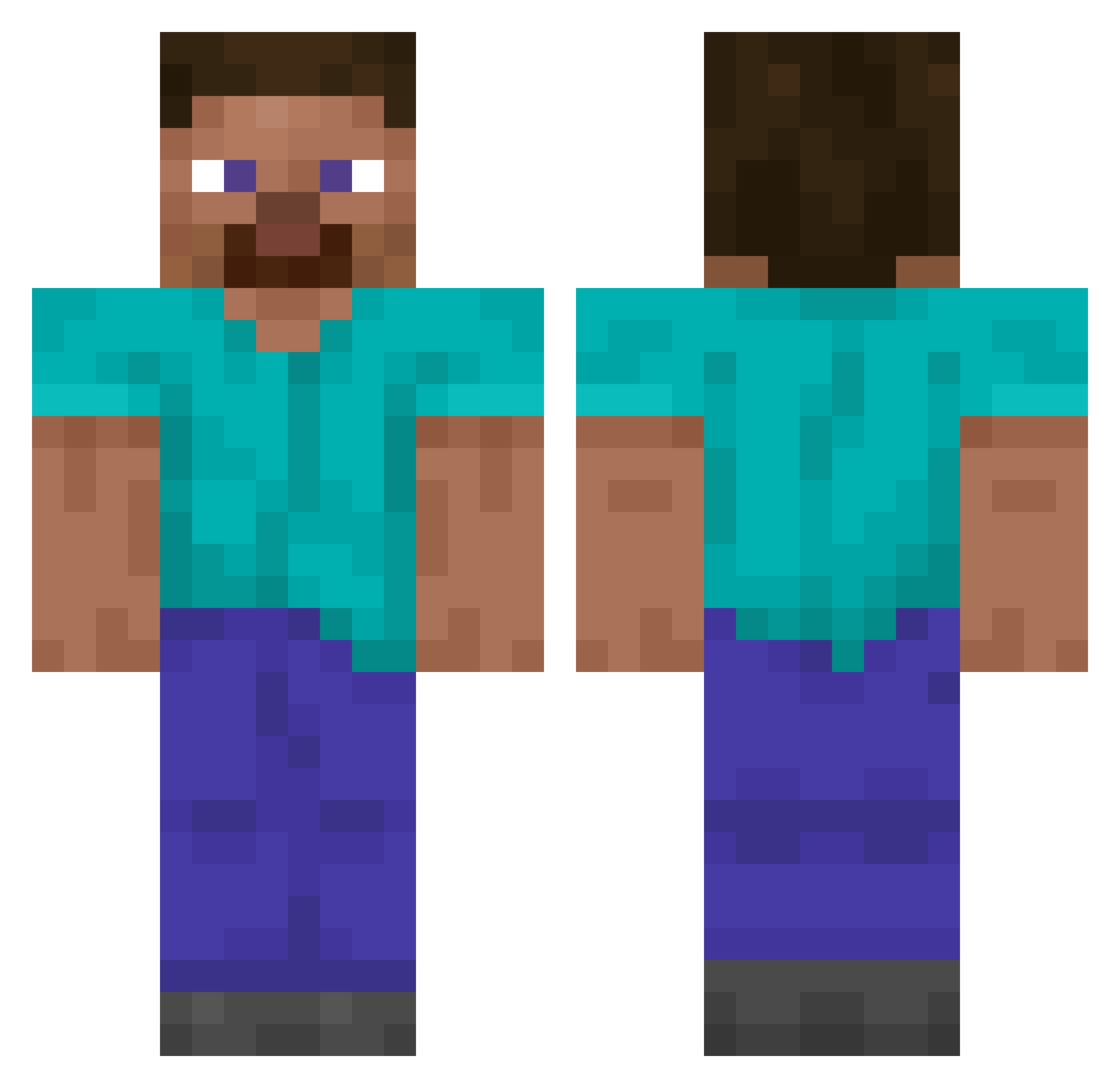
Current Minecraft skin of the player Ego_Rito210, loaded from the official Mojang API. Rotate the 3D model with your mouse or finger, then download the skin as a PNG file and use it in Minecraft: Bedrock Edition or Java Edition for free. When Ego_Rito210 changes their skin, this page updates automatically and the old skin stays in the history below.
Other players with this skin (14866)
Ego_Rito210 was the 11570th player we have seen with this skin, first spotted on 20.10.2026. The same skin was seen on these players. Open a nickname to see their current skin and skin history.
 Maxime1234567 harrymcdowell pug_rex notEssential_ Penciller Bboil Kromisch RespoResponders Londonnn Mengyuan1 ExquisiteButter valuablecase Nikodemowice Pocoyo77 BuddyOlChumPal arken_gg TondaBara MPE_ MonkeyMan694205 frikandyl VisibleFart1 spettle ItzPeter vsa_2019 soguyswedidit65 NeRodri Kaonas Nide SaidMusic tusepq Itzkenta Joax2012 SonGoku49 ahita52 Fasz12 fexto07 Hunter__28 DaquavisDream Milonvl Racc00L reyvax malrangeee yerry15 newop Abo_Qaswara k0itoman03 m4tyn Gulczi_ ilyast24 KiritoSG LDH36 Krobbes JKML1 X4Mcomp Elitepineappl3 55tb Anubiisxd GERM1221 Enzymatec Demmarko
How to install the Ego_Rito210 skin
- Press the Download button above to save the skin as a PNG file.
- Minecraft: Bedrock Edition (PE): open the Dressing Room from the main menu (or tap your character → Edit Character), go to Classic Skins → Owned, press the + (new skin) button, choose the downloaded PNG and pick the Classic (Steve) model. Works on PC and mobile; consoles cannot import custom skins.
- Minecraft: Java Edition: open the Minecraft Launcher, go to the Skins tab, click New Skin, load the PNG, pick the Classic (Steve) model and press Save & Use. You can also upload it at minecraft.net → Profile → Change Skin.
The skin does not show up after import - what should I do?
Restart Minecraft and open the Dressing Room again - imported skins sometimes appear only after a restart. Also make sure you selected the imported skin and picked the Classic (Steve) model.
Which model should I choose, Classic or Slim?
This skin is designed for the Classic (Steve) model. If you pick the wrong model, the arms of the skin will look stretched or squeezed.
Is the skin of Ego_Rito210 free to download?
Yes. Press Download, save the PNG file and use it in Minecraft: Bedrock Edition or Java Edition - no payment or registration needed. The skin also works on multiplayer servers and Realms.
More skins
Looking for more? Go back to all Minecraft skins and check the top skins of the week, month and all time, or find any player's skin by nickname.