
Egild - Minecraft Skins & Skin History
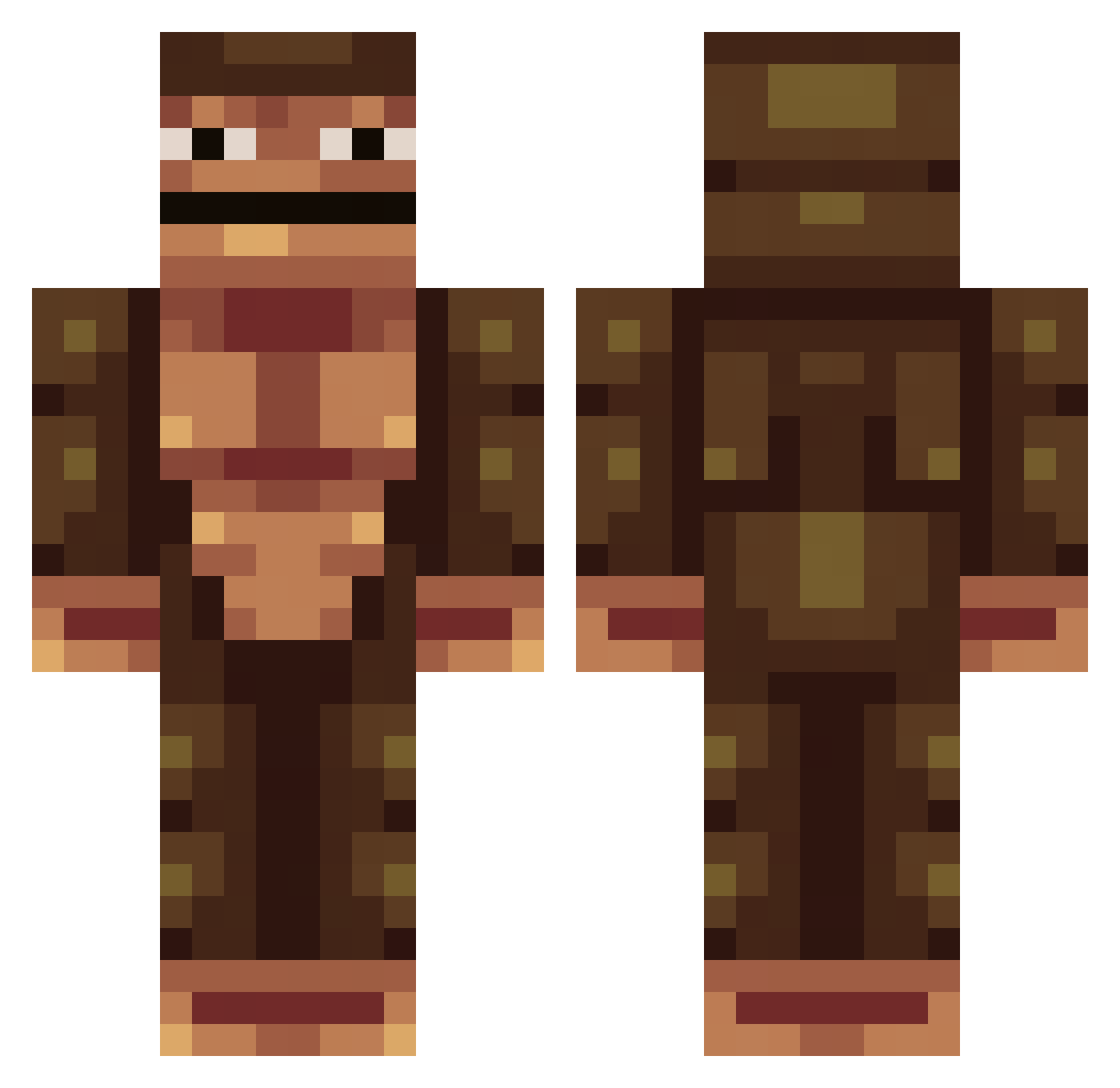
Current Minecraft skin of the player Egild, loaded from the official Mojang API. Rotate the 3D model with your mouse or finger, then download the skin as a PNG file and use it in Minecraft: Bedrock Edition or Java Edition for free. When Egild changes their skin, this page updates automatically and the old skin stays in the history below.
Other players with this skin (174)
Egild was the 149th player we have seen with this skin, first spotted on 28.10.2026. The same skin was seen on these players. Open a nickname to see their current skin and skin history.
 Whiipy ImaBigGuy memetosan LinkalCubo socksmok YourMomSmellBad LandoMand0 Chicken_tom Smilloww LEBRONFOOTSNIFF Tinhiny molnyS4 littlehoney00 FaFaii pkraptor YAJY_Shapiro BarneyFanx HARAM_ silverghost134 TheKingP07 BigBoyBrown97 TheMonkee Exattox CaptainStoll Karanbir Plaquito SKULL_19 MaddMonky66 Braytown garpardgamer Lumaqq GorillaKing6690 TheBananaBoy10 M0ng00seman YoraGabeItch spremeben PokeGO_102 Enaph Arab_Chicken Man_12 Yes995 Emnap Knatterklaus dosomethingidont Cheeg_ L0F3 jinkamisama100 JOPROGAMING Jorshway Itz_begu bigbadgorilla Pythagotron25 blankdotantho PrimalPlantain18 bravo888 Nashticles Its_Mateo711 MonkeyDeity FunnyMonkey9259 BigSm0k3_
How to install the Egild skin
- Press the Download button above to save the skin as a PNG file.
- Minecraft: Bedrock Edition (PE): open the Dressing Room from the main menu (or tap your character → Edit Character), go to Classic Skins → Owned, press the + (new skin) button, choose the downloaded PNG and pick the Classic (Steve) model. Works on PC and mobile; consoles cannot import custom skins.
- Minecraft: Java Edition: open the Minecraft Launcher, go to the Skins tab, click New Skin, load the PNG, pick the Classic (Steve) model and press Save & Use. You can also upload it at minecraft.net → Profile → Change Skin.
The skin does not show up after import - what should I do?
Restart Minecraft and open the Dressing Room again - imported skins sometimes appear only after a restart. Also make sure you selected the imported skin and picked the Classic (Steve) model.
Which model should I choose, Classic or Slim?
This skin is designed for the Classic (Steve) model. If you pick the wrong model, the arms of the skin will look stretched or squeezed.
Is the skin of Egild free to download?
Yes. Press Download, save the PNG file and use it in Minecraft: Bedrock Edition or Java Edition - no payment or registration needed. The skin also works on multiplayer servers and Realms.
More skins
Looking for more? Go back to all Minecraft skins and check the top skins of the week, month and all time, or find any player's skin by nickname.