
DuskFlowers - Minecraft Skins & Skin History
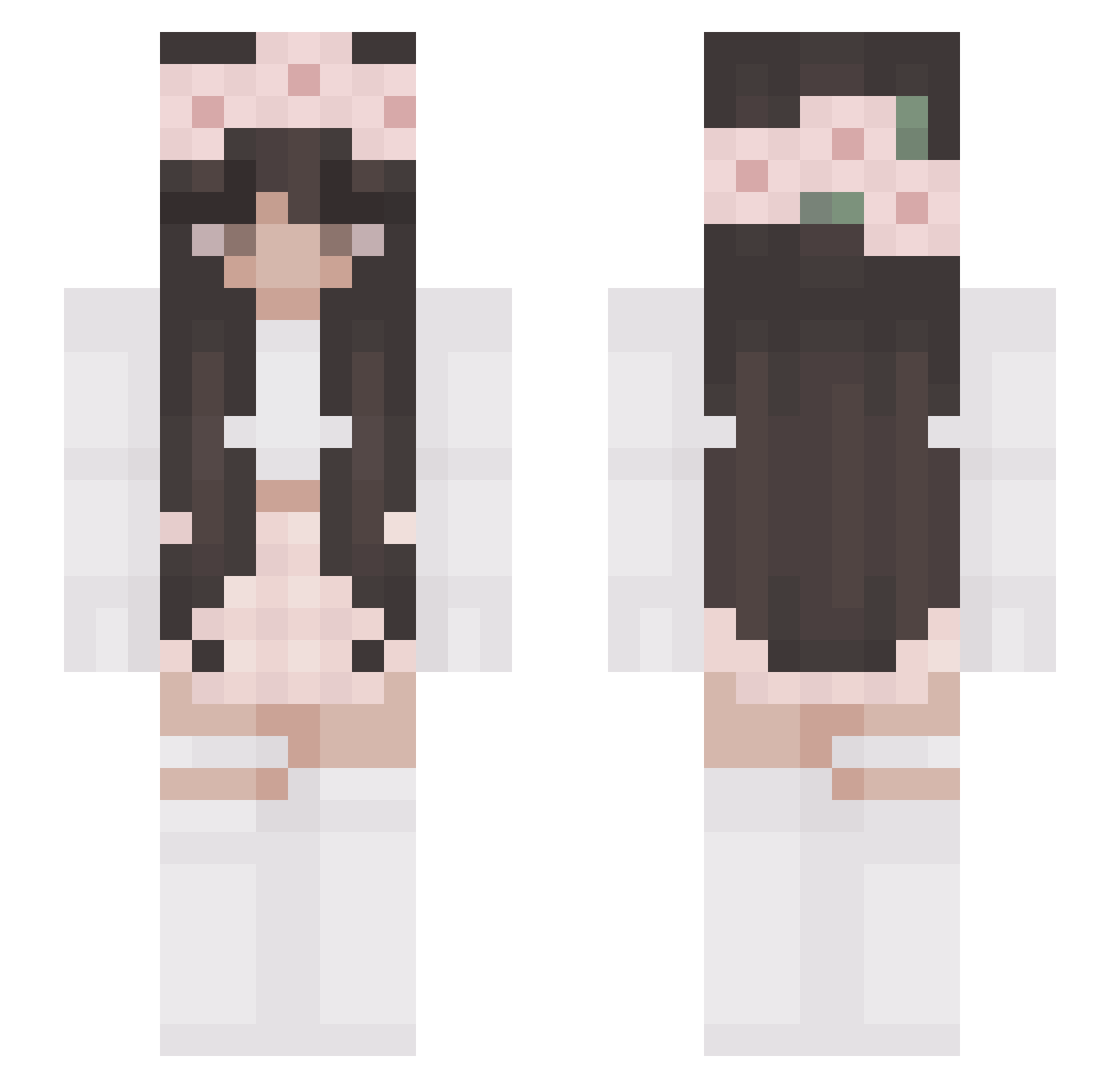
Current Minecraft skin of the player DuskFlowers, loaded from the official Mojang API. Rotate the 3D model with your mouse or finger, then download the skin as a PNG file and use it in Minecraft: Bedrock Edition or Java Edition for free. When DuskFlowers changes their skin, this page updates automatically and the old skin stays in the history below.
Other players with this skin (327)
DuskFlowers was the 287th player we have seen with this skin, first spotted on 28.10.2026. The same skin was seen on these players. Open a nickname to see their current skin and skin history.
 xeniagroe Binjino Leeeeex_a Frxnz_ii Vienna__ Bailey_0 Rikkle ShowerGambit clif_vr _Batafurai_ DeeDeeO3 Michele_02_2020 koovisa cavita117 jdog3803 BigBallaTT djou27 ilivienn Chocolate404 izabethy5 casswalrus EXE_252 AyanamiFan00 Pola_1337 Sheila6662071 PeachSeeker6657 Lolek69 XReady2DieX FestiveKiwo Tania_Lasagna Darleen_ eestasingg Tonja24Games christlyn Lorimaus Erminea SarahOdi H0E _9tails_ melmm23 Anato2403 WinterCatt JodieGaming BatGirlCZ micha_istinie axhl3v Love4legacy kamciae GoingRose jassyizda LaraDeJorge judi0105 princesslex9 Catmiia Utopie81 Amalia_2011 chokuisacat SA3AH Zimong PosAlt15
More Flower Crown Minecraft skins
See all 3686 Flower Crown skins
How to install the DuskFlowers skin
- Press the Download button above to save the skin as a PNG file.
- Minecraft: Bedrock Edition (PE): open the Dressing Room from the main menu (or tap your character → Edit Character), go to Classic Skins → Owned, press the + (new skin) button, choose the downloaded PNG and pick the Slim (Alex) model. Works on PC and mobile; consoles cannot import custom skins.
- Minecraft: Java Edition: open the Minecraft Launcher, go to the Skins tab, click New Skin, load the PNG, pick the Slim (Alex) model and press Save & Use. You can also upload it at minecraft.net → Profile → Change Skin.
The skin does not show up after import - what should I do?
Restart Minecraft and open the Dressing Room again - imported skins sometimes appear only after a restart. Also make sure you selected the imported skin and picked the Slim (Alex) model.
Which model should I choose, Classic or Slim?
This skin is designed for the Slim (Alex) model. If you pick the wrong model, the arms of the skin will look stretched or squeezed.
Is the skin of DuskFlowers free to download?
Yes. Press Download, save the PNG file and use it in Minecraft: Bedrock Edition or Java Edition - no payment or registration needed. The skin also works on multiplayer servers and Realms.
More skins
Looking for more? Go back to all Minecraft skins and check the top skins of the week, month and all time, or find any player's skin by nickname.