
DumDoHee49 - Minecraft Skins & Skin History
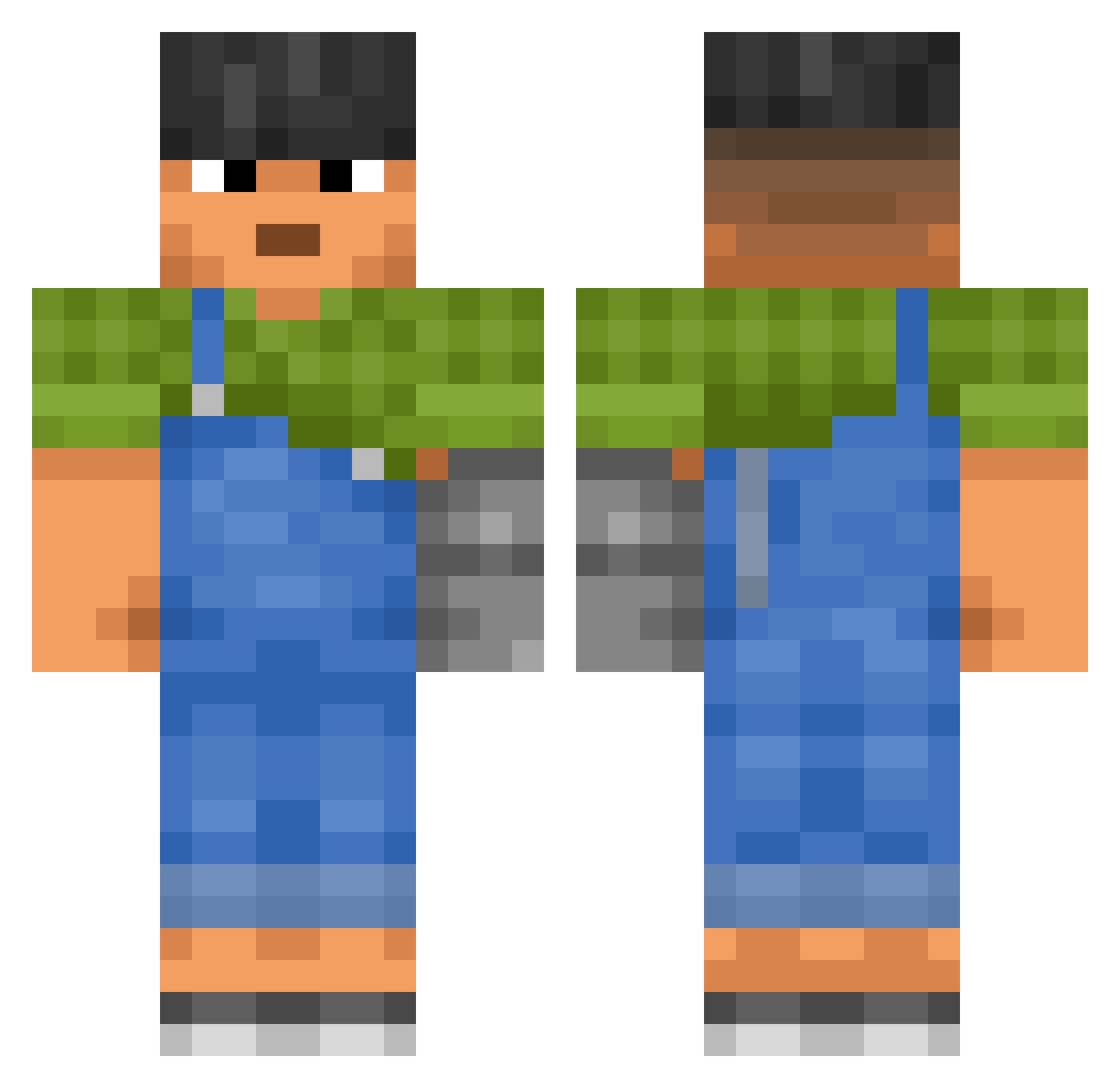
Current Minecraft skin of the player DumDoHee49, loaded from the official Mojang API. Rotate the 3D model with your mouse or finger, then download the skin as a PNG file and use it in Minecraft: Bedrock Edition or Java Edition for free. When DumDoHee49 changes their skin, this page updates automatically and the old skin stays in the history below.
Other players with this skin (3300)
DumDoHee49 was the 2406th player we have seen with this skin, first spotted on 17.10.2026. The same skin was seen on these players. Open a nickname to see their current skin and skin history.
 BePen Glossaries Alexbro448 ManaLabs Spreaded Mecoto Alphachase ohFrostii screenmaster130 Tmanpro44 Unreturnableness Nahkriin_OG Metro7892 BroosG Yeon_Bora ScurvyOwl MariosGamw Dearly makahiki czarnakaw4 KricY eVaquero skunk7410 JOAR_DY MilkPak B3njaminG0tB3nz CHIKENMEN BigChunkyyy DalpangE mclaaronsito KL_Velocity Yordby Diminus44 Kuikkuu DeNewR Nqahrr BillyKickinIt HabibiLaMour DogeDog22 ViniKase Pirene VBjorn Rufine SljmShady sukmin16 ItsHunorHere ZombieJake9236 invulnerable konara315 dogangang PurpleJragon jlaguilar97 Disparagement Heggstacy dravenslayer koldyn1978 ackman dang_jin taro0119 sloopye
More Prosthetic Arm Minecraft skins
See all 78 Prosthetic Arm skins
How to install the DumDoHee49 skin
- Press the Download button above to save the skin as a PNG file.
- Minecraft: Bedrock Edition (PE): open the Dressing Room from the main menu (or tap your character → Edit Character), go to Classic Skins → Owned, press the + (new skin) button, choose the downloaded PNG and pick the Classic (Steve) model. Works on PC and mobile; consoles cannot import custom skins.
- Minecraft: Java Edition: open the Minecraft Launcher, go to the Skins tab, click New Skin, load the PNG, pick the Classic (Steve) model and press Save & Use. You can also upload it at minecraft.net → Profile → Change Skin.
The skin does not show up after import - what should I do?
Restart Minecraft and open the Dressing Room again - imported skins sometimes appear only after a restart. Also make sure you selected the imported skin and picked the Classic (Steve) model.
Which model should I choose, Classic or Slim?
This skin is designed for the Classic (Steve) model. If you pick the wrong model, the arms of the skin will look stretched or squeezed.
Is the skin of DumDoHee49 free to download?
Yes. Press Download, save the PNG file and use it in Minecraft: Bedrock Edition or Java Edition - no payment or registration needed. The skin also works on multiplayer servers and Realms.
More skins
Looking for more? Go back to all Minecraft skins and check the top skins of the week, month and all time, or find any player's skin by nickname.