
DucSifflet17778 - Minecraft Skins & Skin History
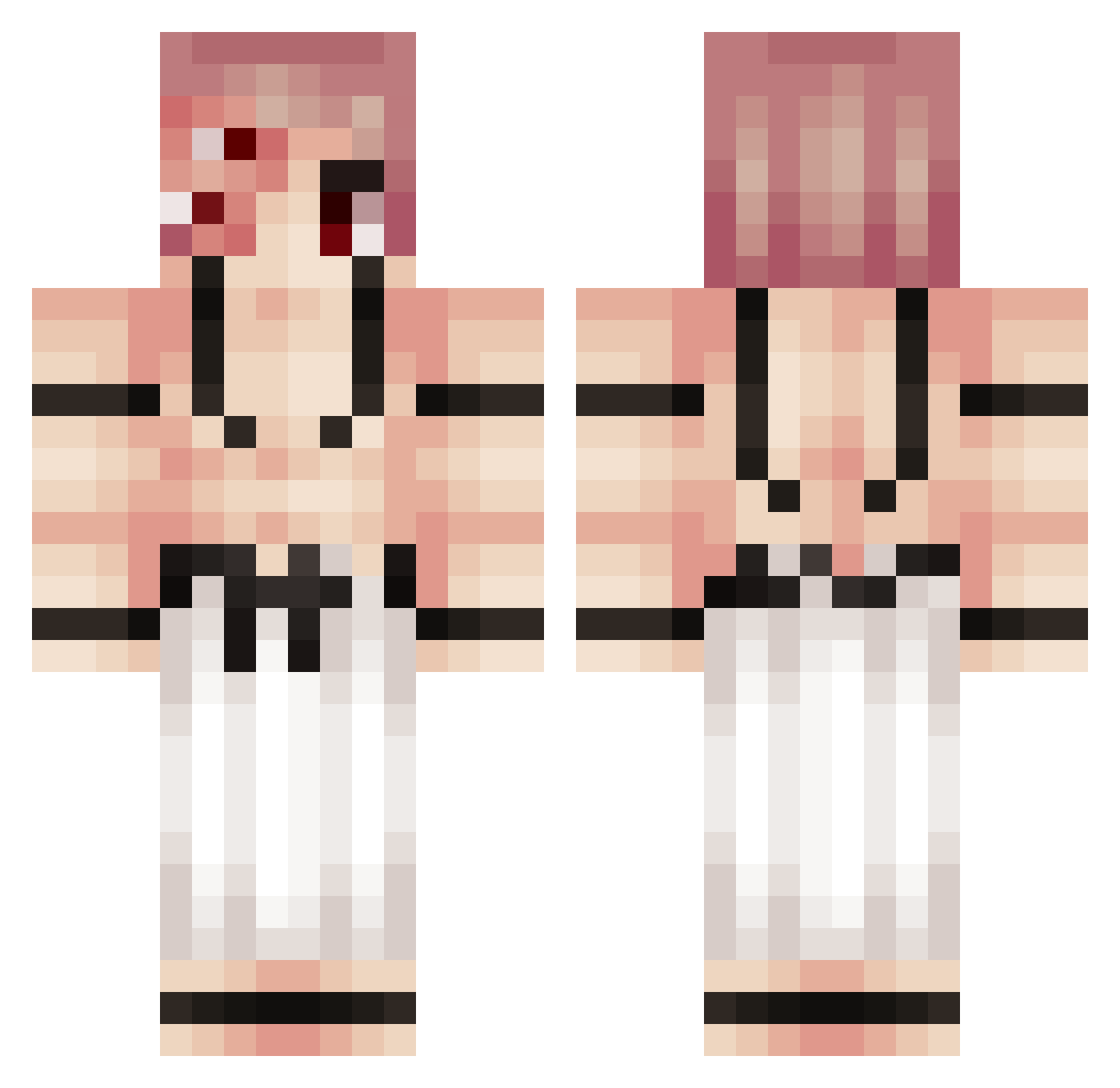
Current Minecraft skin of the player DucSifflet17778, loaded from the official Mojang API. Rotate the 3D model with your mouse or finger, then download the skin as a PNG file and use it in Minecraft: Bedrock Edition or Java Edition for free. When DucSifflet17778 changes their skin, this page updates automatically and the old skin stays in the history below.
Other players with this skin (280)
DucSifflet17778 was the 251st player we have seen with this skin, first spotted on 01.11.2026. The same skin was seen on these players. Open a nickname to see their current skin and skin history.
 Greafe RyumenKenshi Bigodinhopequeno SardEdu KanZai0 D4rkoli Krypto_T lordHERMES95 Goofiness TomTom049 luisrogek DemonBrotherhood iTzMaste parkjonghyun0517 TokyoPure MISARIVER keviNBAEG weegeedom Vrinkos NoFkTH MikuRex astalier HeavenlyShadowYT GoodGuy_01 Astlar_ ONEIROZ xEkii shadow_komi SC_Cody RaHuL17 ohnoandoh hercules29311 rickycantplay RanaFragola touji_megumu Macapajada BROWNCAT244 Dozzy3629 hellothere624 sujak11 Erddtree Ririluvsuuu Gok4 Sivjo oku6188 Spyd3rMilk DemonizedDog afk_mitsuu CavinsCabins Lemoncio4k TThatMan David24killer Jasonchaker30 ineshine36 _e_1 Juanse2 AjaxDaddy OLBundy Mugetsuo enes4174
More Kokushibo Minecraft skins
How to install the DucSifflet17778 skin
- Press the Download button above to save the skin as a PNG file.
- Minecraft: Bedrock Edition (PE): open the Dressing Room from the main menu (or tap your character → Edit Character), go to Classic Skins → Owned, press the + (new skin) button, choose the downloaded PNG and pick the Classic (Steve) model. Works on PC and mobile; consoles cannot import custom skins.
- Minecraft: Java Edition: open the Minecraft Launcher, go to the Skins tab, click New Skin, load the PNG, pick the Classic (Steve) model and press Save & Use. You can also upload it at minecraft.net → Profile → Change Skin.
The skin does not show up after import - what should I do?
Restart Minecraft and open the Dressing Room again - imported skins sometimes appear only after a restart. Also make sure you selected the imported skin and picked the Classic (Steve) model.
Which model should I choose, Classic or Slim?
This skin is designed for the Classic (Steve) model. If you pick the wrong model, the arms of the skin will look stretched or squeezed.
Is the skin of DucSifflet17778 free to download?
Yes. Press Download, save the PNG file and use it in Minecraft: Bedrock Edition or Java Edition - no payment or registration needed. The skin also works on multiplayer servers and Realms.
More skins
Looking for more? Go back to all Minecraft skins and check the top skins of the week, month and all time, or find any player's skin by nickname.