
DraconicBunny - Minecraft Skins & Skin History
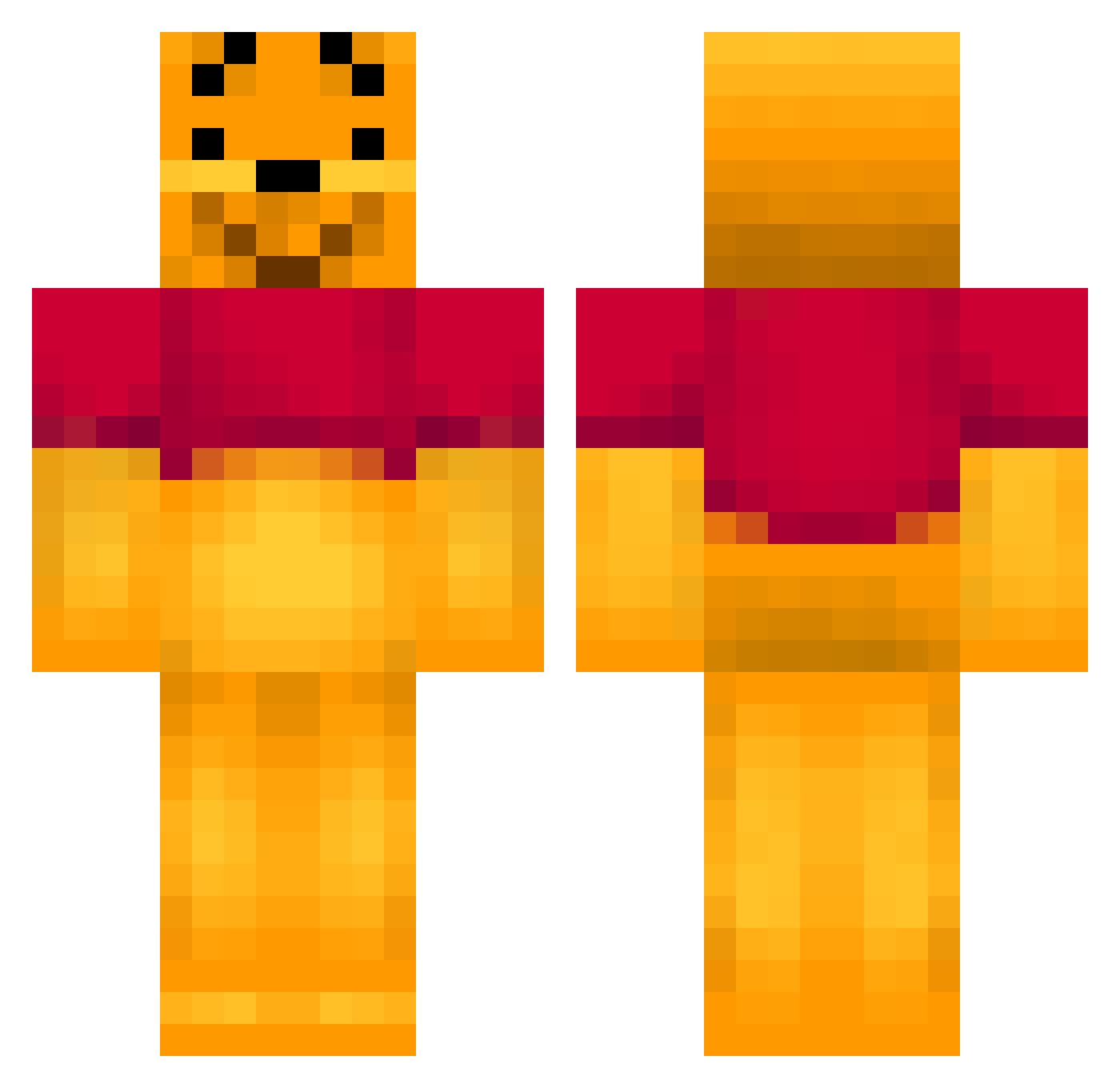
Current Minecraft skin of the player DraconicBunny, loaded from the official Mojang API. Rotate the 3D model with your mouse or finger, then download the skin as a PNG file and use it in Minecraft: Bedrock Edition or Java Edition for free. When DraconicBunny changes their skin, this page updates automatically and the old skin stays in the history below.
Other players with this skin (187)
DraconicBunny was the 168th player we have seen with this skin, first spotted on 02.11.2026. The same skin was seen on these players. Open a nickname to see their current skin and skin history.
 OiniLaPGM Scuba_Stevie Disneylandfan1 sunnyho120 snappy4 CHICOTETRUCU sth3n xxS3THxx ninadeboobong Krizzlysnus one_kim Caramelou mihaelmello MakaHaos K_POP22 SuperE2003 Pandarry Skirac XiangMu_XD gingersnap_333 sebastianford Kim09 FirstclassCommie BestOfCicmanko Guensito RoyalWh1t3zZ KennyAssss Doukeyee mrbobbylee KevinandKeith Dawwa Ohtnaoh QUICKALERT natandal123 sdfg xiaohua732 vO3OvP Feels_Cringe Jynlix Jactation plopoli XEONY partypooper69 TurtleTickler22 kattawatta Momo2110 Nibbaa69 duxkysss Mikioaj LilConcha mtxif envoitaikina x1nku1e kek_top yukkuri890 Jason890626 RobotGrasmaaier Mofen_NB Haku115 JYOOOKUN
More Winnie The Pooh Minecraft skins
See all 361 Winnie The Pooh skins
How to install the DraconicBunny skin
- Press the Download button above to save the skin as a PNG file.
- Minecraft: Bedrock Edition (PE): open the Dressing Room from the main menu (or tap your character → Edit Character), go to Classic Skins → Owned, press the + (new skin) button, choose the downloaded PNG and pick the Classic (Steve) model. Works on PC and mobile; consoles cannot import custom skins.
- Minecraft: Java Edition: open the Minecraft Launcher, go to the Skins tab, click New Skin, load the PNG, pick the Classic (Steve) model and press Save & Use. You can also upload it at minecraft.net → Profile → Change Skin.
The skin does not show up after import - what should I do?
Restart Minecraft and open the Dressing Room again - imported skins sometimes appear only after a restart. Also make sure you selected the imported skin and picked the Classic (Steve) model.
Which model should I choose, Classic or Slim?
This skin is designed for the Classic (Steve) model. If you pick the wrong model, the arms of the skin will look stretched or squeezed.
Is the skin of DraconicBunny free to download?
Yes. Press Download, save the PNG file and use it in Minecraft: Bedrock Edition or Java Edition - no payment or registration needed. The skin also works on multiplayer servers and Realms.
More skins
Looking for more? Go back to all Minecraft skins and check the top skins of the week, month and all time, or find any player's skin by nickname.