
Doudo - Minecraft Skins & Skin History
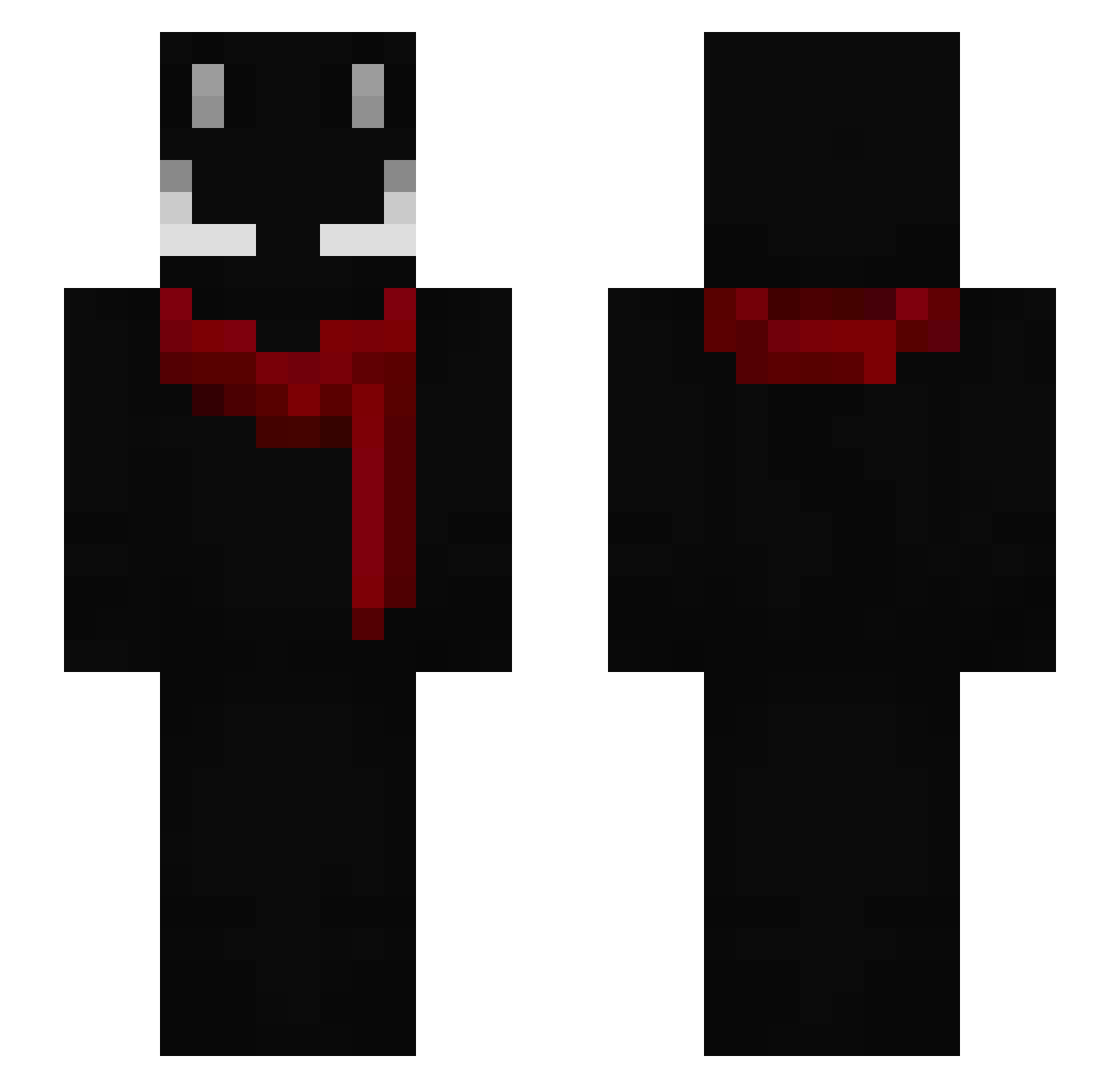
Current Minecraft skin of the player Doudo, loaded from the official Mojang API. Rotate the 3D model with your mouse or finger, then download the skin as a PNG file and use it in Minecraft: Bedrock Edition or Java Edition for free. When Doudo changes their skin, this page updates automatically and the old skin stays in the history below.
Other players with this skin (158)
Doudo was the 125th player we have seen with this skin, first spotted on 15.10.2026. The same skin was seen on these players. Open a nickname to see their current skin and skin history.
 2heart_FAL cxdn_ mxqez Runecy mizvs_ isenoe MaherExcel Fillree samuel07909 oculion Skups Brokenexe Night1_x milsoni ERICKVALDO KANFIKONF ChoppedByBogi arryy67 scrficed Divine4u Polkatt gustavinZ_ hvee Paltix CapyComrade7459 yyuk_ ma5or McMami Satan1c Disled Metalic_2000 llwxde mimomm Awante_Elk0y 2Mart XalmaXal RaikonV3 Xeydro rusu_vapupa glocksqz mrbraawn asillygoobert RumahMakanNasgor H2oShiroS BR4Z4S burntmyledger ToPeidando angrycat1955 manifiques TalleszZ BERRYPIN notgeck Kyoto_yzx GacekPozdro luvynnej paniclv BrownSugar12 Pusus Munfinn boguslaweeee
How to install the Doudo skin
- Press the Download button above to save the skin as a PNG file.
- Minecraft: Bedrock Edition (PE): open the Dressing Room from the main menu (or tap your character → Edit Character), go to Classic Skins → Owned, press the + (new skin) button, choose the downloaded PNG and pick the Slim (Alex) model. Works on PC and mobile; consoles cannot import custom skins.
- Minecraft: Java Edition: open the Minecraft Launcher, go to the Skins tab, click New Skin, load the PNG, pick the Slim (Alex) model and press Save & Use. You can also upload it at minecraft.net → Profile → Change Skin.
The skin does not show up after import - what should I do?
Restart Minecraft and open the Dressing Room again - imported skins sometimes appear only after a restart. Also make sure you selected the imported skin and picked the Slim (Alex) model.
Which model should I choose, Classic or Slim?
This skin is designed for the Slim (Alex) model. If you pick the wrong model, the arms of the skin will look stretched or squeezed.
Is the skin of Doudo free to download?
Yes. Press Download, save the PNG file and use it in Minecraft: Bedrock Edition or Java Edition - no payment or registration needed. The skin also works on multiplayer servers and Realms.
More skins
Looking for more? Go back to all Minecraft skins and check the top skins of the week, month and all time, or find any player's skin by nickname.