
Dmcguigan13 - Minecraft Skins & Skin History
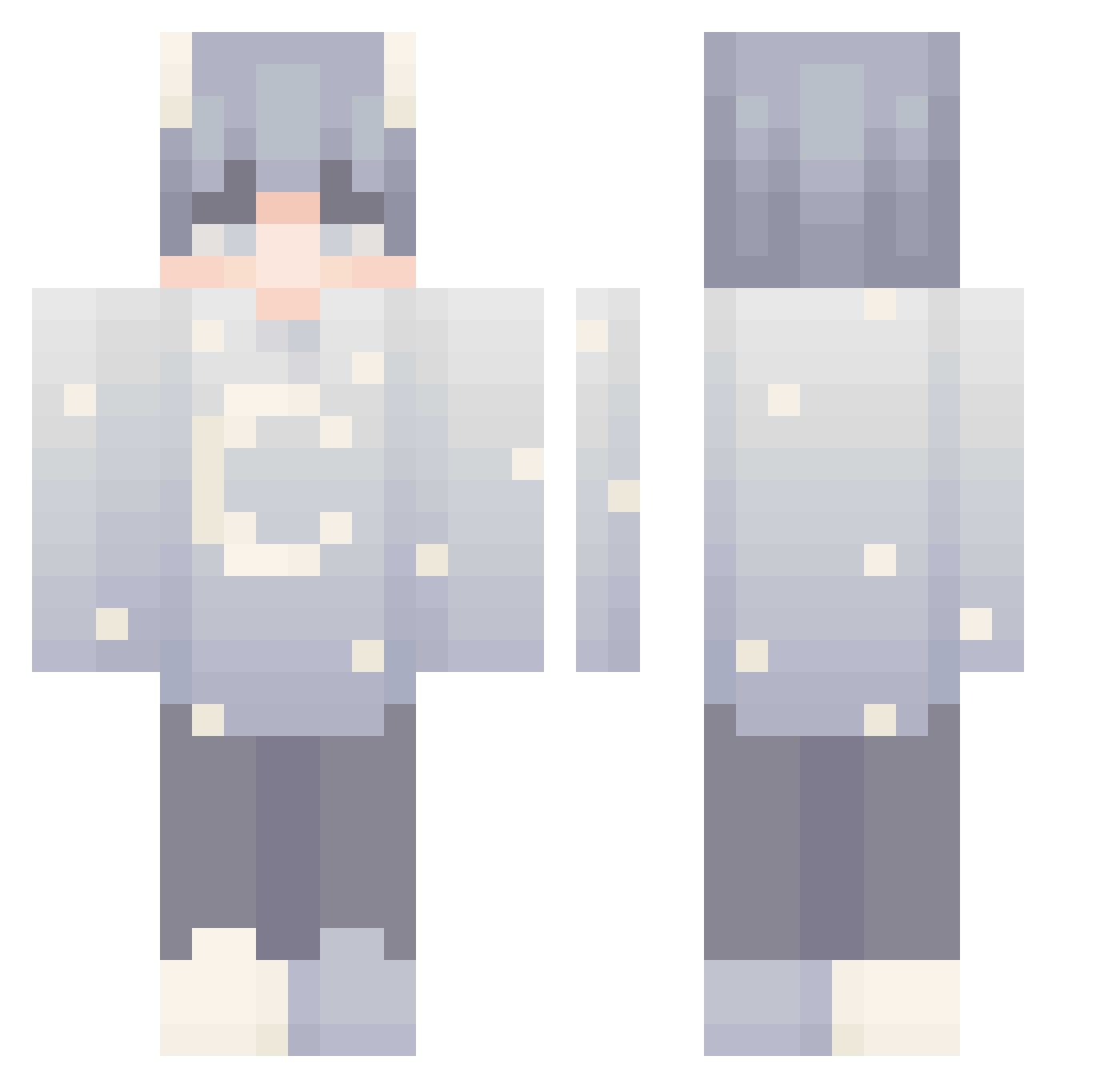
Current Minecraft skin of the player Dmcguigan13, loaded from the official Mojang API. Rotate the 3D model with your mouse or finger, then download the skin as a PNG file and use it in Minecraft: Bedrock Edition or Java Edition for free. When Dmcguigan13 changes their skin, this page updates automatically and the old skin stays in the history below.
Other players with this skin (191)
Dmcguigan13 was the 184th player we have seen with this skin, first spotted on 11.11.2026. The same skin was seen on these players. Open a nickname to see their current skin and skin history.
 mSmoke_ Wolvzez KampoMinecraft killler256 Darkyzeira TioFloko SneepSnoop_exe EezyBreezy23 TimAndJim itu5 leeee0722 Kenk8_VN h1robruh AA1I Flying_Daweed Gallaxyman420 Suun_ xxnn15 _NOure Alphazard Dreiimos Rbt19 X10RX TomBreyck cheeoh Barfus_ REALreignydayss WorIdWarI Arashi_kaze Lt__Adam oDqlan G1ng3rSn4p3d deadbread23 Hirxshii_ needanothercat _minix jacksgoated yPeuz_ ng_marco quotez_ gastronomical__ TUEzintv mothercore zVikeeh NetShooda shyly_HAPPY Retyy _kn0pka_ NityZera1 Pennyroyal Danisaur1 Zand3rr RxyalLeo MonkeyCowey Grishaa_QT hazmax_ 1xx8 Haskis3000 Kizakx crtz_christian
More Stars Minecraft skins
How to install the Dmcguigan13 skin
- Press the Download button above to save the skin as a PNG file.
- Minecraft: Bedrock Edition (PE): open the Dressing Room from the main menu (or tap your character → Edit Character), go to Classic Skins → Owned, press the + (new skin) button, choose the downloaded PNG and pick the Classic (Steve) model. Works on PC and mobile; consoles cannot import custom skins.
- Minecraft: Java Edition: open the Minecraft Launcher, go to the Skins tab, click New Skin, load the PNG, pick the Classic (Steve) model and press Save & Use. You can also upload it at minecraft.net → Profile → Change Skin.
The skin does not show up after import - what should I do?
Restart Minecraft and open the Dressing Room again - imported skins sometimes appear only after a restart. Also make sure you selected the imported skin and picked the Classic (Steve) model.
Which model should I choose, Classic or Slim?
This skin is designed for the Classic (Steve) model. If you pick the wrong model, the arms of the skin will look stretched or squeezed.
Is the skin of Dmcguigan13 free to download?
Yes. Press Download, save the PNG file and use it in Minecraft: Bedrock Edition or Java Edition - no payment or registration needed. The skin also works on multiplayer servers and Realms.
More skins
Looking for more? Go back to all Minecraft skins and check the top skins of the week, month and all time, or find any player's skin by nickname.