
Dim_12 - Minecraft Skins & Skin History
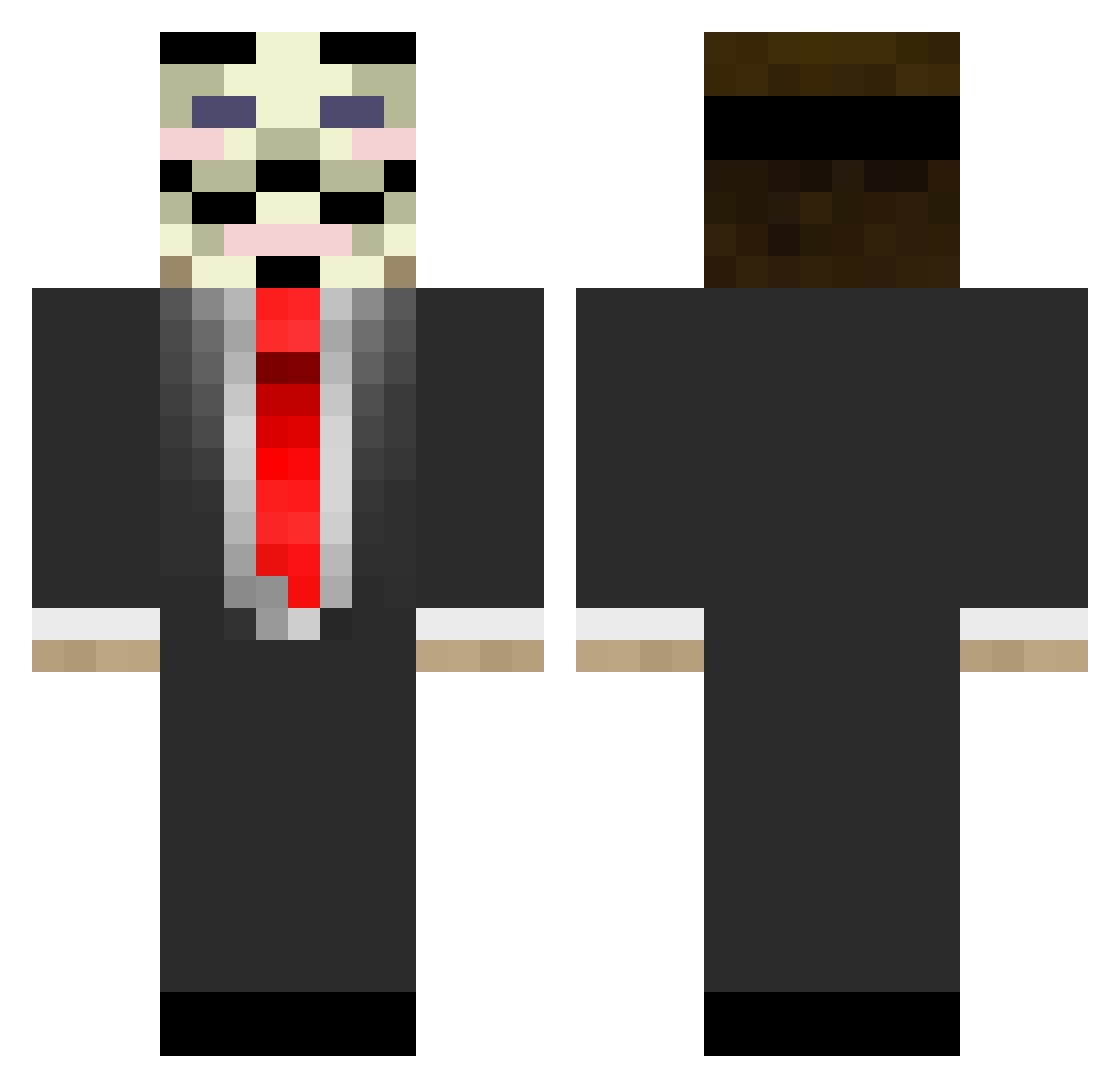
Current Minecraft skin of the player Dim_12, loaded from the official Mojang API. Rotate the 3D model with your mouse or finger, then download the skin as a PNG file and use it in Minecraft: Bedrock Edition or Java Edition for free. When Dim_12 changes their skin, this page updates automatically and the old skin stays in the history below.
Other players with this skin (179)
Dim_12 was the 151st player we have seen with this skin, first spotted on 27.10.2026. The same skin was seen on these players. Open a nickname to see their current skin and skin history.
 arthurplayer24 yazan16 Panzani KAMie2905 MesutEmre Falagad Wrongfull KhopesKhock Strizlik tarutaru_1002 thehoodkagee hosoo05 ps1515_ Emreemre BoBaH1737 VM21 jaum096_ Damamac xNoMercyxS1 Yarick2004 Markirow proctodanika rompewhoppers SOUKENBITYA1 zRioxS J0nan99 Oenning Akbulak Maxiomo _antichr1st ggmv JKFC AdrianBurch MajorProbs_II mrgreglo Nobody088 Shev4Fiend Conquistador895 Chenjoyer CreaTiiK slyxr_ Dech1 barsk1 ToriiWasTaken HUGAO_1911 illusionzblane Anonymous28 LBAKilleur precastagenda71 Ghoulishtie BrayanFixx iamqwezxc DA1K1 ORIUM_paulo MildClicker Jacbell33 FlamingFetusRE XpexiX96 kimsujin0523 Mobiuz123
More V For Vendetta Minecraft skins
See all 315 V For Vendetta skins
How to install the Dim_12 skin
- Press the Download button above to save the skin as a PNG file.
- Minecraft: Bedrock Edition (PE): open the Dressing Room from the main menu (or tap your character → Edit Character), go to Classic Skins → Owned, press the + (new skin) button, choose the downloaded PNG and pick the Classic (Steve) model. Works on PC and mobile; consoles cannot import custom skins.
- Minecraft: Java Edition: open the Minecraft Launcher, go to the Skins tab, click New Skin, load the PNG, pick the Classic (Steve) model and press Save & Use. You can also upload it at minecraft.net → Profile → Change Skin.
The skin does not show up after import - what should I do?
Restart Minecraft and open the Dressing Room again - imported skins sometimes appear only after a restart. Also make sure you selected the imported skin and picked the Classic (Steve) model.
Which model should I choose, Classic or Slim?
This skin is designed for the Classic (Steve) model. If you pick the wrong model, the arms of the skin will look stretched or squeezed.
Is the skin of Dim_12 free to download?
Yes. Press Download, save the PNG file and use it in Minecraft: Bedrock Edition or Java Edition - no payment or registration needed. The skin also works on multiplayer servers and Realms.
More skins
Looking for more? Go back to all Minecraft skins and check the top skins of the week, month and all time, or find any player's skin by nickname.