
Dian24e - Minecraft Skins & Skin History
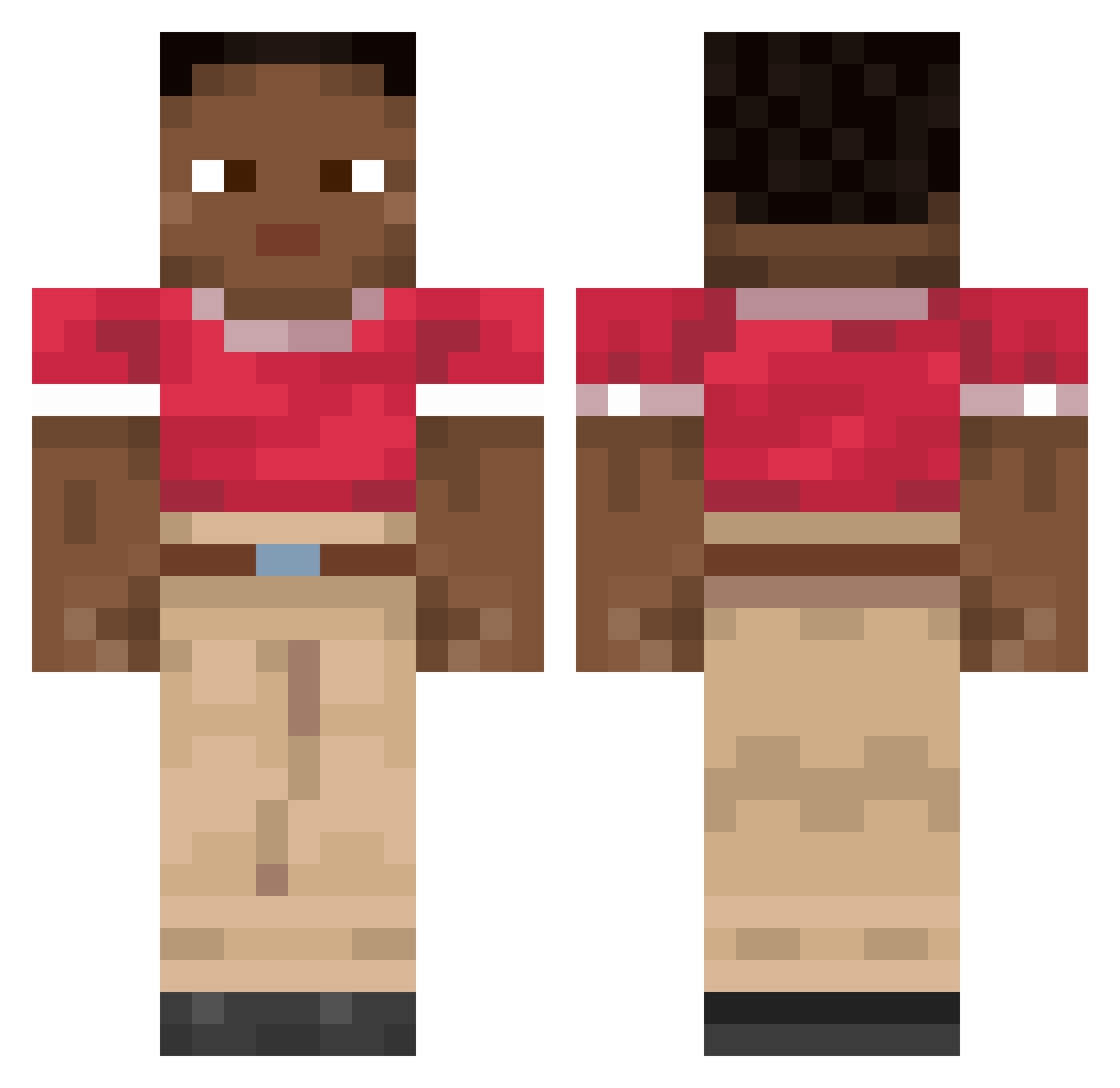
Current Minecraft skin of the player Dian24e, loaded from the official Mojang API. Rotate the 3D model with your mouse or finger, then download the skin as a PNG file and use it in Minecraft: Bedrock Edition or Java Edition for free. When Dian24e changes their skin, this page updates automatically and the old skin stays in the history below.
Other players with this skin (1995)
Dian24e was the 1402nd player we have seen with this skin, first spotted on 16.10.2026. The same skin was seen on these players. Open a nickname to see their current skin and skin history.
 growan bagelman83 Hydropic Chalicothere KikoAngilo KubEx1337 Bingus_96 kubix561 menriontop KillinThaGame42 Pyrrole P4iZeN Bacon__ s4mrt SpikeLee69_ Jawbone monnazzza Francesco_1021 Saltarello LuVuitton inphinyte KingBacca8 Juxtapositions csabeyy Franguia MilkyWayImBlunt 6871654154584531 youzone jaimebermejo_ Jaquandontavious Petro Godthunder0721 lingchen23333 St4ck_Ahoy Marizz_ Maciek_maczeta Bobboi_12 Pediik VirusRockt kjasd54sdfuer2rp gravels SwordMaker Intreat Toan_Gaming Rizzachary upreaching RaelAmaLoiras Devoi_r patricia_my GreefyMonkey LeninaCrowne FlickedNShimmed CrankPorpoise55 TgsHalo Stub grabblers jeppieee GustavoPauGrande HallOfLamer nutelintata
How to install the Dian24e skin
- Press the Download button above to save the skin as a PNG file.
- Minecraft: Bedrock Edition (PE): open the Dressing Room from the main menu (or tap your character → Edit Character), go to Classic Skins → Owned, press the + (new skin) button, choose the downloaded PNG and pick the Classic (Steve) model. Works on PC and mobile; consoles cannot import custom skins.
- Minecraft: Java Edition: open the Minecraft Launcher, go to the Skins tab, click New Skin, load the PNG, pick the Classic (Steve) model and press Save & Use. You can also upload it at minecraft.net → Profile → Change Skin.
The skin does not show up after import - what should I do?
Restart Minecraft and open the Dressing Room again - imported skins sometimes appear only after a restart. Also make sure you selected the imported skin and picked the Classic (Steve) model.
Which model should I choose, Classic or Slim?
This skin is designed for the Classic (Steve) model. If you pick the wrong model, the arms of the skin will look stretched or squeezed.
Is the skin of Dian24e free to download?
Yes. Press Download, save the PNG file and use it in Minecraft: Bedrock Edition or Java Edition - no payment or registration needed. The skin also works on multiplayer servers and Realms.
More skins
Looking for more? Go back to all Minecraft skins and check the top skins of the week, month and all time, or find any player's skin by nickname.