
Devilpheonixx - Minecraft Skins & Skin History
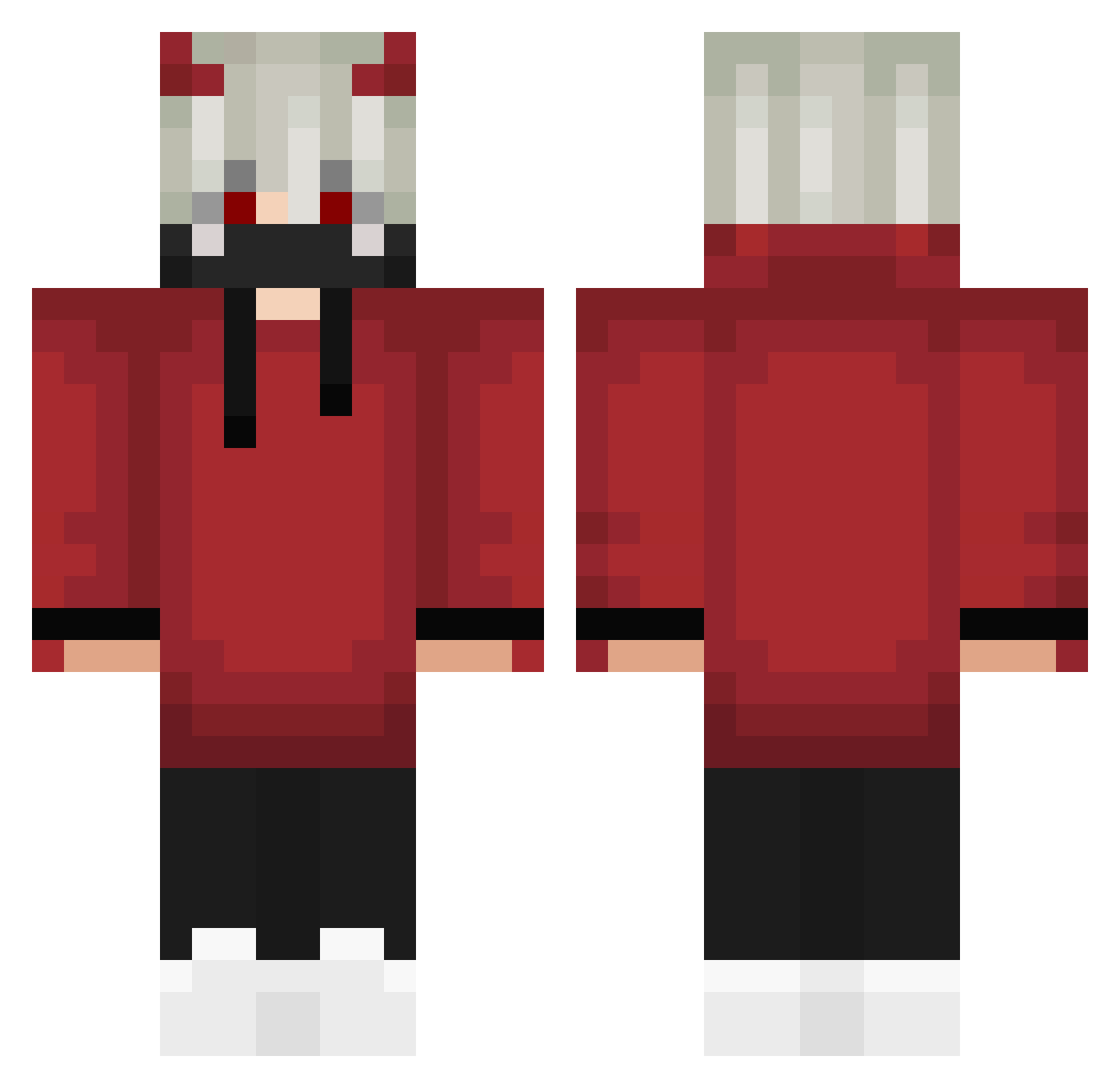
Current Minecraft skin of the player Devilpheonixx, loaded from the official Mojang API. Rotate the 3D model with your mouse or finger, then download the skin as a PNG file and use it in Minecraft: Bedrock Edition or Java Edition for free. When Devilpheonixx changes their skin, this page updates automatically and the old skin stays in the history below.
Other players with this skin (303)
Devilpheonixx was the 249th player we have seen with this skin, first spotted on 23.10.2026. The same skin was seen on these players. Open a nickname to see their current skin and skin history.
 Rathan07 Vhds_067 VAPE_BUY_PLZ antonytommy DERPdeDERPdeDERP SirSteel_ HumCaptain The_FieryWolf Q7Musabarisk BlueBearFan91 SnDve Starwielder MikeTheLGD hxhudid shoya1122 NathanK13 Terr0l kirbyfonat NIAN3333333 Dark_Foxy mitsu0628 Team333 Chaicalatte Pjoao311 ZamaJerry BloodStar666 Theyab12 Rynsx szin_xiter PsyloCat Neuroluxe Zomreaper zWolf04_ GorditaScrim Arthurrbp Nikunj20 N7awaF2 Ka8749 RileyisGreat AAE_Olander AhmetAzatDemir edsleepy Ventoxik_ Itz_Farky_XD ryu0150 Rasko0907 29kiyo Z3NITSU_06 Augustus_Grimes NoxSky_luf TEENS70 metalmanmike Shadowrz_09 Reddragon609 Phcne_X_KoopaNGA punks69 Cristus14 ILDHAN BaddyBoy_G moorenic
More Devil Minecraft skins
How to install the Devilpheonixx skin
- Press the Download button above to save the skin as a PNG file.
- Minecraft: Bedrock Edition (PE): open the Dressing Room from the main menu (or tap your character → Edit Character), go to Classic Skins → Owned, press the + (new skin) button, choose the downloaded PNG and pick the Classic (Steve) model. Works on PC and mobile; consoles cannot import custom skins.
- Minecraft: Java Edition: open the Minecraft Launcher, go to the Skins tab, click New Skin, load the PNG, pick the Classic (Steve) model and press Save & Use. You can also upload it at minecraft.net → Profile → Change Skin.
The skin does not show up after import - what should I do?
Restart Minecraft and open the Dressing Room again - imported skins sometimes appear only after a restart. Also make sure you selected the imported skin and picked the Classic (Steve) model.
Which model should I choose, Classic or Slim?
This skin is designed for the Classic (Steve) model. If you pick the wrong model, the arms of the skin will look stretched or squeezed.
Is the skin of Devilpheonixx free to download?
Yes. Press Download, save the PNG file and use it in Minecraft: Bedrock Edition or Java Edition - no payment or registration needed. The skin also works on multiplayer servers and Realms.
More skins
Looking for more? Go back to all Minecraft skins and check the top skins of the week, month and all time, or find any player's skin by nickname.