
DerGermaneGraze - Minecraft Skins & Skin History
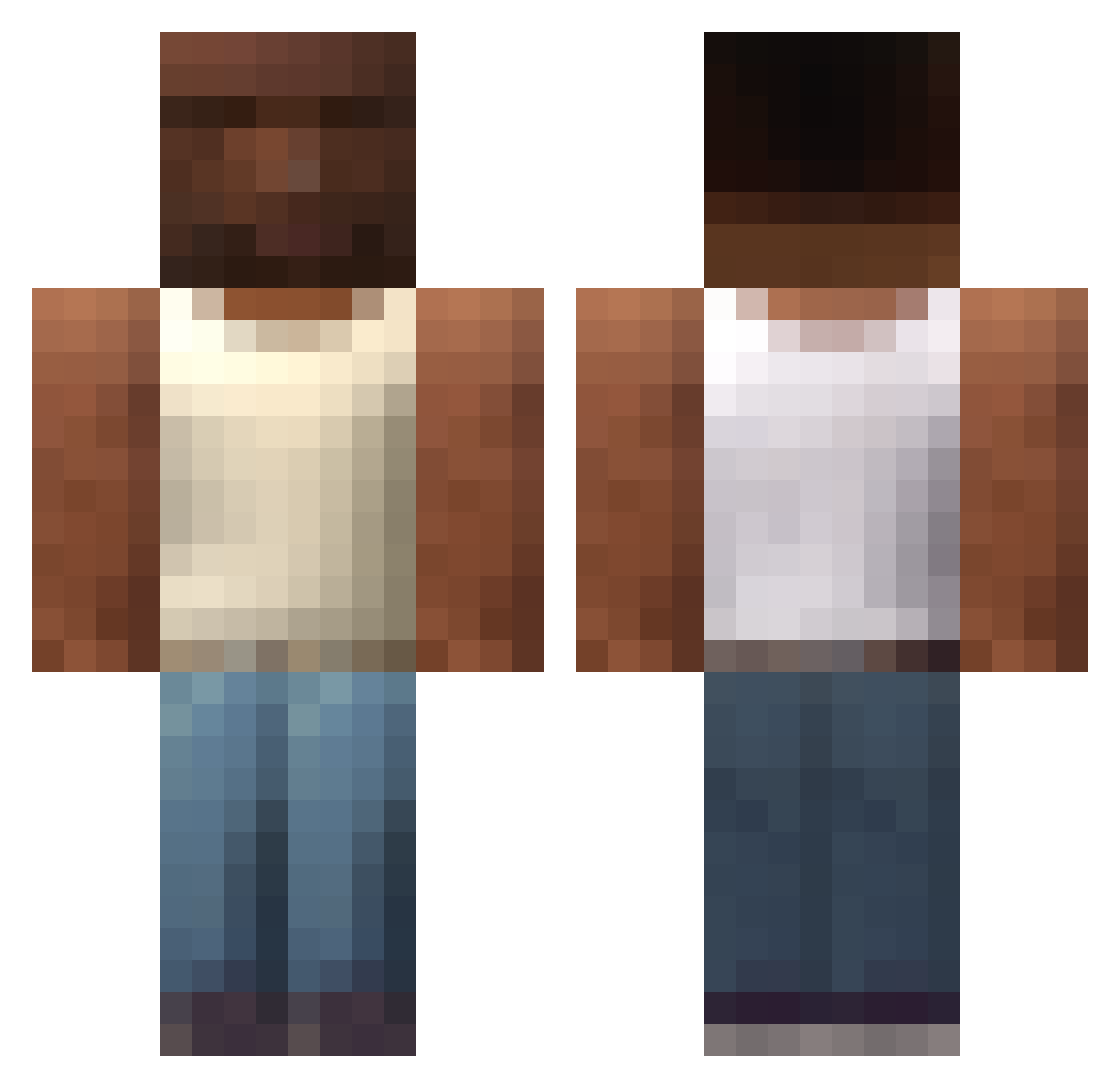
Current Minecraft skin of the player DerGermaneGraze, loaded from the official Mojang API. Rotate the 3D model with your mouse or finger, then download the skin as a PNG file and use it in Minecraft: Bedrock Edition or Java Edition for free. When DerGermaneGraze changes their skin, this page updates automatically and the old skin stays in the history below.
Other players with this skin (616)
DerGermaneGraze was the 468th player we have seen with this skin, first spotted on 15.10.2026. The same skin was seen on these players. Open a nickname to see their current skin and skin history.
 ltsCousin CacaRato07 Samtahhh MoneyIsMoneyLan Marsiok Samanbalik xAkuv BanePig_8 BigBoyJojo Espargalhete Antkapis Guiz1nX1 agu__s lsj_1006 Mitchtastic McCry_mit_Y Sunburger soxpolska wjthlove mgabou ibuterus LEVI_ACKERMAN861 Autoboi KivoYK irfhak Ence12 nilamani risa12313 _Cynia_ Manquiwito 10eraufkombi ArT1z x5bzhh outpUtMusic EasyMoneyMan AzeiTz CostcoCreditCard xDebus xPhil96 isabelasz kxvrnl1 Benja1520 Jawlz7 Zatur616 Dark_Dogi rowekdiabla All_bin Aluzzo Prostagma_6 FURMOMMY iwanntteen sii9x JusArookie XKodeX Miha69420 TaMereQcWeed nuruihoude thlrasgo Milart Albicocca_
More San Andreas Minecraft skins
How to install the DerGermaneGraze skin
- Press the Download button above to save the skin as a PNG file.
- Minecraft: Bedrock Edition (PE): open the Dressing Room from the main menu (or tap your character → Edit Character), go to Classic Skins → Owned, press the + (new skin) button, choose the downloaded PNG and pick the Classic (Steve) model. Works on PC and mobile; consoles cannot import custom skins.
- Minecraft: Java Edition: open the Minecraft Launcher, go to the Skins tab, click New Skin, load the PNG, pick the Classic (Steve) model and press Save & Use. You can also upload it at minecraft.net → Profile → Change Skin.
The skin does not show up after import - what should I do?
Restart Minecraft and open the Dressing Room again - imported skins sometimes appear only after a restart. Also make sure you selected the imported skin and picked the Classic (Steve) model.
Which model should I choose, Classic or Slim?
This skin is designed for the Classic (Steve) model. If you pick the wrong model, the arms of the skin will look stretched or squeezed.
Is the skin of DerGermaneGraze free to download?
Yes. Press Download, save the PNG file and use it in Minecraft: Bedrock Edition or Java Edition - no payment or registration needed. The skin also works on multiplayer servers and Realms.
More skins
Looking for more? Go back to all Minecraft skins and check the top skins of the week, month and all time, or find any player's skin by nickname.