
Deaudro - Minecraft Skins & Skin History
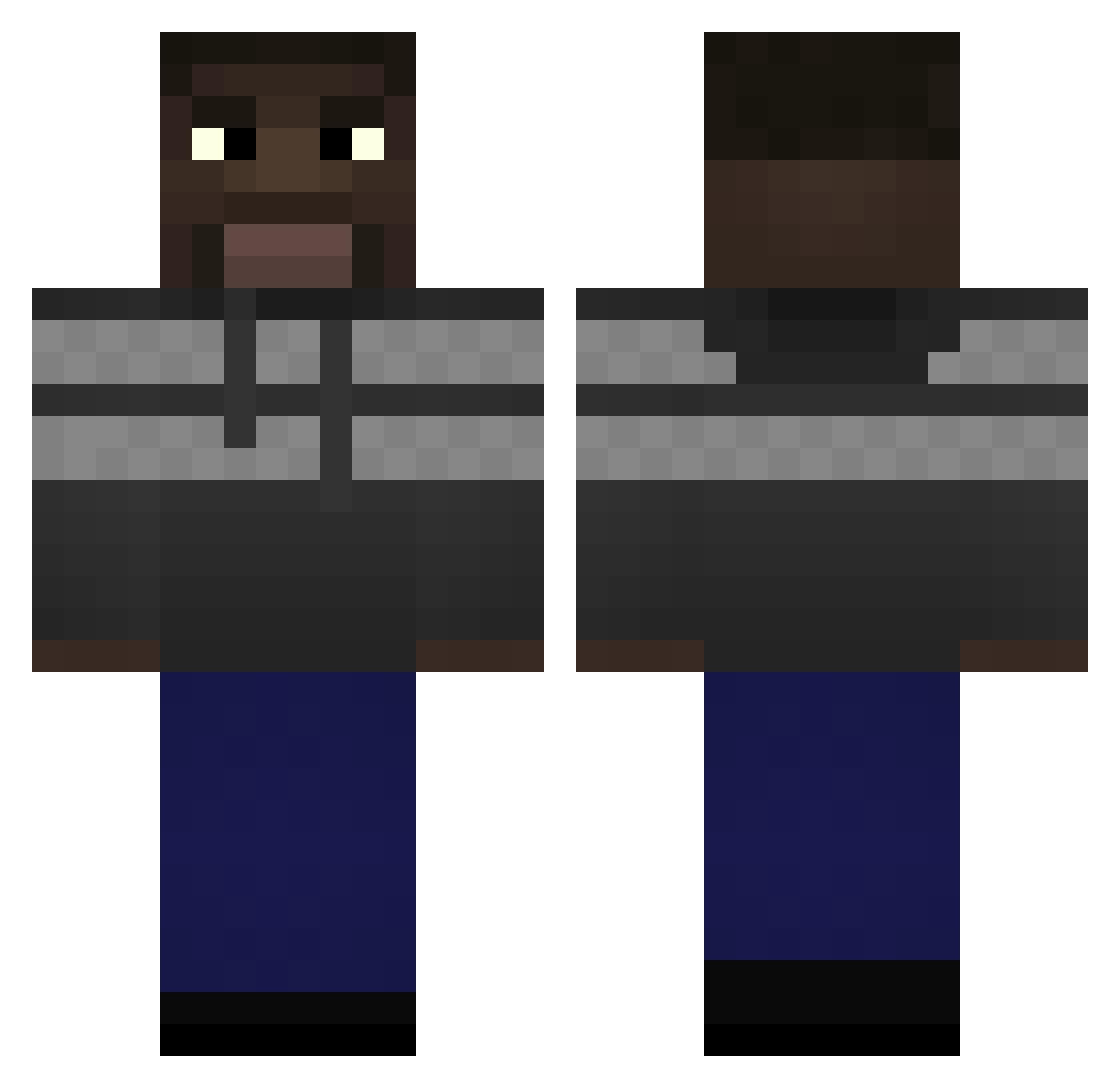
Current Minecraft skin of the player Deaudro, loaded from the official Mojang API. Rotate the 3D model with your mouse or finger, then download the skin as a PNG file and use it in Minecraft: Bedrock Edition or Java Edition for free. When Deaudro changes their skin, this page updates automatically and the old skin stays in the history below.
Other players with this skin (70)
Deaudro was the 65th player we have seen with this skin, first spotted on 02.11.2026. The same skin was seen on these players. Open a nickname to see their current skin and skin history.
 AmbatuCraft_ ponykiller Deanerweener igipigiel1212 uhhSpartan Jdittrich8 Mustfa_SRT Djole_Flojdovic meathead177 derekhall Rammers1 marek_porywacz TuaPehKong Ramta83 Snopys Flibble11 FatxNuts bMa_ PLVMA Plumsen VolkNoah Furzi1337 izraph Clear11 RiddleIV Milaniaxe WIredTick Grydot q_rly CauazitoTV Twitch_Schrecky SpyTrickstabEz Skrrt_ nugitz mestryk ripkingvon48 5wattia BossManAngry hqnryr GitanoMax Timoside Austxns efeslckx Lilleman07 4omegalul4 FortUp drywsonPlayGames
 Con_Welli
 Miso_Kovac NONO_KAZIX
 temeocina indekkusu_ Wojtkobb ToastyMango JINUKA imbatakoukamQc XxAndrewKearnsxX
 BongoGaming carlos_219 Finetti_
How to install the Deaudro skin
- Press the Download button above to save the skin as a PNG file.
- Minecraft: Bedrock Edition (PE): open the Dressing Room from the main menu (or tap your character → Edit Character), go to Classic Skins → Owned, press the + (new skin) button, choose the downloaded PNG and pick the Classic (Steve) model. Works on PC and mobile; consoles cannot import custom skins.
- Minecraft: Java Edition: open the Minecraft Launcher, go to the Skins tab, click New Skin, load the PNG, pick the Classic (Steve) model and press Save & Use. You can also upload it at minecraft.net → Profile → Change Skin.
The skin does not show up after import - what should I do?
Restart Minecraft and open the Dressing Room again - imported skins sometimes appear only after a restart. Also make sure you selected the imported skin and picked the Classic (Steve) model.
Which model should I choose, Classic or Slim?
This skin is designed for the Classic (Steve) model. If you pick the wrong model, the arms of the skin will look stretched or squeezed.
Is the skin of Deaudro free to download?
Yes. Press Download, save the PNG file and use it in Minecraft: Bedrock Edition or Java Edition - no payment or registration needed. The skin also works on multiplayer servers and Realms.
More skins
Looking for more? Go back to all Minecraft skins and check the top skins of the week, month and all time, or find any player's skin by nickname.