
DeIonized - Minecraft Skins & Skin History
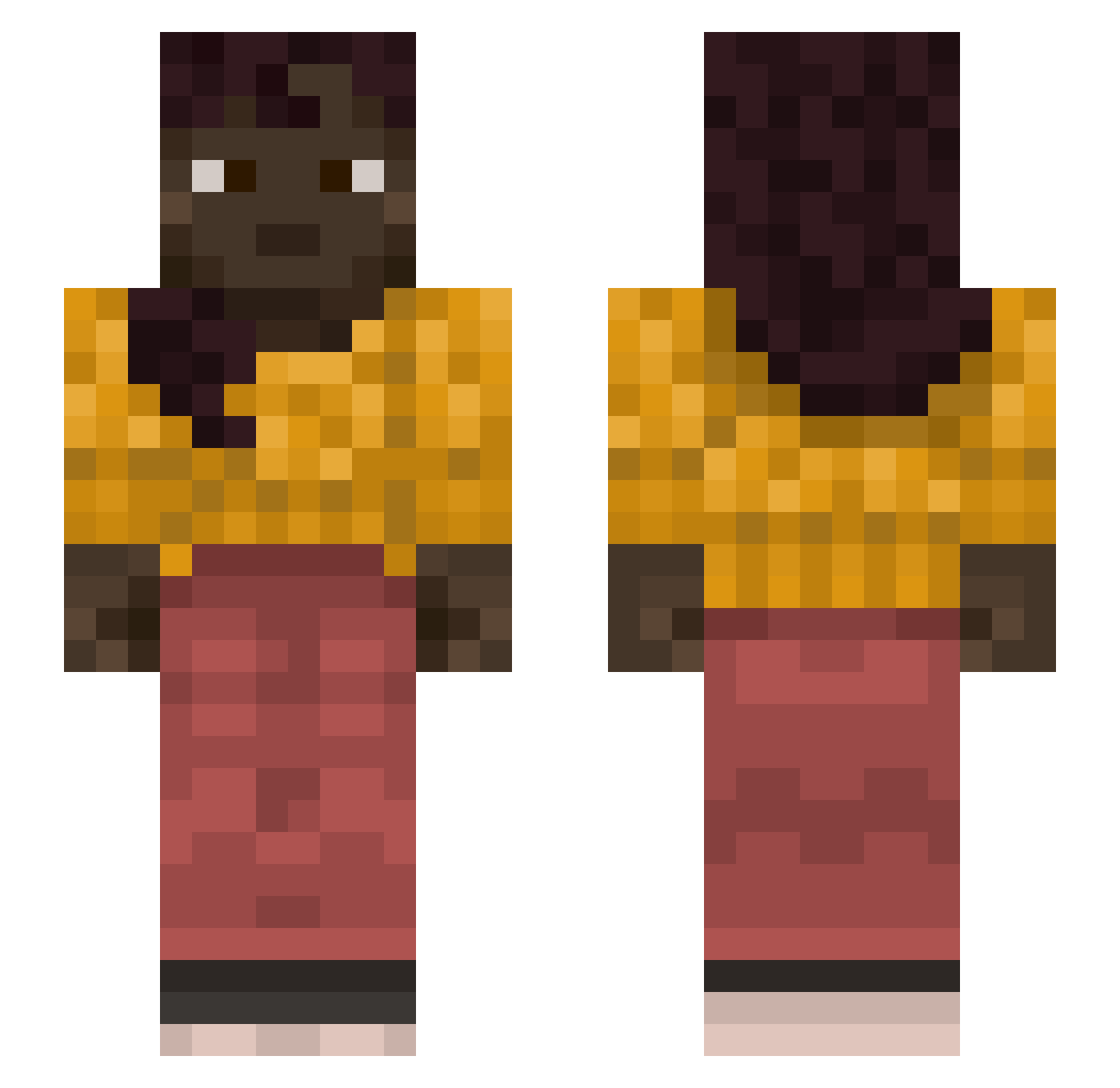
Current Minecraft skin of the player DeIonized, loaded from the official Mojang API. Rotate the 3D model with your mouse or finger, then download the skin as a PNG file and use it in Minecraft: Bedrock Edition or Java Edition for free. When DeIonized changes their skin, this page updates automatically and the old skin stays in the history below.
Other players with this skin (1262)
DeIonized was the 947th player we have seen with this skin, first spotted on 21.10.2026. The same skin was seen on these players. Open a nickname to see their current skin and skin history.
 jefftilT Jahoking ProPoser KaWuIA LRP24 Succor laurits_laursen pearlescent inDane Eleni50 Brazenface Wraker Khrismas CorbatzStahl repowder inkwaver ECMOmayor itzJoaoPlayer porphyrin Opuntia osset Jaze_15 Basnat Cheppu Hydralazine Misocainea durango Halfz5 Ellipsoids Soliradus Matteo_Betto AquaHombre Dugal alllfi Nyzrogh Usages jsw090440 troys Vulneration KqdenTeSouleve_ Kippage Marius_214 Dvion zuzburak Montik sealable Idiotish Eh0629 BAT_la_menace ridxe Summerwood creaker Curry_Pan Izydek_2115 DoktorGengar kleinejoris maddock Feitannn averageness TylerIsEpic
More Braid Minecraft skins
How to install the DeIonized skin
- Press the Download button above to save the skin as a PNG file.
- Minecraft: Bedrock Edition (PE): open the Dressing Room from the main menu (or tap your character → Edit Character), go to Classic Skins → Owned, press the + (new skin) button, choose the downloaded PNG and pick the Slim (Alex) model. Works on PC and mobile; consoles cannot import custom skins.
- Minecraft: Java Edition: open the Minecraft Launcher, go to the Skins tab, click New Skin, load the PNG, pick the Slim (Alex) model and press Save & Use. You can also upload it at minecraft.net → Profile → Change Skin.
The skin does not show up after import - what should I do?
Restart Minecraft and open the Dressing Room again - imported skins sometimes appear only after a restart. Also make sure you selected the imported skin and picked the Slim (Alex) model.
Which model should I choose, Classic or Slim?
This skin is designed for the Slim (Alex) model. If you pick the wrong model, the arms of the skin will look stretched or squeezed.
Is the skin of DeIonized free to download?
Yes. Press Download, save the PNG file and use it in Minecraft: Bedrock Edition or Java Edition - no payment or registration needed. The skin also works on multiplayer servers and Realms.
More skins
Looking for more? Go back to all Minecraft skins and check the top skins of the week, month and all time, or find any player's skin by nickname.