
Dauntless_88 - Minecraft Skins & Skin History
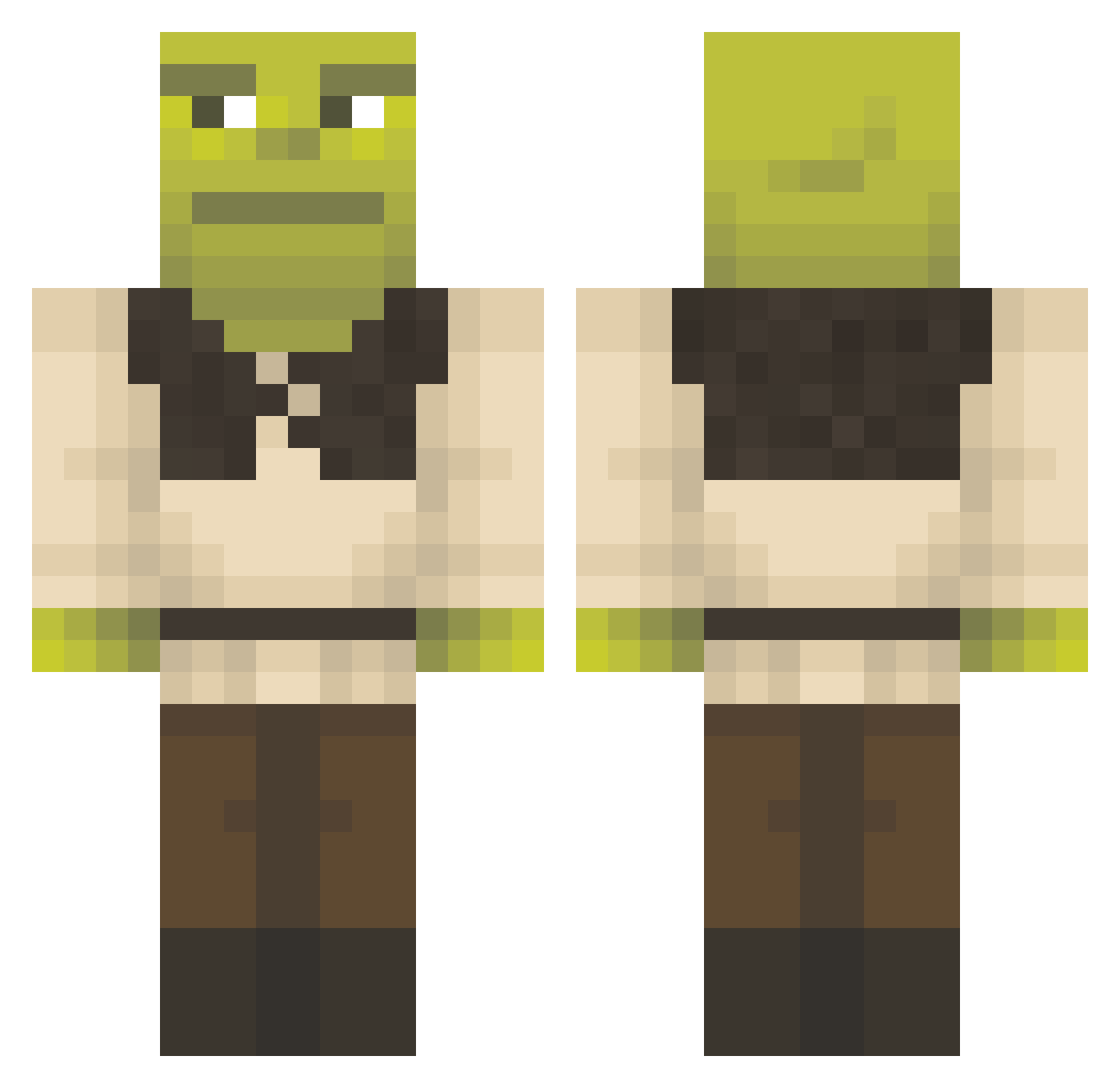
Current Minecraft skin of the player Dauntless_88, loaded from the official Mojang API. Rotate the 3D model with your mouse or finger, then download the skin as a PNG file and use it in Minecraft: Bedrock Edition or Java Edition for free. When Dauntless_88 changes their skin, this page updates automatically and the old skin stays in the history below.
Other players with this skin (1426)
Dauntless_88 was the 1381st player we have seen with this skin, first spotted on 07.11.2026. The same skin was seen on these players. Open a nickname to see their current skin and skin history.
 Marin89 SaroX22 Marcosgara LittlePeanutBut IAM_hacKing MyHouseBurned bumlord25 Aldis_Swe Bieniek11 Ninnoxx MrDoofHead2 sunpish Herminator0205 UrUncleWhack lillebaaten Broremannen wiktorib99 JPgaga BouncyKnight420 T_FP_79 Seryera JeanRodz iminiom Pompiidou MonkeyKiller123 Ima_shha13 ATokii08 Kaiju_Tempest KasperBachh TinFoilHatMan69 Tugra1806 Madzao AndrewBeats aaroncraft12310 caprice07 Meridoch Bora22 rbm_55 Munchi666 MiskieWiskie99 Espinoza559 Pinz714 Lumilieska Noya_F fiskpinne2 Timbor07 Staperia linusmaffia T1ltN yexxy000 Zanikyo Joshua12299 JPjona FoxandFrogLover2 valkarim WildHeart23 Insane13 Pioaze barnikahh EDK02
More Shrek Minecraft skins
How to install the Dauntless_88 skin
- Press the Download button above to save the skin as a PNG file.
- Minecraft: Bedrock Edition (PE): open the Dressing Room from the main menu (or tap your character → Edit Character), go to Classic Skins → Owned, press the + (new skin) button, choose the downloaded PNG and pick the Classic (Steve) model. Works on PC and mobile; consoles cannot import custom skins.
- Minecraft: Java Edition: open the Minecraft Launcher, go to the Skins tab, click New Skin, load the PNG, pick the Classic (Steve) model and press Save & Use. You can also upload it at minecraft.net → Profile → Change Skin.
The skin does not show up after import - what should I do?
Restart Minecraft and open the Dressing Room again - imported skins sometimes appear only after a restart. Also make sure you selected the imported skin and picked the Classic (Steve) model.
Which model should I choose, Classic or Slim?
This skin is designed for the Classic (Steve) model. If you pick the wrong model, the arms of the skin will look stretched or squeezed.
Is the skin of Dauntless_88 free to download?
Yes. Press Download, save the PNG file and use it in Minecraft: Bedrock Edition or Java Edition - no payment or registration needed. The skin also works on multiplayer servers and Realms.
More skins
Looking for more? Go back to all Minecraft skins and check the top skins of the week, month and all time, or find any player's skin by nickname.