
Darker0101 - Minecraft Skins & Skin History
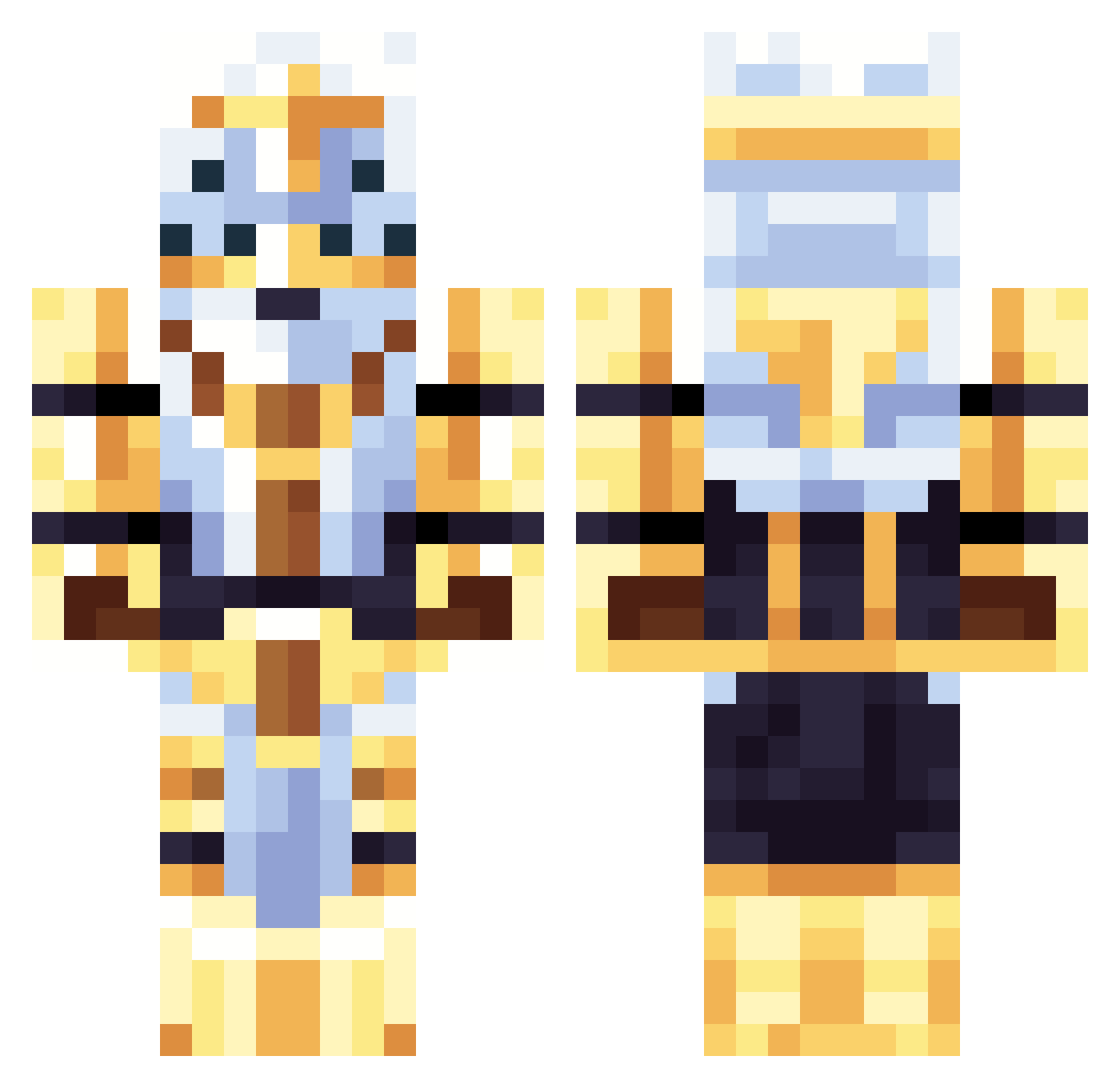
Current Minecraft skin of the player Darker0101, loaded from the official Mojang API. Rotate the 3D model with your mouse or finger, then download the skin as a PNG file and use it in Minecraft: Bedrock Edition or Java Edition for free. When Darker0101 changes their skin, this page updates automatically and the old skin stays in the history below.
Other players with this skin (95)
Darker0101 was the 69th player we have seen with this skin, first spotted on 13.10.2026. The same skin was seen on these players. Open a nickname to see their current skin and skin history.
 KnockyLocky glagglepilled VagrantCurrent ElXoxas2956 ItzMewToo springtrap63 wt5t Kirby0404 NickCherry12 OoasterTven weedgeto Sleepy_King07 _GabrieLJUDGE_ KWPI mrdumb1 Boptodatop AgileFlea1 thebigcheese4765 lolkarllol SomeRandomGuy150 Beau0901 SimDreamReality Apollospades132 jokester165 II_Light_II RamenYT4642 dexterdjst Wonka970 Ashworth31 Not_ZachGaming FredDaRussian BlockedSonitus lamaPrinter Apples374 ShunnedThe2nd PapaJew4422 Vlarkin kubawssobe Idontknow4919 TheeLT_ NhoTheHead CyberMage42 Marty_Mcfly12345 Ottomanlobster DogNoOnion BeniMotorka The_FBB Venom_Beastman Nyx_IsAsleep JohnBusinessinc Yoruoz Beebertins HolyCartoon_ MindilMan FabiDLT StarSword4657 TheCordd GuyFromF0rtnite gk3p Elitemallard
More Gilgamesh Minecraft skins
How to install the Darker0101 skin
- Press the Download button above to save the skin as a PNG file.
- Minecraft: Bedrock Edition (PE): open the Dressing Room from the main menu (or tap your character → Edit Character), go to Classic Skins → Owned, press the + (new skin) button, choose the downloaded PNG and pick the Classic (Steve) model. Works on PC and mobile; consoles cannot import custom skins.
- Minecraft: Java Edition: open the Minecraft Launcher, go to the Skins tab, click New Skin, load the PNG, pick the Classic (Steve) model and press Save & Use. You can also upload it at minecraft.net → Profile → Change Skin.
The skin does not show up after import - what should I do?
Restart Minecraft and open the Dressing Room again - imported skins sometimes appear only after a restart. Also make sure you selected the imported skin and picked the Classic (Steve) model.
Which model should I choose, Classic or Slim?
This skin is designed for the Classic (Steve) model. If you pick the wrong model, the arms of the skin will look stretched or squeezed.
Is the skin of Darker0101 free to download?
Yes. Press Download, save the PNG file and use it in Minecraft: Bedrock Edition or Java Edition - no payment or registration needed. The skin also works on multiplayer servers and Realms.
More skins
Looking for more? Go back to all Minecraft skins and check the top skins of the week, month and all time, or find any player's skin by nickname.