
DOLGA - Minecraft Skins & Skin History
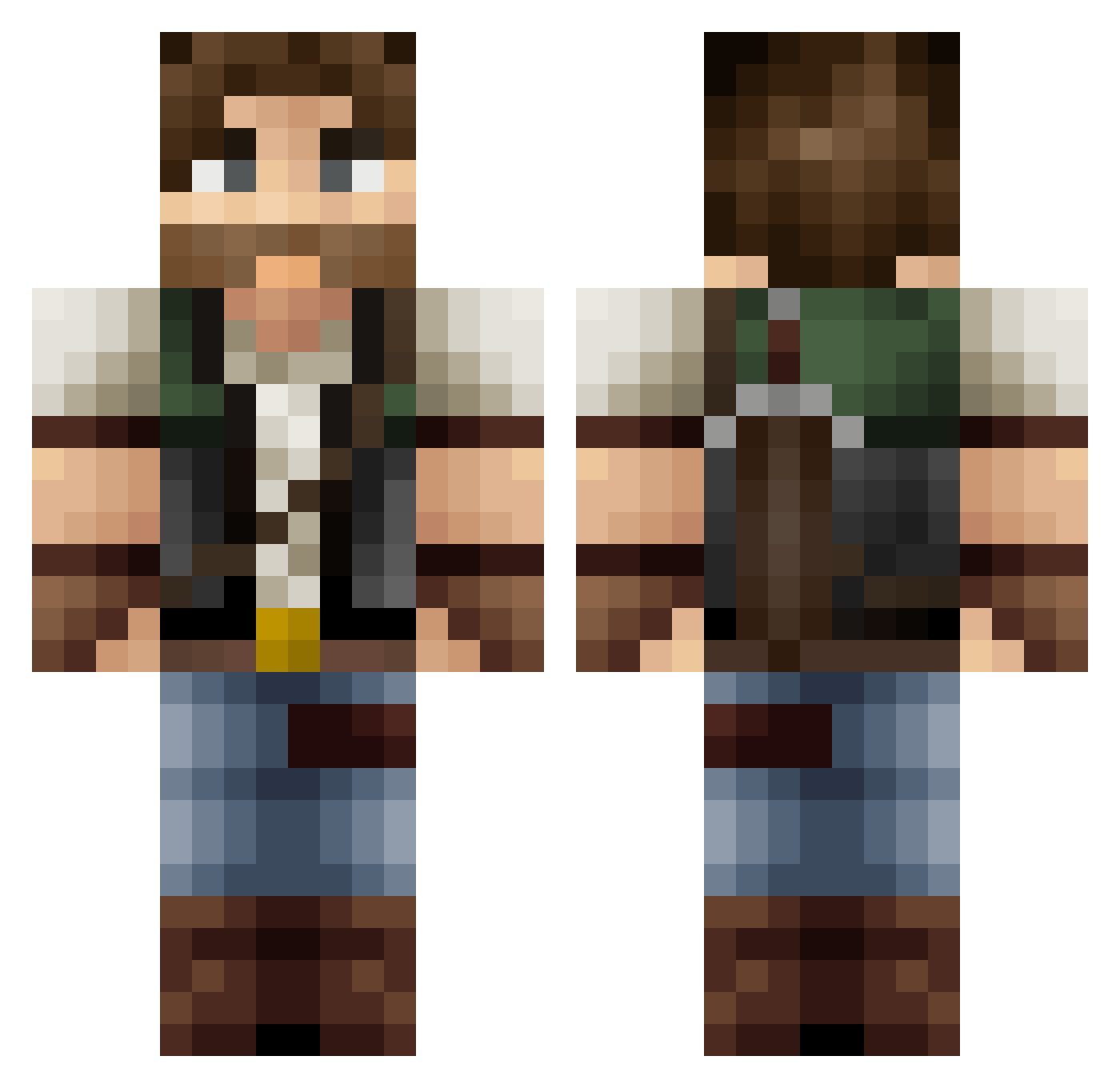
Current Minecraft skin of the player DOLGA, loaded from the official Mojang API. Rotate the 3D model with your mouse or finger, then download the skin as a PNG file and use it in Minecraft: Bedrock Edition or Java Edition for free. When DOLGA changes their skin, this page updates automatically and the old skin stays in the history below.
Other players with this skin (168)
DOLGA was the 147th player we have seen with this skin, first spotted on 01.11.2026. The same skin was seen on these players. Open a nickname to see their current skin and skin history.
 Chichicapa __Danielson__ Elkhunter444 lukebenn blakestree pounder63 DarthStewie123 Dandush2018 I_RadHaz Grizzly3330 andybrown1998 Bastge DrParabola Wilston Nalimti jbot87 TheBlaner pahernia RobertMcknight wenbobo Town_sama KnownWolf Abakus Petrovich03 REALSKRUFFEN Trevil1337 MrCDub Rherius Buckleinator theflyingk14 King_of_Ur_World DDale shawnzaius marcitos_ Zdasdko iSnoofSyrup waison Domko00 _Hikaru__ itsouls Downloader47 ponyera varax Kubson7382 EJTS Joethefro0209 WeebyMan Scottish__ AlphaBacchus pjokken dbw1981 Alestus Martial_ Panzerwulfen Lazywolf07 clshrock MattaKing Akikoab ScaryJarad AQKAQKAQK
More Survival Minecraft skins
How to install the DOLGA skin
- Press the Download button above to save the skin as a PNG file.
- Minecraft: Bedrock Edition (PE): open the Dressing Room from the main menu (or tap your character → Edit Character), go to Classic Skins → Owned, press the + (new skin) button, choose the downloaded PNG and pick the Classic (Steve) model. Works on PC and mobile; consoles cannot import custom skins.
- Minecraft: Java Edition: open the Minecraft Launcher, go to the Skins tab, click New Skin, load the PNG, pick the Classic (Steve) model and press Save & Use. You can also upload it at minecraft.net → Profile → Change Skin.
The skin does not show up after import - what should I do?
Restart Minecraft and open the Dressing Room again - imported skins sometimes appear only after a restart. Also make sure you selected the imported skin and picked the Classic (Steve) model.
Which model should I choose, Classic or Slim?
This skin is designed for the Classic (Steve) model. If you pick the wrong model, the arms of the skin will look stretched or squeezed.
Is the skin of DOLGA free to download?
Yes. Press Download, save the PNG file and use it in Minecraft: Bedrock Edition or Java Edition - no payment or registration needed. The skin also works on multiplayer servers and Realms.
More skins
Looking for more? Go back to all Minecraft skins and check the top skins of the week, month and all time, or find any player's skin by nickname.