
DESSIJB - Minecraft Skins & Skin History
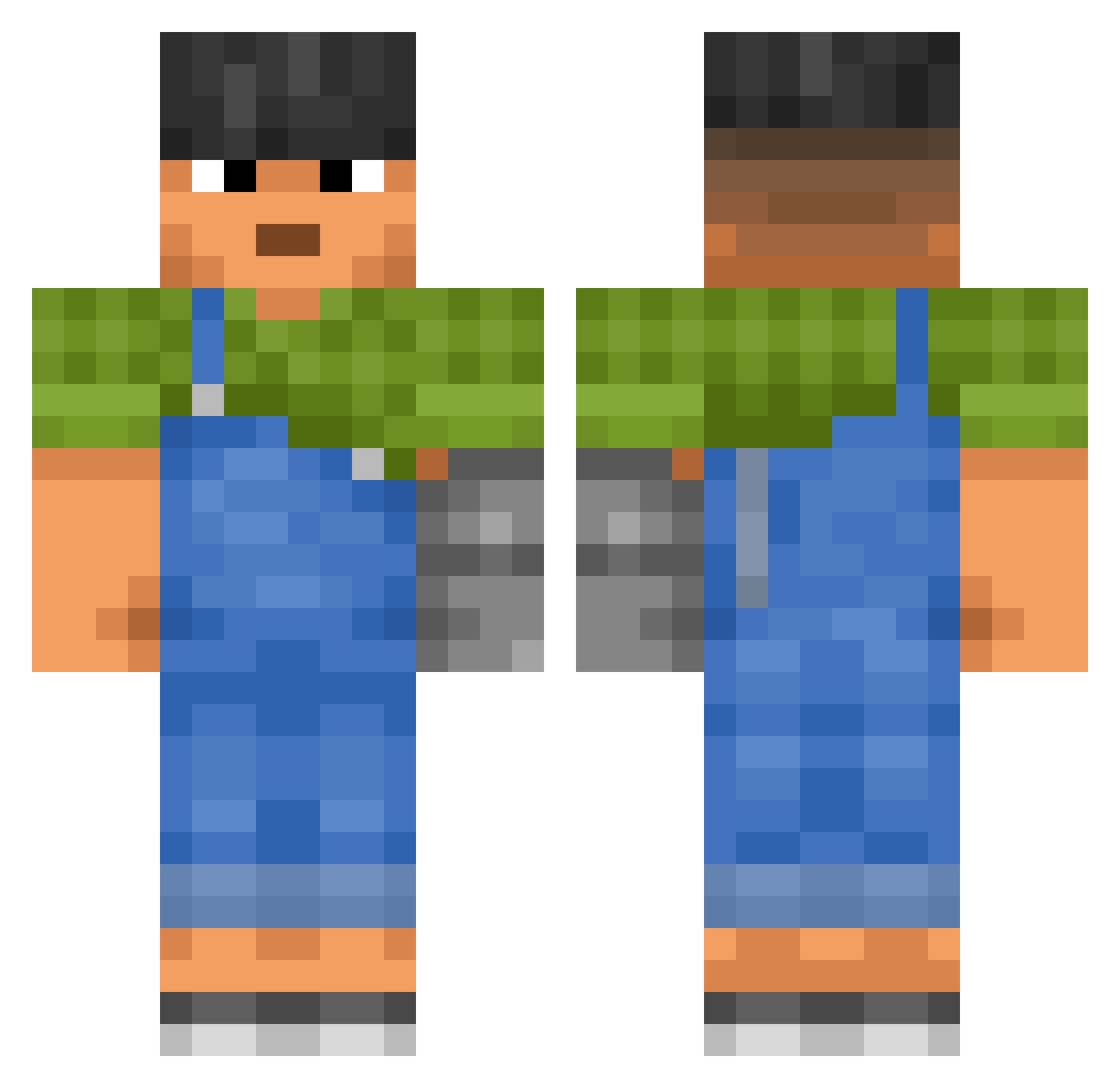
Current Minecraft skin of the player DESSIJB, loaded from the official Mojang API. Rotate the 3D model with your mouse or finger, then download the skin as a PNG file and use it in Minecraft: Bedrock Edition or Java Edition for free. When DESSIJB changes their skin, this page updates automatically and the old skin stays in the history below.
Other players with this skin (3133)
DESSIJB was the 2316th player we have seen with this skin, first spotted on 14.10.2026. The same skin was seen on these players. Open a nickname to see their current skin and skin history.
 Youtube_Suhun ZlociutkiMatt RegularHumanMode aurav Juleeez rave5kAsRgBg ThrowThisNoobGuy Demaio GalacticPeanut MakotoHanaoka majordomo TheEzet Shleck 69lk Wedkarz2011 DarkDragonDark etheo59 shlu A2247 Lyicio CoilSmith Dolnus auhaz Asnemblue S0ng2Lover beba89 NyxarPRO salable_ michaeldouglas83 EitSuje Dwarffs provost Primaquine MareanTauru Juaaaaaaaaan AnyName51 li4m34 IIH_HII MrOfManyNames EnderBlu Tuberculose MrNachoTaco JaeBowl UmenIsLost abnegates ENGL TinyDude bob_Veil_s3z Someoonee fyeZq julianeatspeas henryisnotreal kristorius comm1e grumpiness TomSir7 Froxsty Secaat0101 Catalogue lilillliliil
Previous skins of DESSIJB
Skins that DESSIJB wore before, newest first. Click a skin to open its page and download it.
More Prosthetic Arm Minecraft skins
See all 74 Prosthetic Arm skins
How to install the DESSIJB skin
- Press the Download button above to save the skin as a PNG file.
- Minecraft: Bedrock Edition (PE): open the Dressing Room from the main menu (or tap your character → Edit Character), go to Classic Skins → Owned, press the + (new skin) button, choose the downloaded PNG and pick the Classic (Steve) model. Works on PC and mobile; consoles cannot import custom skins.
- Minecraft: Java Edition: open the Minecraft Launcher, go to the Skins tab, click New Skin, load the PNG, pick the Classic (Steve) model and press Save & Use. You can also upload it at minecraft.net → Profile → Change Skin.
The skin does not show up after import - what should I do?
Restart Minecraft and open the Dressing Room again - imported skins sometimes appear only after a restart. Also make sure you selected the imported skin and picked the Classic (Steve) model.
Which model should I choose, Classic or Slim?
This skin is designed for the Classic (Steve) model. If you pick the wrong model, the arms of the skin will look stretched or squeezed.
Is the skin of DESSIJB free to download?
Yes. Press Download, save the PNG file and use it in Minecraft: Bedrock Edition or Java Edition - no payment or registration needed. The skin also works on multiplayer servers and Realms.
More skins
Looking for more? Go back to all Minecraft skins and check the top skins of the week, month and all time, or find any player's skin by nickname.