
D4rkMorgan - Minecraft Skins & Skin History
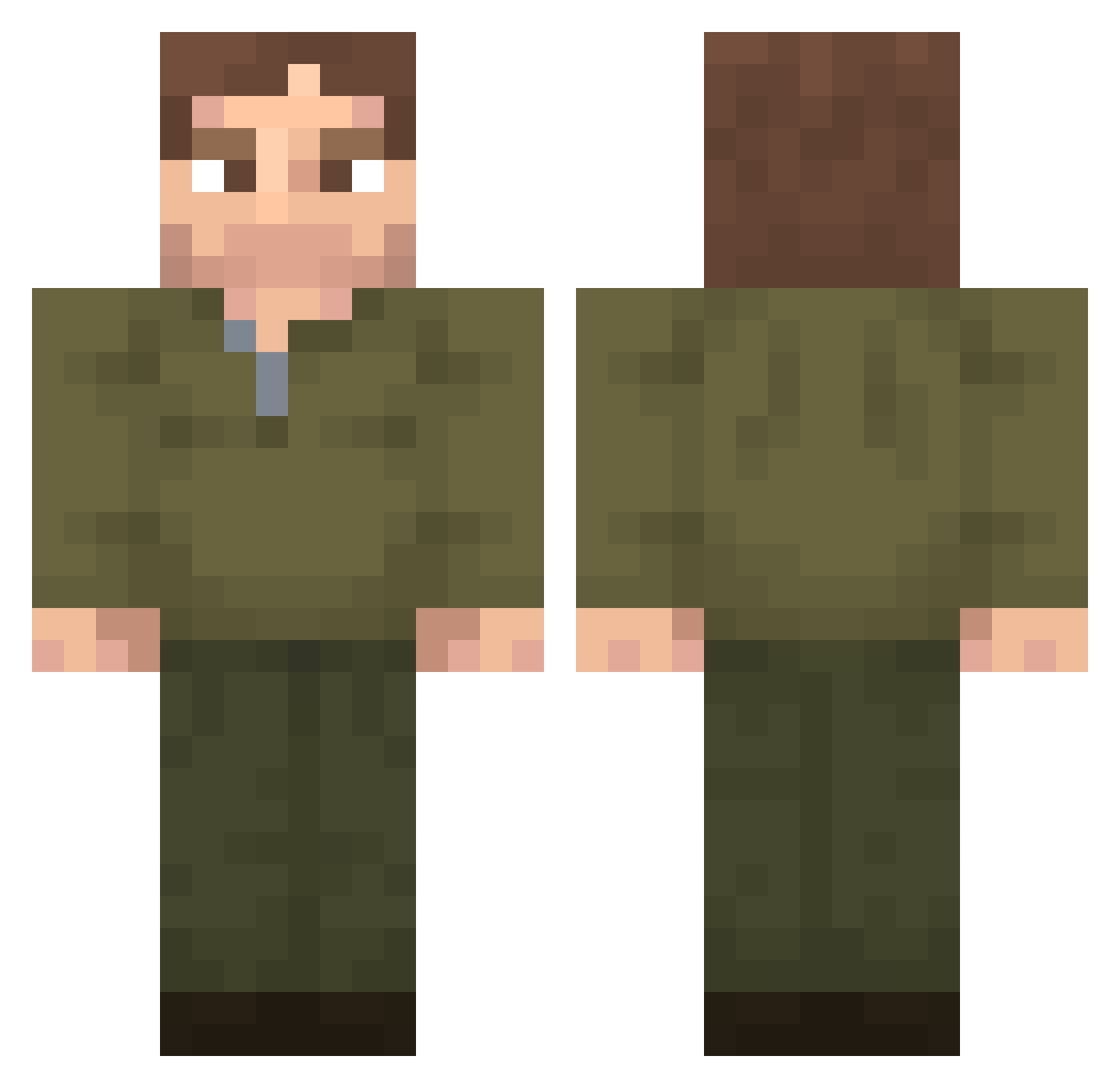
Current Minecraft skin of the player D4rkMorgan, loaded from the official Mojang API. Rotate the 3D model with your mouse or finger, then download the skin as a PNG file and use it in Minecraft: Bedrock Edition or Java Edition for free. When D4rkMorgan changes their skin, this page updates automatically and the old skin stays in the history below.
Other players with this skin (356)
D4rkMorgan was the 307th player we have seen with this skin, first spotted on 29.10.2026. The same skin was seen on these players. Open a nickname to see their current skin and skin history.
 dnwls080808 frozenKubik Greasebaw Maldou15 ulluq KingOfDoemp Sowero4 antresx r5oly SuberSaul Mukaci TeslaMotorOil csabx_ joker_playz Tuberg Bappian cyberdemon666 HELLMONO S1mon64 XCLUSIVO gemelll rpq0__0 Balloons8 dexter1morgan Mysticbay Sasha7865439 DexterWarden dextermorgan0000 __kore MadCat_45 escorbbuto qzofty cacamojada420 AntonxnotnA zzonkk jooja_ Zachary7843 xoafu dossx Zentah1 todnikedunk Ranix00 ahicae CIO_z K3nnyzz Tak_OT TheRyanCrafting Haberyt123 Daysonwn Inovadee yzhxnz Faris_sultan BaconProG4mer men_iscool Glij LeonDarius _Antek7_ ibolujesotankeri _HEALS_ quartsy
More Uniform Minecraft skins
How to install the D4rkMorgan skin
- Press the Download button above to save the skin as a PNG file.
- Minecraft: Bedrock Edition (PE): open the Dressing Room from the main menu (or tap your character → Edit Character), go to Classic Skins → Owned, press the + (new skin) button, choose the downloaded PNG and pick the Classic (Steve) model. Works on PC and mobile; consoles cannot import custom skins.
- Minecraft: Java Edition: open the Minecraft Launcher, go to the Skins tab, click New Skin, load the PNG, pick the Classic (Steve) model and press Save & Use. You can also upload it at minecraft.net → Profile → Change Skin.
The skin does not show up after import - what should I do?
Restart Minecraft and open the Dressing Room again - imported skins sometimes appear only after a restart. Also make sure you selected the imported skin and picked the Classic (Steve) model.
Which model should I choose, Classic or Slim?
This skin is designed for the Classic (Steve) model. If you pick the wrong model, the arms of the skin will look stretched or squeezed.
Is the skin of D4rkMorgan free to download?
Yes. Press Download, save the PNG file and use it in Minecraft: Bedrock Edition or Java Edition - no payment or registration needed. The skin also works on multiplayer servers and Realms.
More skins
Looking for more? Go back to all Minecraft skins and check the top skins of the week, month and all time, or find any player's skin by nickname.