
Corner32 - Minecraft Skins & Skin History
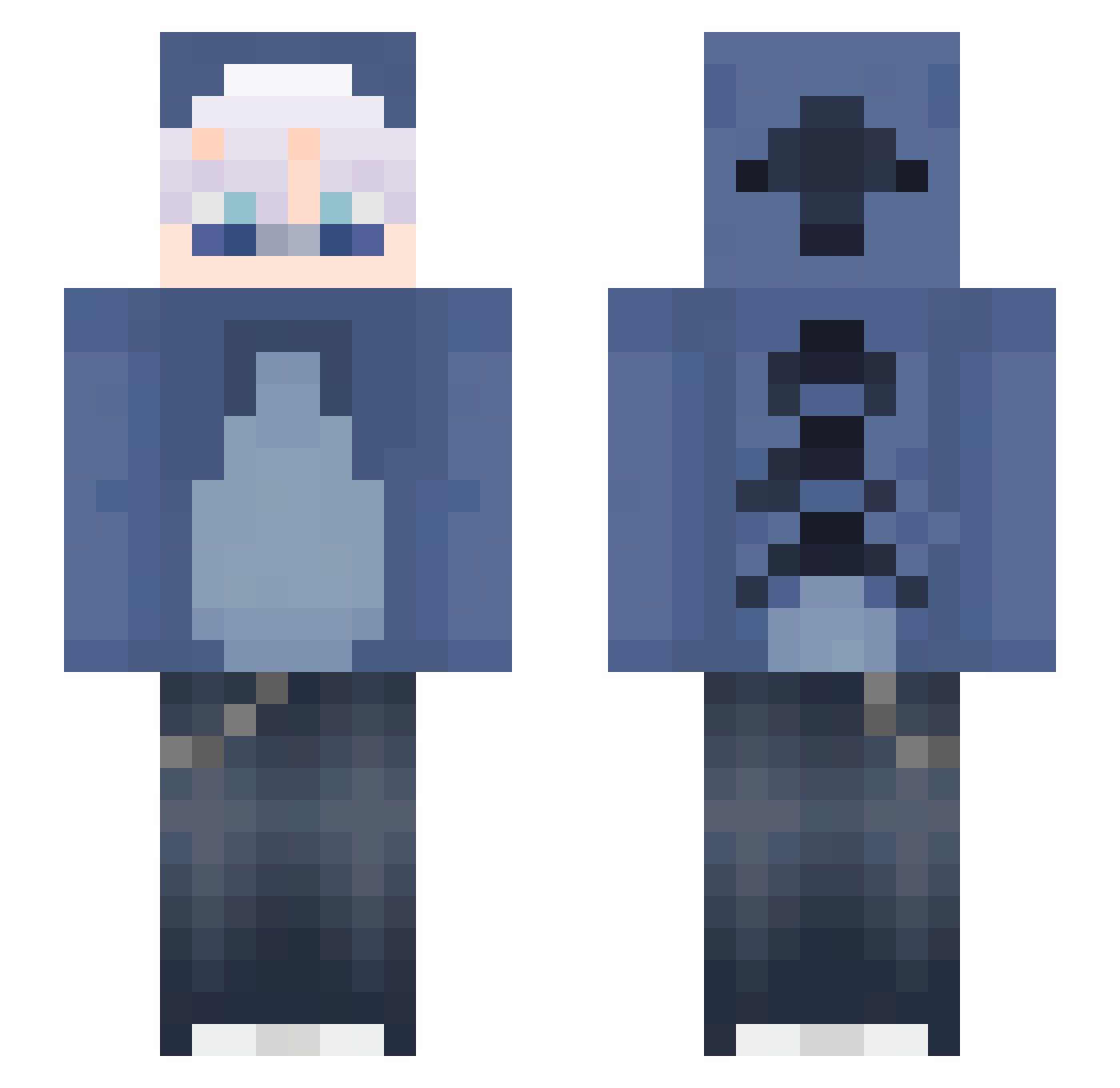
Current Minecraft skin of the player Corner32, loaded from the official Mojang API. Rotate the 3D model with your mouse or finger, then download the skin as a PNG file and use it in Minecraft: Bedrock Edition or Java Edition for free. When Corner32 changes their skin, this page updates automatically and the old skin stays in the history below.
Other players with this skin (141)
Corner32 was the 119th player we have seen with this skin, first spotted on 14.10.2026. The same skin was seen on these players. Open a nickname to see their current skin and skin history.
 yuyi7 ForoDMC azpor_ Acul07 JefterWilian Lanzx12 5wight Tweixiee_ absolutefingers R037 Lou_gaming Mephisto2375 Leviiathaaan N1nj4s3k Emilllll712 ExpertWeb203380 Txmkuu DressySpy275815 xXx_szymonek_xX 11_d Crow85016 xXSteffenXz eidorianx ErickTM1703 xx_papairl_xxx axbogaming7396 Goodboy28012014 _xvzx_ f0idslay3r Scrimz_ iBless__ Maki94 Annie_Bot zMakiraa Joago316397 SnowBranch MasterFlameMC IGotASwagShawty Swight0 b0ubou60 YZYY1 Driftpro1990 Ivox098 liquenfy MaybeDino_ changlyte D3vilhunn xNaxii Atlas022 MeowM0 cheeses_mangos muskaaaaaa Der_Kampfkeks xav7z itay_n Mrker10 SneakyKami Superlab145 HOTSKYRED romus131
More Lilo And Stitch Minecraft skins
See all 527 Lilo And Stitch skins
How to install the Corner32 skin
- Press the Download button above to save the skin as a PNG file.
- Minecraft: Bedrock Edition (PE): open the Dressing Room from the main menu (or tap your character → Edit Character), go to Classic Skins → Owned, press the + (new skin) button, choose the downloaded PNG and pick the Slim (Alex) model. Works on PC and mobile; consoles cannot import custom skins.
- Minecraft: Java Edition: open the Minecraft Launcher, go to the Skins tab, click New Skin, load the PNG, pick the Slim (Alex) model and press Save & Use. You can also upload it at minecraft.net → Profile → Change Skin.
The skin does not show up after import - what should I do?
Restart Minecraft and open the Dressing Room again - imported skins sometimes appear only after a restart. Also make sure you selected the imported skin and picked the Slim (Alex) model.
Which model should I choose, Classic or Slim?
This skin is designed for the Slim (Alex) model. If you pick the wrong model, the arms of the skin will look stretched or squeezed.
Is the skin of Corner32 free to download?
Yes. Press Download, save the PNG file and use it in Minecraft: Bedrock Edition or Java Edition - no payment or registration needed. The skin also works on multiplayer servers and Realms.
More skins
Looking for more? Go back to all Minecraft skins and check the top skins of the week, month and all time, or find any player's skin by nickname.