
Coordhax - Minecraft Skins & Skin History
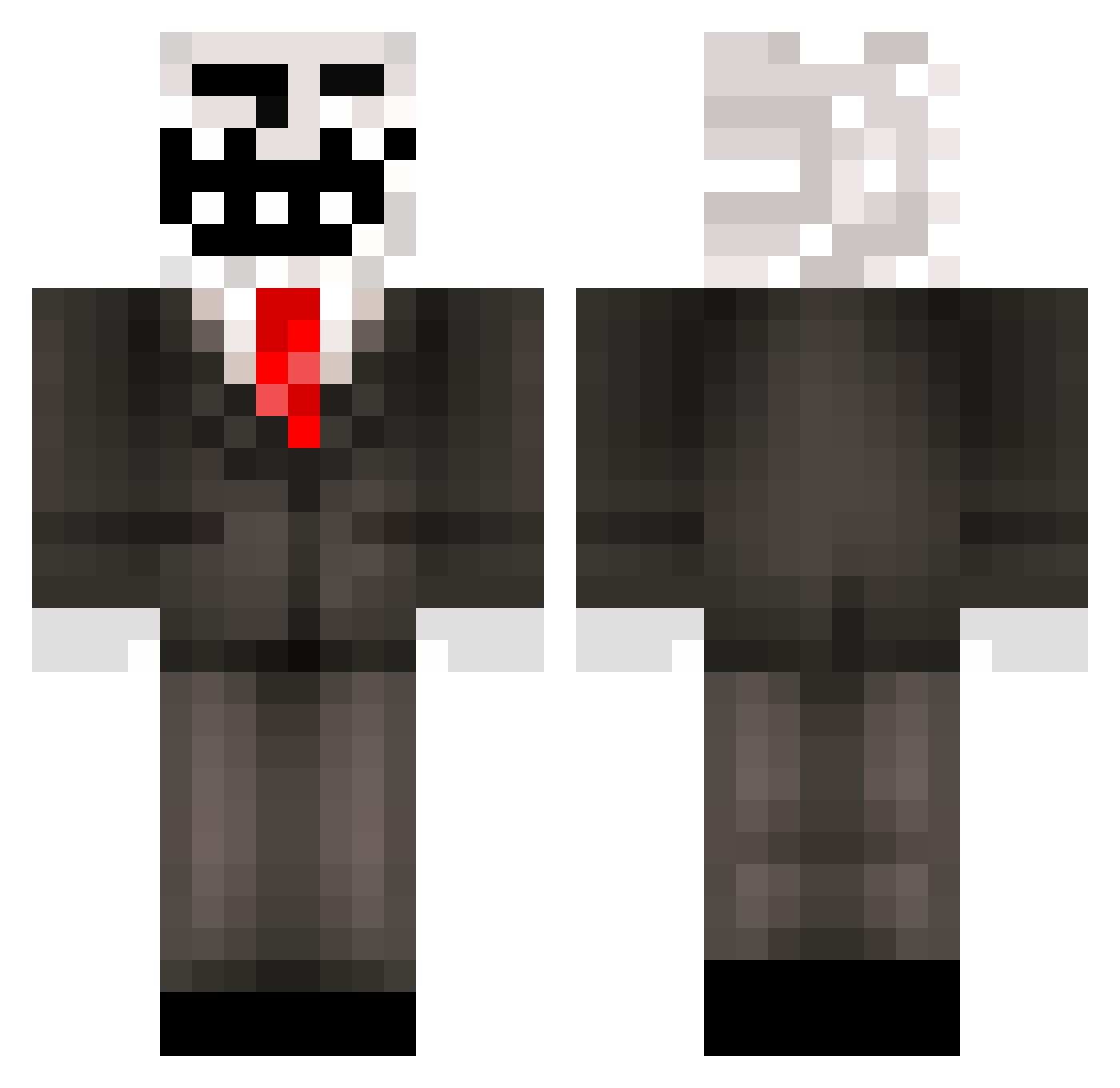
Current Minecraft skin of the player Coordhax, loaded from the official Mojang API. Rotate the 3D model with your mouse or finger, then download the skin as a PNG file and use it in Minecraft: Bedrock Edition or Java Edition for free. When Coordhax changes their skin, this page updates automatically and the old skin stays in the history below.
Other players with this skin (97)
Coordhax was the 69th player we have seen with this skin, first spotted on 16.10.2026. The same skin was seen on these players. Open a nickname to see their current skin and skin history.
 Lyric39 ArkMsan7 PyzdaCosmin Pdf_Files69 SSANGNNOM Mostlygive ScaryHackerMan R1kuJPN ThanosDominator trapisko JoeMama2016 bitcoindrainer CrissXD CAG123 popbobed eddyFLOWXD123 toprakmalik DARMOWY_SZIBI kaczuchoo d0n_simon Deathorian LaPinaColada69 __Gerg__ Spex1896 OMGitzCHEEESE101 bannedus3r m52b25 MrMister_123 A_Name_Was_Here def875 xX7HOLLY7Xx 7CR EkmekKekii jacobjacob44 Poshopa OmerMtn mlody_romper EllenSoon Natuurlijk TROLLUJE r3b3ls0ul sty11111 forelpve cego__ pogbob1 Pauruseu fwddyowo Romss_77 Kasikaaa DerosYT novsername LuhTwin EdjuBeans zaxon mariuuskr demonfighty NoooNaaamee InDaFace MrCrank22 modexl
More Trollface Minecraft skins
How to install the Coordhax skin
- Press the Download button above to save the skin as a PNG file.
- Minecraft: Bedrock Edition (PE): open the Dressing Room from the main menu (or tap your character → Edit Character), go to Classic Skins → Owned, press the + (new skin) button, choose the downloaded PNG and pick the Classic (Steve) model. Works on PC and mobile; consoles cannot import custom skins.
- Minecraft: Java Edition: open the Minecraft Launcher, go to the Skins tab, click New Skin, load the PNG, pick the Classic (Steve) model and press Save & Use. You can also upload it at minecraft.net → Profile → Change Skin.
The skin does not show up after import - what should I do?
Restart Minecraft and open the Dressing Room again - imported skins sometimes appear only after a restart. Also make sure you selected the imported skin and picked the Classic (Steve) model.
Which model should I choose, Classic or Slim?
This skin is designed for the Classic (Steve) model. If you pick the wrong model, the arms of the skin will look stretched or squeezed.
Is the skin of Coordhax free to download?
Yes. Press Download, save the PNG file and use it in Minecraft: Bedrock Edition or Java Edition - no payment or registration needed. The skin also works on multiplayer servers and Realms.
More skins
Looking for more? Go back to all Minecraft skins and check the top skins of the week, month and all time, or find any player's skin by nickname.