
Codeman2000192 - Minecraft Skins & Skin History
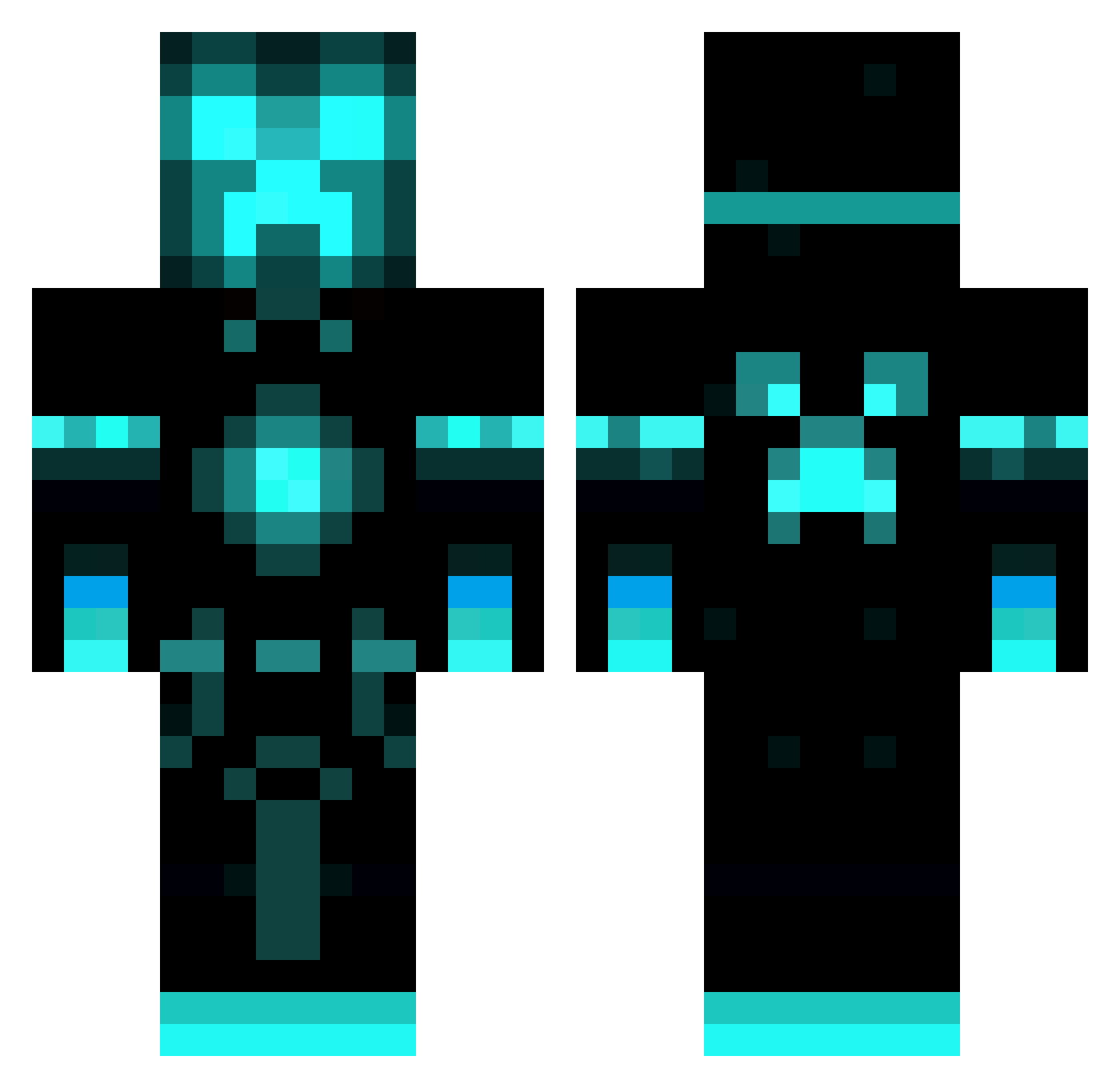
Current Minecraft skin of the player Codeman2000192, loaded from the official Mojang API. Rotate the 3D model with your mouse or finger, then download the skin as a PNG file and use it in Minecraft: Bedrock Edition or Java Edition for free. When Codeman2000192 changes their skin, this page updates automatically and the old skin stays in the history below.
Other players with this skin (47)
Codeman2000192 was the 21st player we have seen with this skin, first spotted on 23.09.2026. The same skin was seen on these players. Open a nickname to see their current skin and skin history.
 Kxrnxge Actually_Undead Jackyboy0056 ly3 TubaRozruba daigo5 UbivalDetey Auri10 W0l7yZ unon008 d1abs __Thumper Wreiz JugoLai BHGZ lloyd2008 Evolver132 madman2093 Aleoryz LL4cus VanillaSprite0 StrikerBrr johnnyb_2010 silentop_ Jeffrey_2023A NeoVania StageNutHD luca4ever OrneryWeb169939 Aarotus Niightt WabbiSabii Sodapop2452 jpchima99 nanyangsama Lewis_Hhe sleezyjones33 s9za VPCR The_dark_lord_66 KukinhaApela1 xXprofasLTU _unidentified747 Klocek2000 ArmanoCarlos rzxl mac3xd
More Neon Minecraft skins
How to install the Codeman2000192 skin
- Press the Download button above to save the skin as a PNG file.
- Minecraft: Bedrock Edition (PE): open the Dressing Room from the main menu (or tap your character → Edit Character), go to Classic Skins → Owned, press the + (new skin) button, choose the downloaded PNG and pick the Classic (Steve) model. Works on PC and mobile; consoles cannot import custom skins.
- Minecraft: Java Edition: open the Minecraft Launcher, go to the Skins tab, click New Skin, load the PNG, pick the Classic (Steve) model and press Save & Use. You can also upload it at minecraft.net → Profile → Change Skin.
The skin does not show up after import - what should I do?
Restart Minecraft and open the Dressing Room again - imported skins sometimes appear only after a restart. Also make sure you selected the imported skin and picked the Classic (Steve) model.
Which model should I choose, Classic or Slim?
This skin is designed for the Classic (Steve) model. If you pick the wrong model, the arms of the skin will look stretched or squeezed.
Is the skin of Codeman2000192 free to download?
Yes. Press Download, save the PNG file and use it in Minecraft: Bedrock Edition or Java Edition - no payment or registration needed. The skin also works on multiplayer servers and Realms.
More skins
Looking for more? Go back to all Minecraft skins and check the top skins of the week, month and all time, or find any player's skin by nickname.