
ChicoNaoVe1230 - Minecraft Skins & Skin History
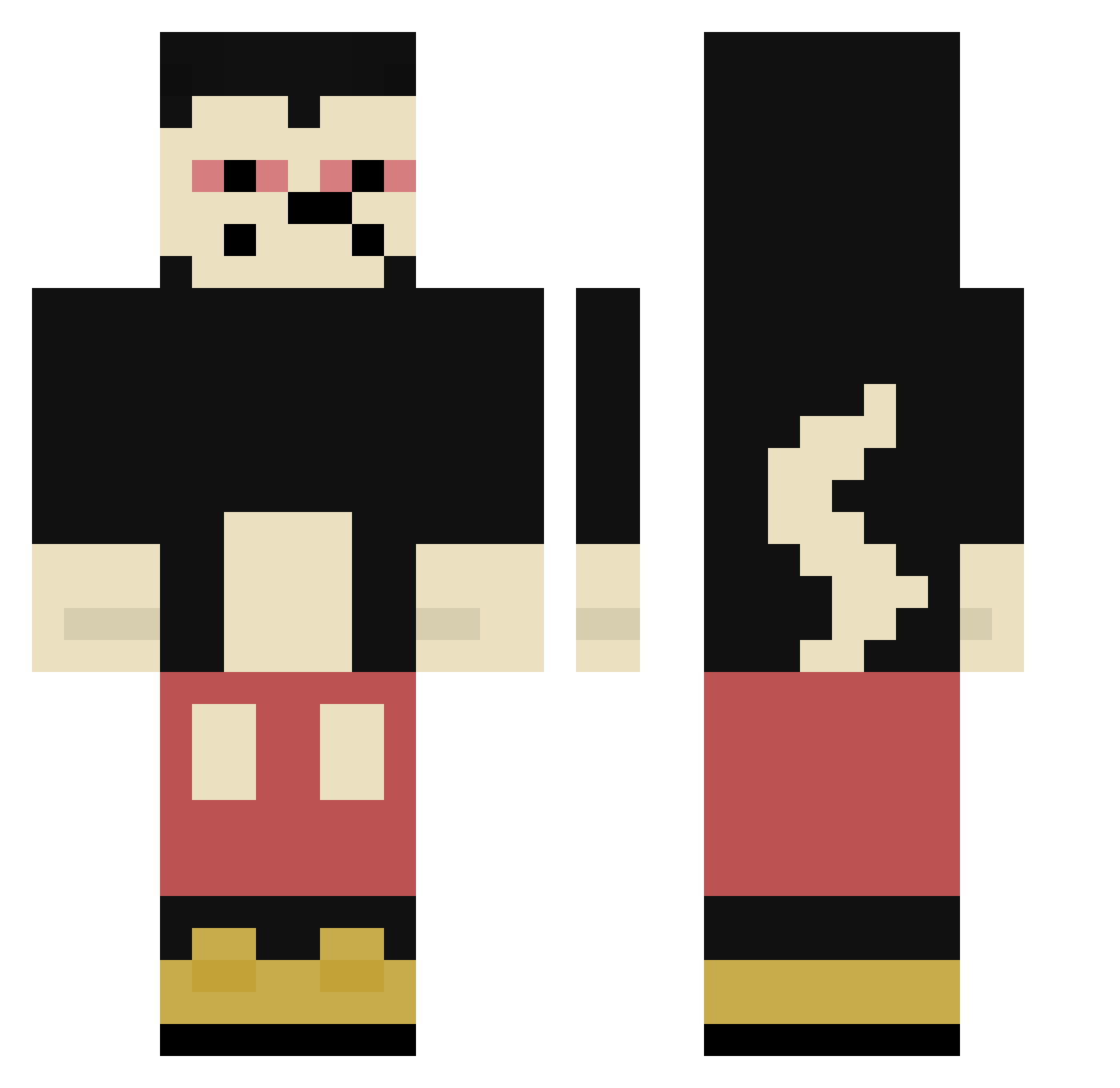
Current Minecraft skin of the player ChicoNaoVe1230, loaded from the official Mojang API. Rotate the 3D model with your mouse or finger, then download the skin as a PNG file and use it in Minecraft: Bedrock Edition or Java Edition for free. When ChicoNaoVe1230 changes their skin, this page updates automatically and the old skin stays in the history below.
Other players with this skin (389)
ChicoNaoVe1230 was the 320th player we have seen with this skin, first spotted on 24.10.2026. The same skin was seen on these players. Open a nickname to see their current skin and skin history.
 DaniUraganu WOWTHISGAMESOFUN Sem_o4o veloxxx1998 _JuuD AdanssZ ZSKacper oderoplubeo FaabZera_ widiwampom Riku_Bread Deknator massource donChoripan Hxpzz Sebi13373 ZayyS Rdri16 NIWKO Nemo965 kubek231x Dorastacz Jakob_nrrx vvsbelt EseMickey 2plg texir PainHetRed Gachupi07 Chefsitoo SokolSnake ErCanari Fugil RAIDER29 WazyCrazy Rhaaat MrJonks lplcraft Narcyzik MangKaV2 FOFE555 nifraxx HoneyBoyZz JedenTagDoener 1Skate schattenreich philipp55x whyusomad1414 Aizen_Death breza_io Tanjiro187 SuperiorNeewbie MightyHigh1000 YourBoyJogge Xemoxs Naristic_ juan0333 H4Z4RD Sawzal Leodlb
More Mickey Mouse Minecraft skins
See all 177 Mickey Mouse skins
How to install the ChicoNaoVe1230 skin
- Press the Download button above to save the skin as a PNG file.
- Minecraft: Bedrock Edition (PE): open the Dressing Room from the main menu (or tap your character → Edit Character), go to Classic Skins → Owned, press the + (new skin) button, choose the downloaded PNG and pick the Classic (Steve) model. Works on PC and mobile; consoles cannot import custom skins.
- Minecraft: Java Edition: open the Minecraft Launcher, go to the Skins tab, click New Skin, load the PNG, pick the Classic (Steve) model and press Save & Use. You can also upload it at minecraft.net → Profile → Change Skin.
The skin does not show up after import - what should I do?
Restart Minecraft and open the Dressing Room again - imported skins sometimes appear only after a restart. Also make sure you selected the imported skin and picked the Classic (Steve) model.
Which model should I choose, Classic or Slim?
This skin is designed for the Classic (Steve) model. If you pick the wrong model, the arms of the skin will look stretched or squeezed.
Is the skin of ChicoNaoVe1230 free to download?
Yes. Press Download, save the PNG file and use it in Minecraft: Bedrock Edition or Java Edition - no payment or registration needed. The skin also works on multiplayer servers and Realms.
More skins
Looking for more? Go back to all Minecraft skins and check the top skins of the week, month and all time, or find any player's skin by nickname.