
CRJNation - Minecraft Skins & Skin History
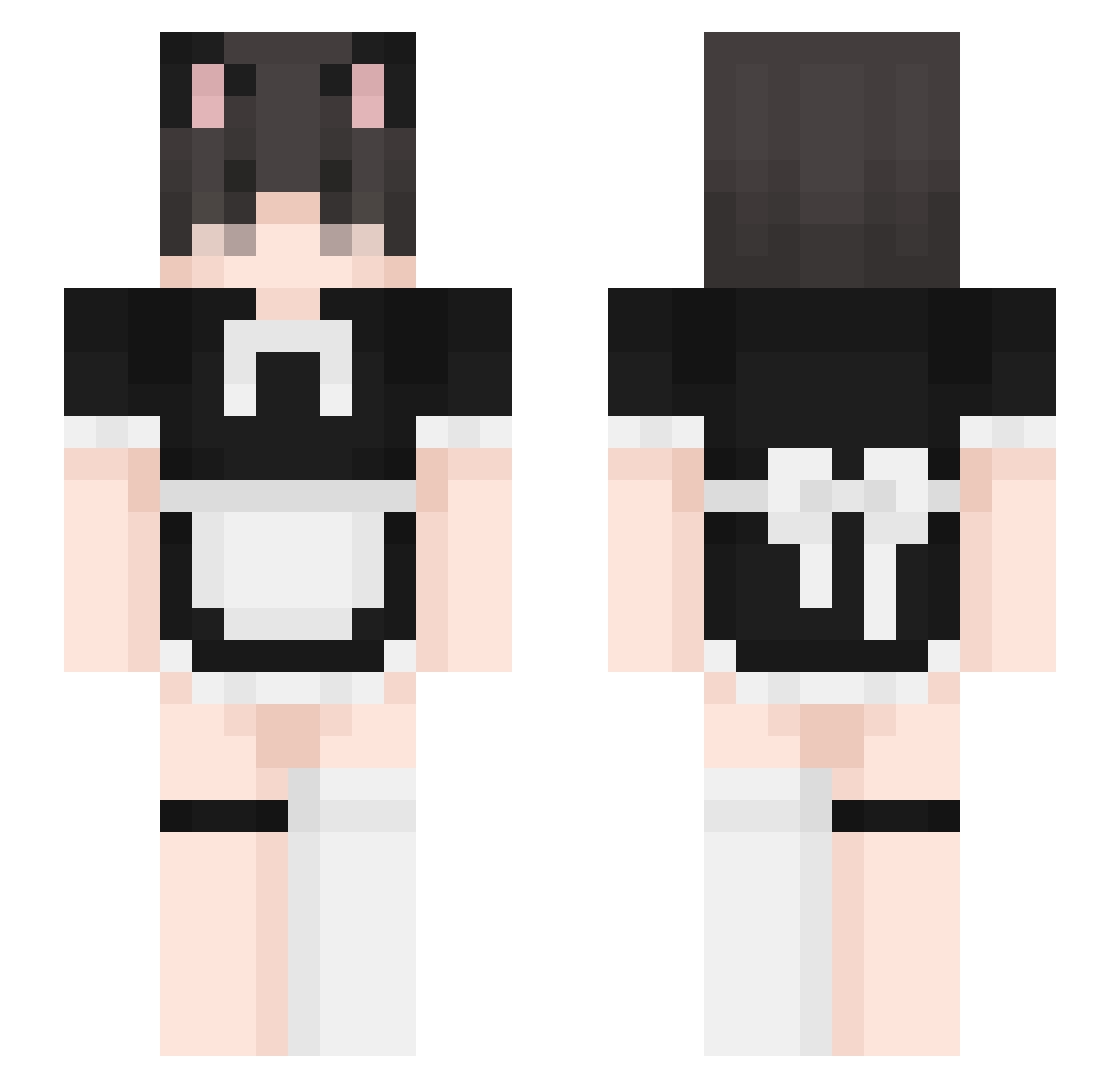
Current Minecraft skin of the player CRJNation, loaded from the official Mojang API. Rotate the 3D model with your mouse or finger, then download the skin as a PNG file and use it in Minecraft: Bedrock Edition or Java Edition for free. When CRJNation changes their skin, this page updates automatically and the old skin stays in the history below.
Other players with this skin (440)
CRJNation was the 398th player we have seen with this skin, first spotted on 02.11.2026. The same skin was seen on these players. Open a nickname to see their current skin and skin history.
 misenk Meinus SousasEmpire Tingel88 _GaGoo kvxnc Condensado_ Shikiyu Baaleth WANWAN22 jddjk JN_Pudding Jaxdog21 Bananasbad TypyH_ najsmen pogchamping nashflash FemboyGovernment 4FrosT_xD Born_In_A_Chenil HUCHUuuuu NuRRawr hobophobic XXKANYEWEST69XX Enemy_Stand_ Maly_Ciszek Kampec schlampy XVMI Kharismahhh Kubqse1 Ungenimt ChrisserTV KaiOnii SN0W_black Demien_xD herOnlive SiSoyMiguel serrkoloji huntermmix persefonie31 Alemisio kimoxiw Domenik1441 laylachuu domindominacja LaoWan5555 khinglnwza Adiwolfe Ayamarusa Deptrainhatvutru TALLJJ Prismovold tempo_mp4 KikiTheFrog pinkish_synonym senutsa timeflyer945 FROMISFANBOY
More Maid Minecraft skins
How to install the CRJNation skin
- Press the Download button above to save the skin as a PNG file.
- Minecraft: Bedrock Edition (PE): open the Dressing Room from the main menu (or tap your character → Edit Character), go to Classic Skins → Owned, press the + (new skin) button, choose the downloaded PNG and pick the Slim (Alex) model. Works on PC and mobile; consoles cannot import custom skins.
- Minecraft: Java Edition: open the Minecraft Launcher, go to the Skins tab, click New Skin, load the PNG, pick the Slim (Alex) model and press Save & Use. You can also upload it at minecraft.net → Profile → Change Skin.
The skin does not show up after import - what should I do?
Restart Minecraft and open the Dressing Room again - imported skins sometimes appear only after a restart. Also make sure you selected the imported skin and picked the Slim (Alex) model.
Which model should I choose, Classic or Slim?
This skin is designed for the Slim (Alex) model. If you pick the wrong model, the arms of the skin will look stretched or squeezed.
Is the skin of CRJNation free to download?
Yes. Press Download, save the PNG file and use it in Minecraft: Bedrock Edition or Java Edition - no payment or registration needed. The skin also works on multiplayer servers and Realms.
More skins
Looking for more? Go back to all Minecraft skins and check the top skins of the week, month and all time, or find any player's skin by nickname.