
CARROT_2000 - Minecraft Skins & Skin History
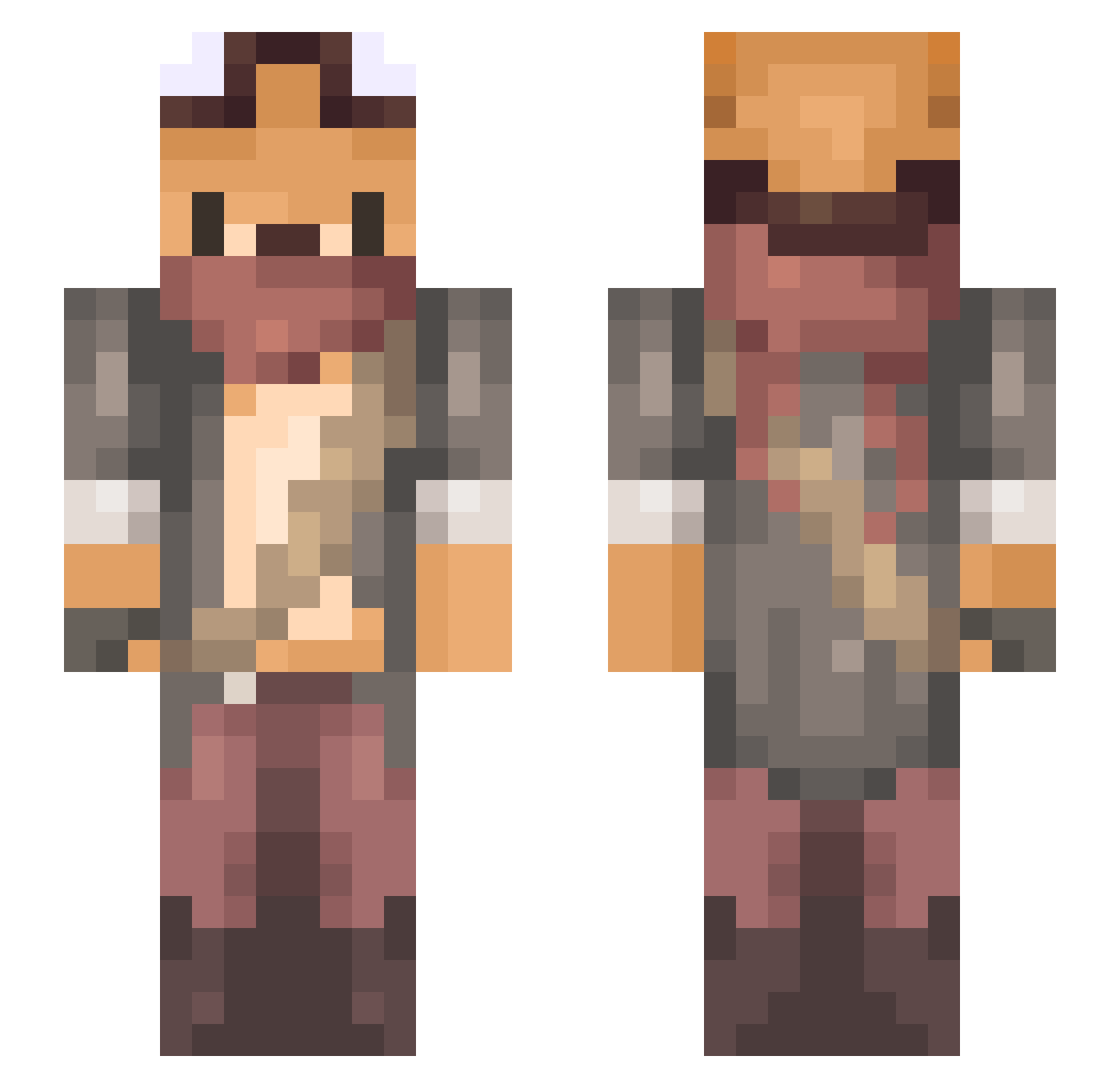
Current Minecraft skin of the player CARROT_2000, loaded from the official Mojang API. Rotate the 3D model with your mouse or finger, then download the skin as a PNG file and use it in Minecraft: Bedrock Edition or Java Edition for free. When CARROT_2000 changes their skin, this page updates automatically and the old skin stays in the history below.
Other players with this skin (734)
CARROT_2000 was the 620th player we have seen with this skin, first spotted on 21.10.2026. The same skin was seen on these players. Open a nickname to see their current skin and skin history.
 F1Gure MrPipidastr McGaret_ vic_sz Yoya529 XxMalte95 Tatayaa saya4238 Bdash93 Foxesas FoxKingDex Darkwolf10998 spideronweb NoMeCabeElGuevo aKe_VI Noxus_M S1lly4ka Lion_923 Ansoni_Z MQY233 ChilledJotaro xPengu daydahra NatsuDavi Hubert123fg ThamLH Shasta_55 Whisper_The_Rex Dieos_ Ifygm JINI_Y CynicalBuddah HollowfiedBlood Korjiy902 rgsotf Arthur3105 DefiantKitsune siiiiiiiim ulyssemoro Ryuu_12 Rome1705 iromaro H4EMLIN Tyrannono Moemaa Renexia berk214 Koura_aaa Chun_nn jasonhsu849 czarn Dudelnator YungkingSean Kidajun Moonlight_0830 miiitiii SuitableKrymzin berNII_SANders piemaster61 B071112
More Scavenger Minecraft skins
How to install the CARROT_2000 skin
- Press the Download button above to save the skin as a PNG file.
- Minecraft: Bedrock Edition (PE): open the Dressing Room from the main menu (or tap your character → Edit Character), go to Classic Skins → Owned, press the + (new skin) button, choose the downloaded PNG and pick the Slim (Alex) model. Works on PC and mobile; consoles cannot import custom skins.
- Minecraft: Java Edition: open the Minecraft Launcher, go to the Skins tab, click New Skin, load the PNG, pick the Slim (Alex) model and press Save & Use. You can also upload it at minecraft.net → Profile → Change Skin.
The skin does not show up after import - what should I do?
Restart Minecraft and open the Dressing Room again - imported skins sometimes appear only after a restart. Also make sure you selected the imported skin and picked the Slim (Alex) model.
Which model should I choose, Classic or Slim?
This skin is designed for the Slim (Alex) model. If you pick the wrong model, the arms of the skin will look stretched or squeezed.
Is the skin of CARROT_2000 free to download?
Yes. Press Download, save the PNG file and use it in Minecraft: Bedrock Edition or Java Edition - no payment or registration needed. The skin also works on multiplayer servers and Realms.
More skins
Looking for more? Go back to all Minecraft skins and check the top skins of the week, month and all time, or find any player's skin by nickname.