
BuffaloSauce910 - Minecraft Skins & Skin History
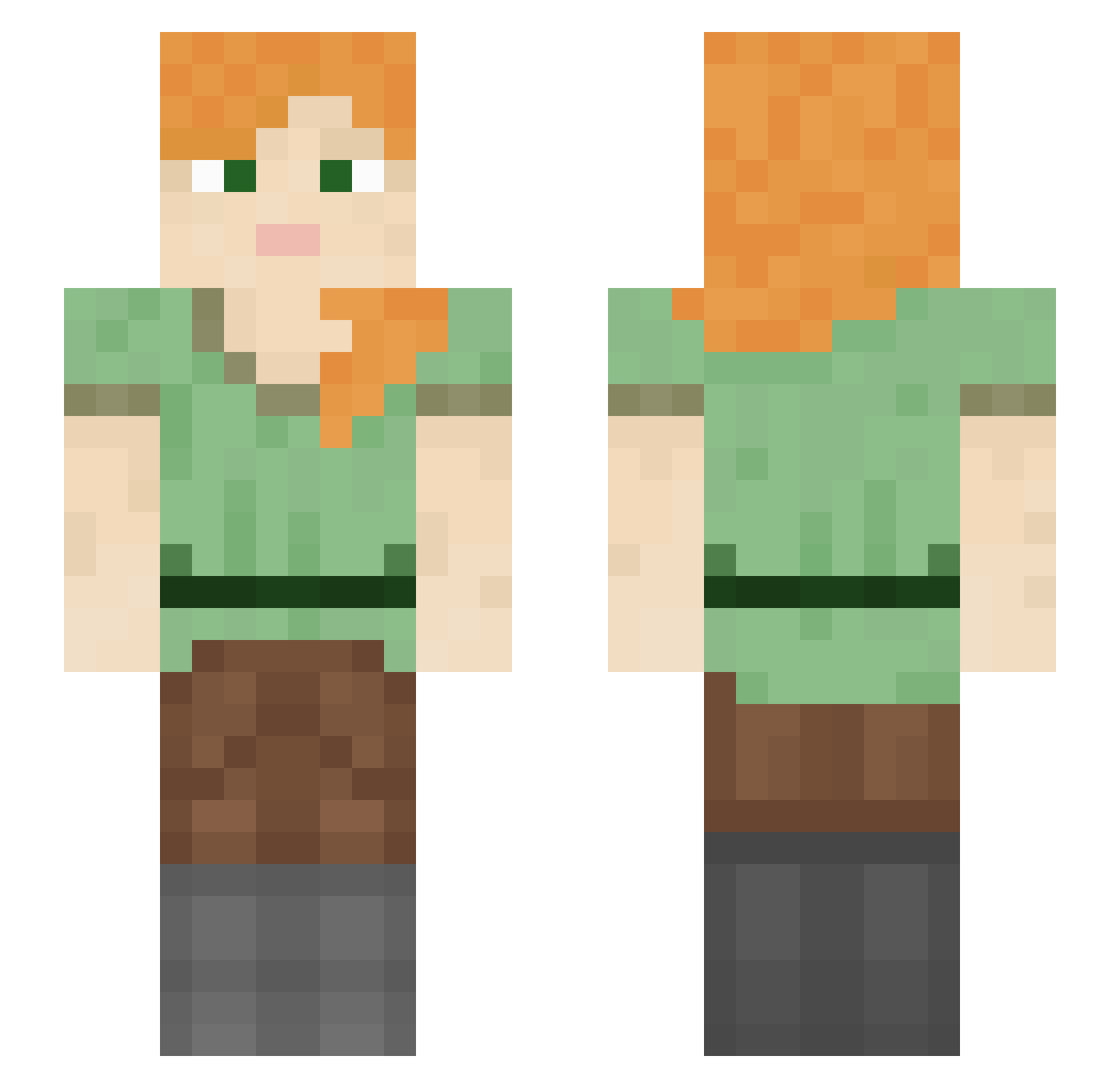
Current Minecraft skin of the player BuffaloSauce910, loaded from the official Mojang API. Rotate the 3D model with your mouse or finger, then download the skin as a PNG file and use it in Minecraft: Bedrock Edition or Java Edition for free. When BuffaloSauce910 changes their skin, this page updates automatically and the old skin stays in the history below.
Other players with this skin (1350)
BuffaloSauce910 was the 1328th player we have seen with this skin, first spotted on 11.11.2026. The same skin was seen on these players. Open a nickname to see their current skin and skin history.
 NicoIstDerBeste jackfrostt terminal523 Republished bonbonribbonn glorenzi8 vrvs Jaydss narutouzumaqi kvrooo FTQ JuicePill JaimeeElla01 Wopeirr Adams74dr A1iHaider HackerMenn arapaima ChaosXIII Peyotl katzenjammer kugelschreiber7 dusterman shoglay Eyriga Xark0v Senor_Pelo Vasito morrissthecat qWuiehfuio3qRWHF melon_panda zz49g Static_Blood waechtet AltoKuak HelpHelpHelpHelp BATMAN2143658709 carrotlyn416 PlayerModel18726 shotsfired19 Utraz Finforo iremeroglu6 LOULOU0411 vituperous Friesian _zyad_ corncobbcarlo D2yEr00 LeoLeonello xdangerxsniper Pizz Duncan1198 wheelhorse nakien MATEOTDM Finniskamoui jfyr456 FangHeart111 nichSo
How to install the BuffaloSauce910 skin
- Press the Download button above to save the skin as a PNG file.
- Minecraft: Bedrock Edition (PE): open the Dressing Room from the main menu (or tap your character → Edit Character), go to Classic Skins → Owned, press the + (new skin) button, choose the downloaded PNG and pick the Slim (Alex) model. Works on PC and mobile; consoles cannot import custom skins.
- Minecraft: Java Edition: open the Minecraft Launcher, go to the Skins tab, click New Skin, load the PNG, pick the Slim (Alex) model and press Save & Use. You can also upload it at minecraft.net → Profile → Change Skin.
The skin does not show up after import - what should I do?
Restart Minecraft and open the Dressing Room again - imported skins sometimes appear only after a restart. Also make sure you selected the imported skin and picked the Slim (Alex) model.
Which model should I choose, Classic or Slim?
This skin is designed for the Slim (Alex) model. If you pick the wrong model, the arms of the skin will look stretched or squeezed.
Is the skin of BuffaloSauce910 free to download?
Yes. Press Download, save the PNG file and use it in Minecraft: Bedrock Edition or Java Edition - no payment or registration needed. The skin also works on multiplayer servers and Realms.
More skins
Looking for more? Go back to all Minecraft skins and check the top skins of the week, month and all time, or find any player's skin by nickname.