
BlessdFan - Minecraft Skins & Skin History
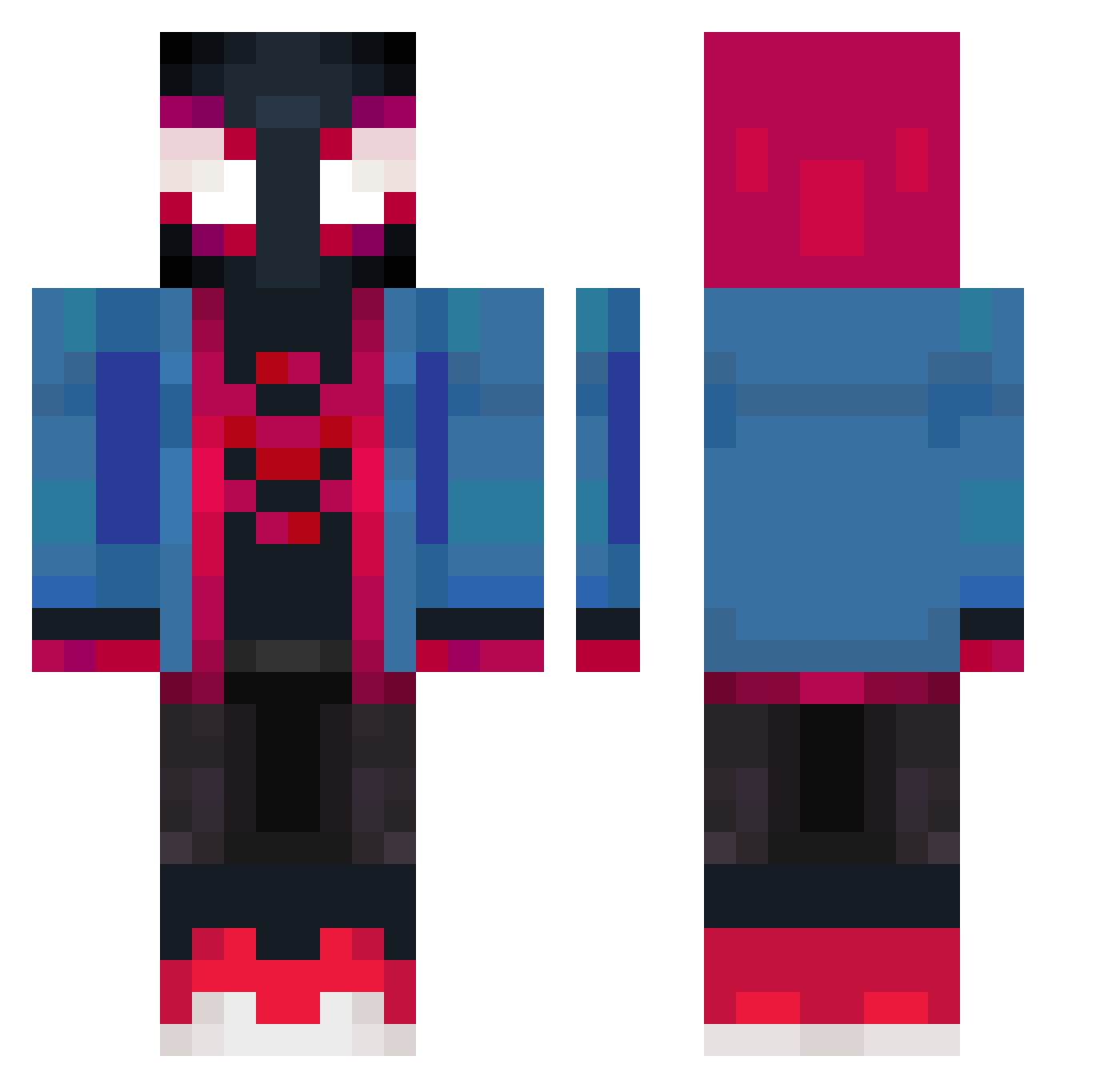
Current Minecraft skin of the player BlessdFan, loaded from the official Mojang API. Rotate the 3D model with your mouse or finger, then download the skin as a PNG file and use it in Minecraft: Bedrock Edition or Java Edition for free. When BlessdFan changes their skin, this page updates automatically and the old skin stays in the history below.
Other players with this skin (474)
BlessdFan was the 469th player we have seen with this skin, first spotted on 08.11.2026. The same skin was seen on these players. Open a nickname to see their current skin and skin history.
 FLYINGLEO12 AmishGamer120 Geniouss JohnSuge123 Bigdadouille JaGz1477 Ducking1 Buffalou rezdu37 WarwickJG FortunateMelon leonickdro JoJosenthusiast sam9yupsal Josafety bocaj47 EtienT Eric_Morales Gomzz21 Maxo_Lf ElAndys KristianO_O EoJi0731 Tartouf38Gamer Aymeninou Mashlow ImKr0niK JoacoDP Brucinator5789 Yunomie zzzzzeeeeeeeeee Bloop06 Pueblo683 Mikerzu DanDan559 Deathlord36969 patrickortreat RatonToxico Thenkron zieloneek BigmanTheOg ALBARIQI LucianoPiola HANY0409 Nikygamer18 Bruxozinn Knifehorse Hemora_ topnotch1 Wahwag zzt2006 zouino shumareeee YROSHI HyperHyion Sebaxtian202 ArdArsln booooophantom Hqwn77 Eclipse9665
More Miles Morales Minecraft skins
See all 274 Miles Morales skins
How to install the BlessdFan skin
- Press the Download button above to save the skin as a PNG file.
- Minecraft: Bedrock Edition (PE): open the Dressing Room from the main menu (or tap your character → Edit Character), go to Classic Skins → Owned, press the + (new skin) button, choose the downloaded PNG and pick the Classic (Steve) model. Works on PC and mobile; consoles cannot import custom skins.
- Minecraft: Java Edition: open the Minecraft Launcher, go to the Skins tab, click New Skin, load the PNG, pick the Classic (Steve) model and press Save & Use. You can also upload it at minecraft.net → Profile → Change Skin.
The skin does not show up after import - what should I do?
Restart Minecraft and open the Dressing Room again - imported skins sometimes appear only after a restart. Also make sure you selected the imported skin and picked the Classic (Steve) model.
Which model should I choose, Classic or Slim?
This skin is designed for the Classic (Steve) model. If you pick the wrong model, the arms of the skin will look stretched or squeezed.
Is the skin of BlessdFan free to download?
Yes. Press Download, save the PNG file and use it in Minecraft: Bedrock Edition or Java Edition - no payment or registration needed. The skin also works on multiplayer servers and Realms.
More skins
Looking for more? Go back to all Minecraft skins and check the top skins of the week, month and all time, or find any player's skin by nickname.