
Benitez923 - Minecraft Skins & Skin History
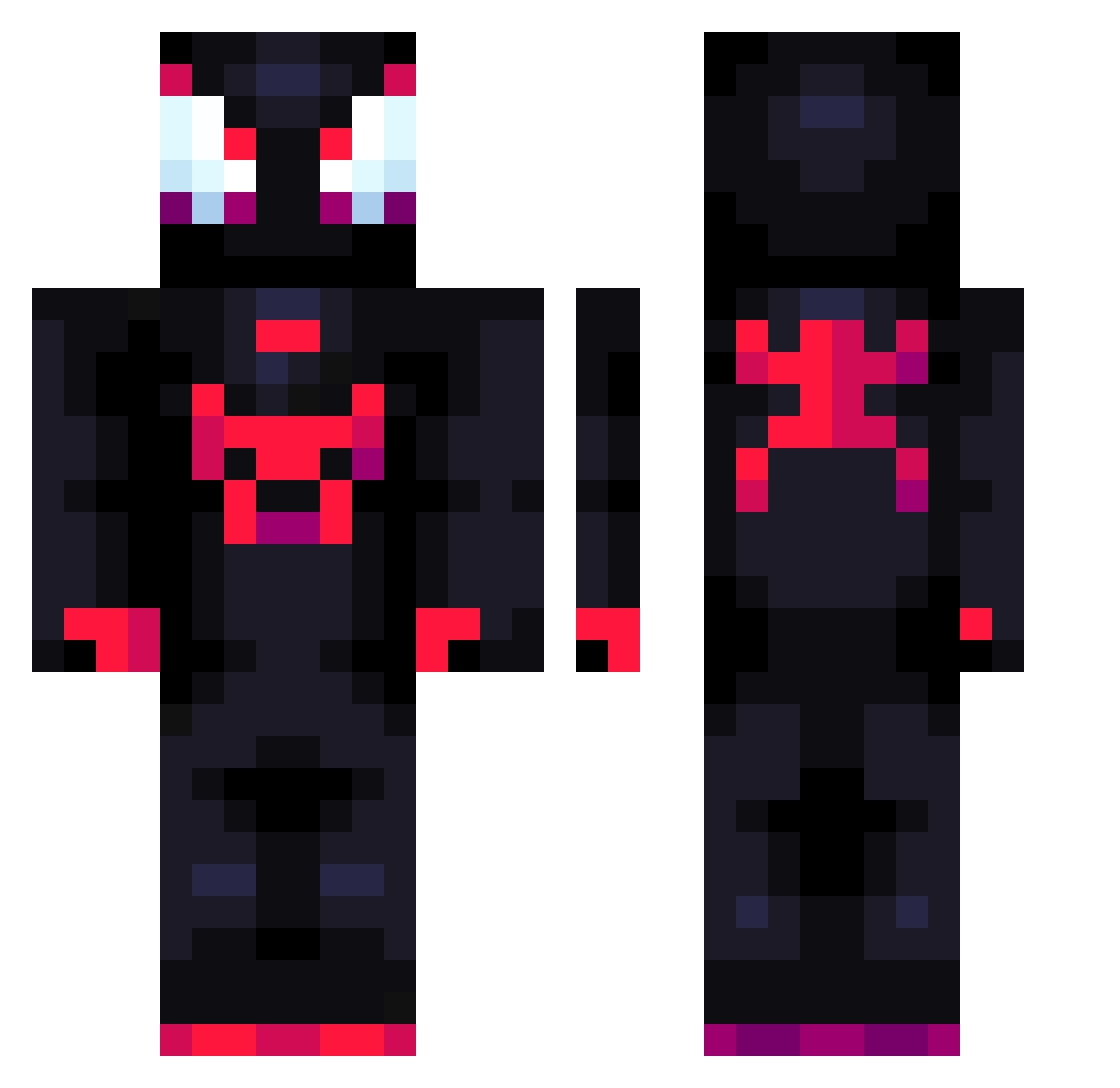
Current Minecraft skin of the player Benitez923, loaded from the official Mojang API. Rotate the 3D model with your mouse or finger, then download the skin as a PNG file and use it in Minecraft: Bedrock Edition or Java Edition for free. When Benitez923 changes their skin, this page updates automatically and the old skin stays in the history below.
Other players with this skin (875)
Benitez923 was the 728th player we have seen with this skin, first spotted on 25.10.2026. The same skin was seen on these players. Open a nickname to see their current skin and skin history.
 Temmoikun Le_Val Lucybleach e__strl NotrealMiles Pawm_Hub Abdoallah121 lokky97 _kopticx_ JimPanse___ kifficy cacti55 Kaede0509 20Ca tinmineitor Rayss17 MADMADIGAN57 ERIK_2414 1N4K1T0 Andrei200 tavinho9 uasa125 IL_Diki Chromaaa73 tactile2020 darkogamer7000 Hotshot_249 Pokesrater HolaFelix333XD Dopfy cheuges Erick1122 ElefanteYT _I_O_N_ Ayuwoki28 Phatteam01 cjyho_ Penetrator53 AgussZ23 peppafish enejotawini DSGnppy Hikeez MiniWisnia KingJPX00 BubbleTubble7 08HawkGuy Tost10 M4R3C0 fixtt jadennnn123 GRXPHXZ cpj0917 jnziN77 Chorllo chenweiyu666 Suprazyy JayTatum07 emoMilk erpetrii
More Miles Morales Minecraft skins
See all 274 Miles Morales skins
How to install the Benitez923 skin
- Press the Download button above to save the skin as a PNG file.
- Minecraft: Bedrock Edition (PE): open the Dressing Room from the main menu (or tap your character → Edit Character), go to Classic Skins → Owned, press the + (new skin) button, choose the downloaded PNG and pick the Classic (Steve) model. Works on PC and mobile; consoles cannot import custom skins.
- Minecraft: Java Edition: open the Minecraft Launcher, go to the Skins tab, click New Skin, load the PNG, pick the Classic (Steve) model and press Save & Use. You can also upload it at minecraft.net → Profile → Change Skin.
The skin does not show up after import - what should I do?
Restart Minecraft and open the Dressing Room again - imported skins sometimes appear only after a restart. Also make sure you selected the imported skin and picked the Classic (Steve) model.
Which model should I choose, Classic or Slim?
This skin is designed for the Classic (Steve) model. If you pick the wrong model, the arms of the skin will look stretched or squeezed.
Is the skin of Benitez923 free to download?
Yes. Press Download, save the PNG file and use it in Minecraft: Bedrock Edition or Java Edition - no payment or registration needed. The skin also works on multiplayer servers and Realms.
More skins
Looking for more? Go back to all Minecraft skins and check the top skins of the week, month and all time, or find any player's skin by nickname.