
Bella_821 - Minecraft Skins & Skin History
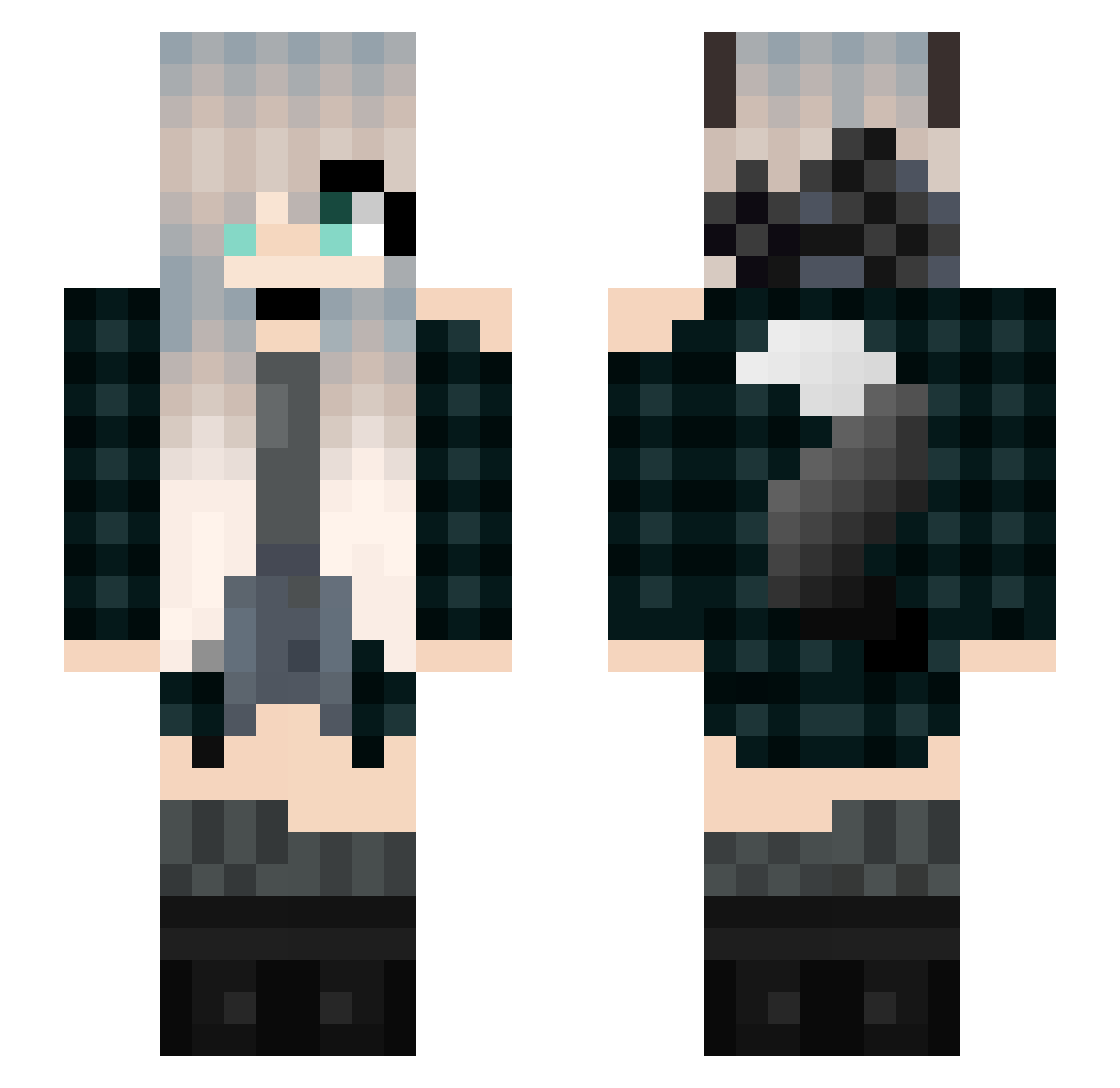
Current Minecraft skin of the player Bella_821, loaded from the official Mojang API. Rotate the 3D model with your mouse or finger, then download the skin as a PNG file and use it in Minecraft: Bedrock Edition or Java Edition for free. When Bella_821 changes their skin, this page updates automatically and the old skin stays in the history below.
Other players with this skin (261)
Bella_821 was the 260th player we have seen with this skin, first spotted on 09.11.2026. The same skin was seen on these players. Open a nickname to see their current skin and skin history.
 Lulu_So08 twilight_puppy _Wolfv_ TheWhiteWo1f IsaV17 ice_wolf993 EpicDiggyHole KraftieM 2ndSense GaryChung39 FontEnd JavyrojooTeamX bennyhunter nalle4puh24 NUNUNANA Uschastichek Lenaquinn Sally_girl fjx201304 Emeraude18 lela1 Rockycandy shark_u Angelq01 picogramme henryliuis Frozen_Riptide Wyvern_12 cOvOcu Moonlight101222 Wasabi0920 _Candy_Fox_ RagdollTamaki KuroeNagisa Schwarzer_Wolf_ Flowaras mclovin061205 agene HDFAI NariPanda adri_kawai wolfiegirl18634 Rebeca_love Sirokmi yukimame AngelicCupcake spxx_ XxAlphaxX291 arixiell JarrodsHyper Tazthewolf1 marivx Sarah_Lycan Ventesa6 Carmen_nwn MissWolf_Liz LoHHoM Rebeline Sway22 notdiogoalp
More Wolf Ears Minecraft skins
How to install the Bella_821 skin
- Press the Download button above to save the skin as a PNG file.
- Minecraft: Bedrock Edition (PE): open the Dressing Room from the main menu (or tap your character → Edit Character), go to Classic Skins → Owned, press the + (new skin) button, choose the downloaded PNG and pick the Slim (Alex) model. Works on PC and mobile; consoles cannot import custom skins.
- Minecraft: Java Edition: open the Minecraft Launcher, go to the Skins tab, click New Skin, load the PNG, pick the Slim (Alex) model and press Save & Use. You can also upload it at minecraft.net → Profile → Change Skin.
The skin does not show up after import - what should I do?
Restart Minecraft and open the Dressing Room again - imported skins sometimes appear only after a restart. Also make sure you selected the imported skin and picked the Slim (Alex) model.
Which model should I choose, Classic or Slim?
This skin is designed for the Slim (Alex) model. If you pick the wrong model, the arms of the skin will look stretched or squeezed.
Is the skin of Bella_821 free to download?
Yes. Press Download, save the PNG file and use it in Minecraft: Bedrock Edition or Java Edition - no payment or registration needed. The skin also works on multiplayer servers and Realms.
More skins
Looking for more? Go back to all Minecraft skins and check the top skins of the week, month and all time, or find any player's skin by nickname.