
BaconDew - Minecraft Skins & Skin History
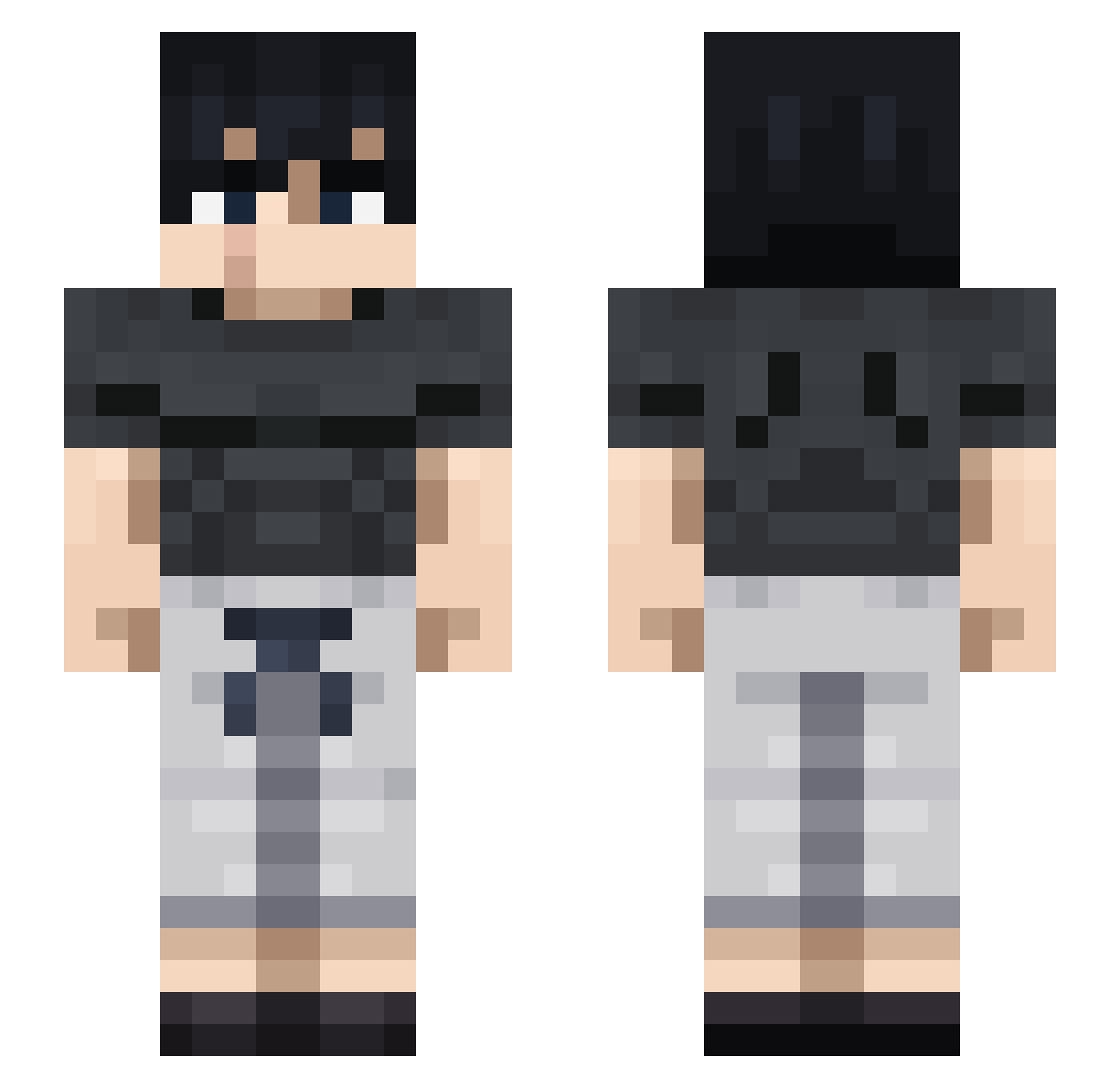
Current Minecraft skin of the player BaconDew, loaded from the official Mojang API. Rotate the 3D model with your mouse or finger, then download the skin as a PNG file and use it in Minecraft: Bedrock Edition or Java Edition for free. When BaconDew changes their skin, this page updates automatically and the old skin stays in the history below.
Other players with this skin (864)
BaconDew was the 785th player we have seen with this skin, first spotted on 31.10.2026. The same skin was seen on these players. Open a nickname to see their current skin and skin history.
 Ender_VR Swagdaddy0 CPT_HADDOCK__ BxJKR Tweed7 WalterHartWHlTE Jacob_Roan Melemen67 Itz_Danxdea Lon625 MouthBreather6 Sheroxx92 TheJshark2000 Itz_Pro_Rudra Sazurii Kenjito06 CruzXavier1 CyberKaiser01 MyZone0 BLACKBAN25 yuto1020516 Godninja213 Bongaz kripster4 Nahhr Paranui GabrielBade MarieDirne yazanSM andradeeee GhostHotter TTG0226 Khalisk SkyBlockBu1lder JoseAJ15 NitroBoost69 MrWombat7710 LuXusGamer776 TheFallenThermos Austin_0811 Millenniumss smallxiaocheng ph0nee Univelion Levy07 Enderbricks76 K_Shion Yaako23 chocomochi_25 ilovebeefstew xvchrisx _ttequilaa_ Schi030 R3dam JKING2642 killerlopez22 Shadowdxx ssaucy PacyfistaSadico AdSwap
More Casual Minecraft skins
How to install the BaconDew skin
- Press the Download button above to save the skin as a PNG file.
- Minecraft: Bedrock Edition (PE): open the Dressing Room from the main menu (or tap your character → Edit Character), go to Classic Skins → Owned, press the + (new skin) button, choose the downloaded PNG and pick the Slim (Alex) model. Works on PC and mobile; consoles cannot import custom skins.
- Minecraft: Java Edition: open the Minecraft Launcher, go to the Skins tab, click New Skin, load the PNG, pick the Slim (Alex) model and press Save & Use. You can also upload it at minecraft.net → Profile → Change Skin.
The skin does not show up after import - what should I do?
Restart Minecraft and open the Dressing Room again - imported skins sometimes appear only after a restart. Also make sure you selected the imported skin and picked the Slim (Alex) model.
Which model should I choose, Classic or Slim?
This skin is designed for the Slim (Alex) model. If you pick the wrong model, the arms of the skin will look stretched or squeezed.
Is the skin of BaconDew free to download?
Yes. Press Download, save the PNG file and use it in Minecraft: Bedrock Edition or Java Edition - no payment or registration needed. The skin also works on multiplayer servers and Realms.
More skins
Looking for more? Go back to all Minecraft skins and check the top skins of the week, month and all time, or find any player's skin by nickname.