
BHoodster - Minecraft Skins & Skin History
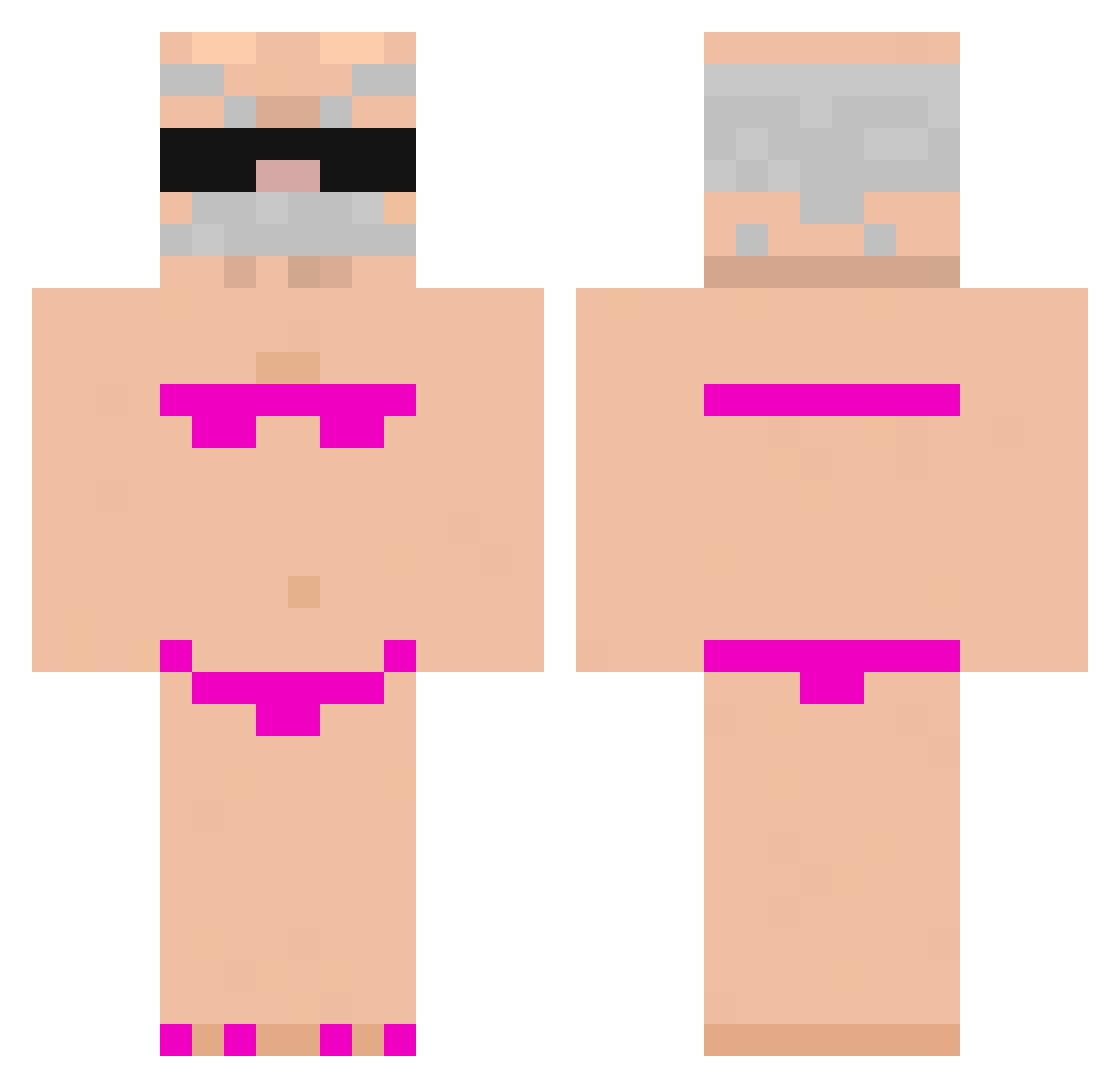
Current Minecraft skin of the player BHoodster, loaded from the official Mojang API. Rotate the 3D model with your mouse or finger, then download the skin as a PNG file and use it in Minecraft: Bedrock Edition or Java Edition for free. When BHoodster changes their skin, this page updates automatically and the old skin stays in the history below.
Other players with this skin (971)
BHoodster was the 839th player we have seen with this skin, first spotted on 27.10.2026. The same skin was seen on these players. Open a nickname to see their current skin and skin history.
 santitux cur1euse PopJoy 010301SJX SantiSS69 miaomiaomiao7788 Abbe_babbe08 y3r3mii CremascoDoDry Kiiaan_ AnanasG78 Alex_ZaZa falcon_green Di4bets ghdus0 Nonoxx009 Musleh_ fic83146 Roberto_pepino xuro_papi_rico Okimollyy Henry2010Hy MikuKing huxyz GeorgiNMG _Poduszka TheGriper Raksooo2013 HourlyPuppet0 OsBeris tkaczyyk69 ItzMeImagine tchetchugos juleskool Clement22194 sillylittleguy99 Little_pigpig GabrielGTS Tobiaszek__ MrAhyo long011 andrei2008 Ruvisreg aaaacccc1 wofez yuchan_111 Dame2tact alipacinoo Geoque Igor72 wesolytymon Smitty___4 nnaly SpoconaJulka15 Deadly6000 rare2d taveny RRRRATON Ya_don Mihailov08
More Karl Marx Minecraft skins
How to install the BHoodster skin
- Press the Download button above to save the skin as a PNG file.
- Minecraft: Bedrock Edition (PE): open the Dressing Room from the main menu (or tap your character → Edit Character), go to Classic Skins → Owned, press the + (new skin) button, choose the downloaded PNG and pick the Classic (Steve) model. Works on PC and mobile; consoles cannot import custom skins.
- Minecraft: Java Edition: open the Minecraft Launcher, go to the Skins tab, click New Skin, load the PNG, pick the Classic (Steve) model and press Save & Use. You can also upload it at minecraft.net → Profile → Change Skin.
The skin does not show up after import - what should I do?
Restart Minecraft and open the Dressing Room again - imported skins sometimes appear only after a restart. Also make sure you selected the imported skin and picked the Classic (Steve) model.
Which model should I choose, Classic or Slim?
This skin is designed for the Classic (Steve) model. If you pick the wrong model, the arms of the skin will look stretched or squeezed.
Is the skin of BHoodster free to download?
Yes. Press Download, save the PNG file and use it in Minecraft: Bedrock Edition or Java Edition - no payment or registration needed. The skin also works on multiplayer servers and Realms.
More skins
Looking for more? Go back to all Minecraft skins and check the top skins of the week, month and all time, or find any player's skin by nickname.