
AzrielSkye - Minecraft Skins & Skin History
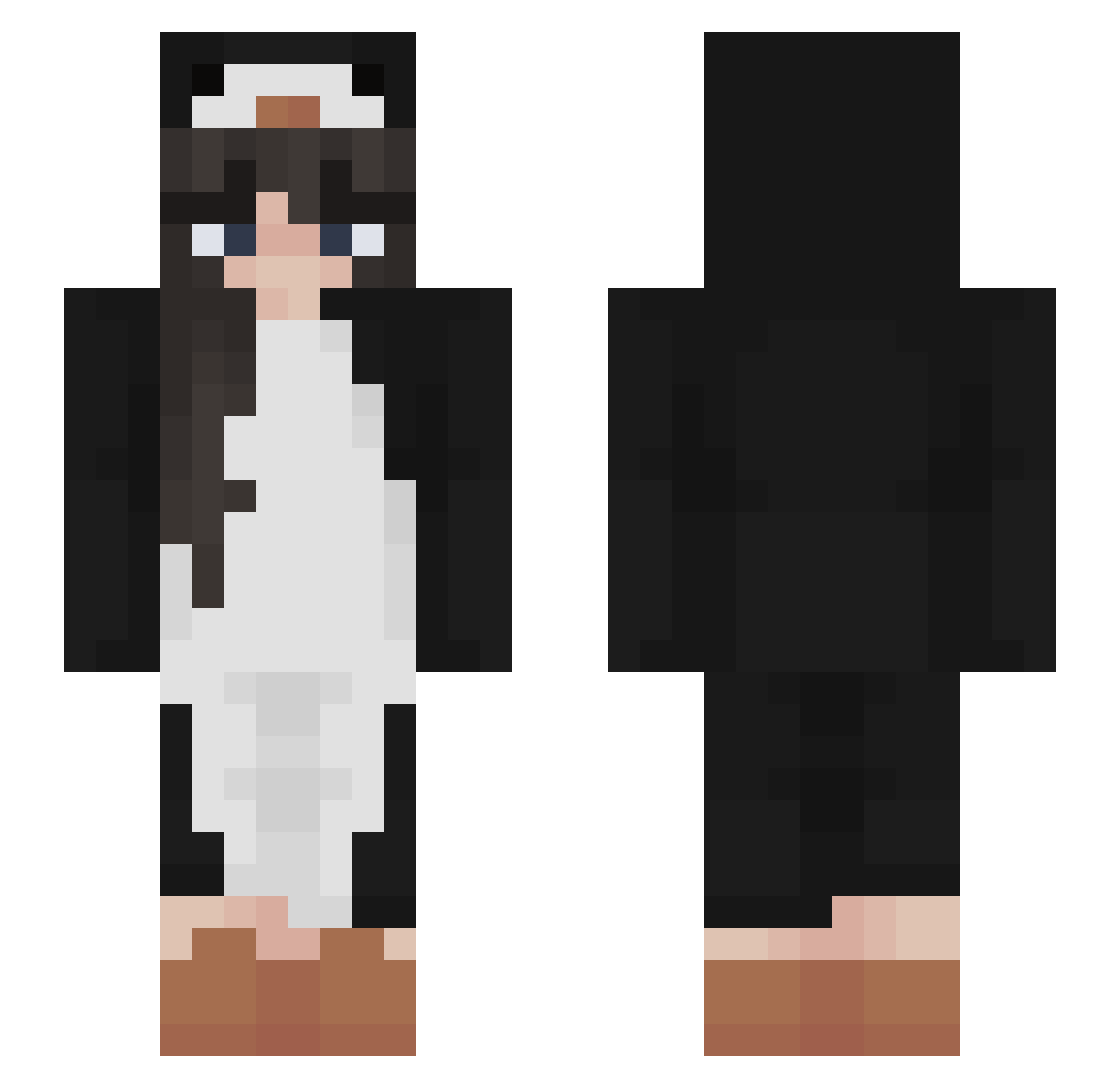
Current Minecraft skin of the player AzrielSkye, loaded from the official Mojang API. Rotate the 3D model with your mouse or finger, then download the skin as a PNG file and use it in Minecraft: Bedrock Edition or Java Edition for free. When AzrielSkye changes their skin, this page updates automatically and the old skin stays in the history below.
Other players with this skin (503)
AzrielSkye was the 459th player we have seen with this skin, first spotted on 01.11.2026. The same skin was seen on these players. Open a nickname to see their current skin and skin history.
 Aristia_16 kristiynee z4k poppyatkins autumnnt Selberek Mu_xi_2356177 Jessiiux MaVih_ livia42 FeetThighsMaster Jessybbb bseriaxxx Hayleyig NatashaBoginya SuggyFold LadyDimple the_malo luvr4 Jackyluv broccoli_juice mogu1o FXHEI Catouw MaYanRaptor Roses0 MariMHB Emmmma04 kate2saucy Itz_KarlaGstar F3rnxndx rikki777 ludalinger YisusEX PenguinFan07 Chunkiii Annawiisa Griffocont chocokrispiss femaleMuffin iEatPlatesYT Ummmik SitDragon zxcq SophiaBr_ Vaexion winter200101 PINOT_GRIGIo1 sam19102 Michele3886 Giashe DarzeDaron QE_Lemen Alii_ss Soda10 Denisse2312 z4meIia xion1018 __fifi______ Uhmm0v0
More Animal Onesie Minecraft skins
See all 2225 Animal Onesie skins
How to install the AzrielSkye skin
- Press the Download button above to save the skin as a PNG file.
- Minecraft: Bedrock Edition (PE): open the Dressing Room from the main menu (or tap your character → Edit Character), go to Classic Skins → Owned, press the + (new skin) button, choose the downloaded PNG and pick the Slim (Alex) model. Works on PC and mobile; consoles cannot import custom skins.
- Minecraft: Java Edition: open the Minecraft Launcher, go to the Skins tab, click New Skin, load the PNG, pick the Slim (Alex) model and press Save & Use. You can also upload it at minecraft.net → Profile → Change Skin.
The skin does not show up after import - what should I do?
Restart Minecraft and open the Dressing Room again - imported skins sometimes appear only after a restart. Also make sure you selected the imported skin and picked the Slim (Alex) model.
Which model should I choose, Classic or Slim?
This skin is designed for the Slim (Alex) model. If you pick the wrong model, the arms of the skin will look stretched or squeezed.
Is the skin of AzrielSkye free to download?
Yes. Press Download, save the PNG file and use it in Minecraft: Bedrock Edition or Java Edition - no payment or registration needed. The skin also works on multiplayer servers and Realms.
More skins
Looking for more? Go back to all Minecraft skins and check the top skins of the week, month and all time, or find any player's skin by nickname.