
AyoZee1 - Minecraft Skins & Skin History
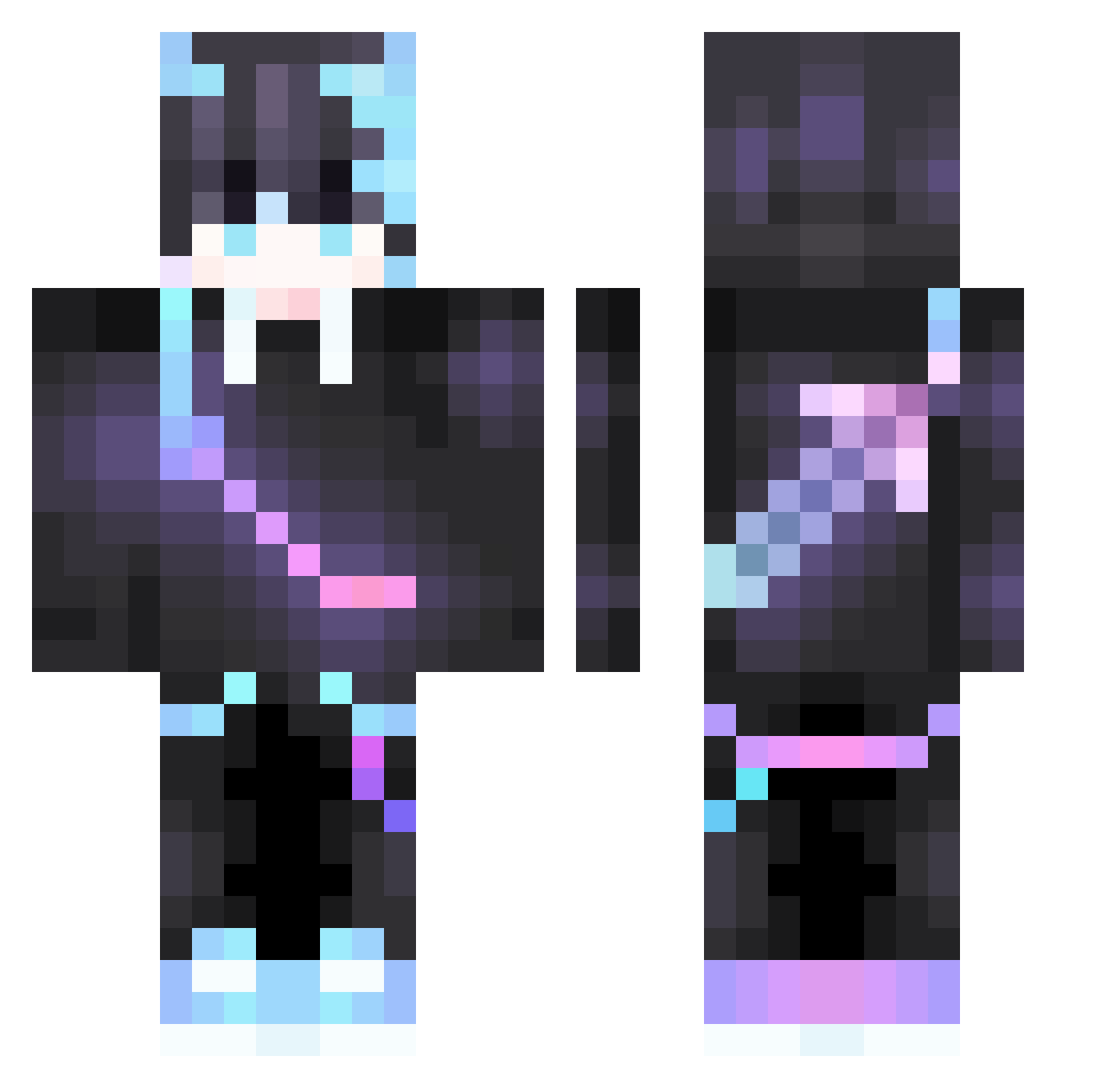
Current Minecraft skin of the player AyoZee1, loaded from the official Mojang API. Rotate the 3D model with your mouse or finger, then download the skin as a PNG file and use it in Minecraft: Bedrock Edition or Java Edition for free. When AyoZee1 changes their skin, this page updates automatically and the old skin stays in the history below.
Other players with this skin (505)
AyoZee1 was the 434th player we have seen with this skin, first spotted on 29.10.2026. The same skin was seen on these players. Open a nickname to see their current skin and skin history.
 Artimas10 Black__Berry__ SaShiGay Shourya_GoD Skrozki M4cky211 Rooooop luverek TigerYu1010 Mario5959 AlaiDev NotLoser joshua111026 xxxtwujstaryxxx apple0716 Sparks_ler muzhaoyi SGYAMDII SunG_MC henry940923 hujnik MatadorG7 iFatih_ Ativen GT0528 dragonking9749 Kubsikkk csp2hungry chilly090308 Froces pleasedCheetah0 VolutedPuma1811 ZS_Clutch thedvke laggindragon248 JacobEnderDragon __Z3N sosssig Dragon_ZH Shafox345 OzzieGamer2841 dz12 justin930202 holo2190 RaykuYT KoLbAsA122 2008Cyberdoctor DuckDuck_167 Hayz_UwU Lx_pro LukaHamburg NRyu7 suzukisamurai Y1anF g0x0g NeelGod1439 LuckyRawatYT WanderingRainbow XZYG1 Cystic24
More Sword On Back Minecraft skins
See all 299 Sword On Back skins
How to install the AyoZee1 skin
- Press the Download button above to save the skin as a PNG file.
- Minecraft: Bedrock Edition (PE): open the Dressing Room from the main menu (or tap your character → Edit Character), go to Classic Skins → Owned, press the + (new skin) button, choose the downloaded PNG and pick the Classic (Steve) model. Works on PC and mobile; consoles cannot import custom skins.
- Minecraft: Java Edition: open the Minecraft Launcher, go to the Skins tab, click New Skin, load the PNG, pick the Classic (Steve) model and press Save & Use. You can also upload it at minecraft.net → Profile → Change Skin.
The skin does not show up after import - what should I do?
Restart Minecraft and open the Dressing Room again - imported skins sometimes appear only after a restart. Also make sure you selected the imported skin and picked the Classic (Steve) model.
Which model should I choose, Classic or Slim?
This skin is designed for the Classic (Steve) model. If you pick the wrong model, the arms of the skin will look stretched or squeezed.
Is the skin of AyoZee1 free to download?
Yes. Press Download, save the PNG file and use it in Minecraft: Bedrock Edition or Java Edition - no payment or registration needed. The skin also works on multiplayer servers and Realms.
More skins
Looking for more? Go back to all Minecraft skins and check the top skins of the week, month and all time, or find any player's skin by nickname.