
AtrixHA - Minecraft Skins & Skin History
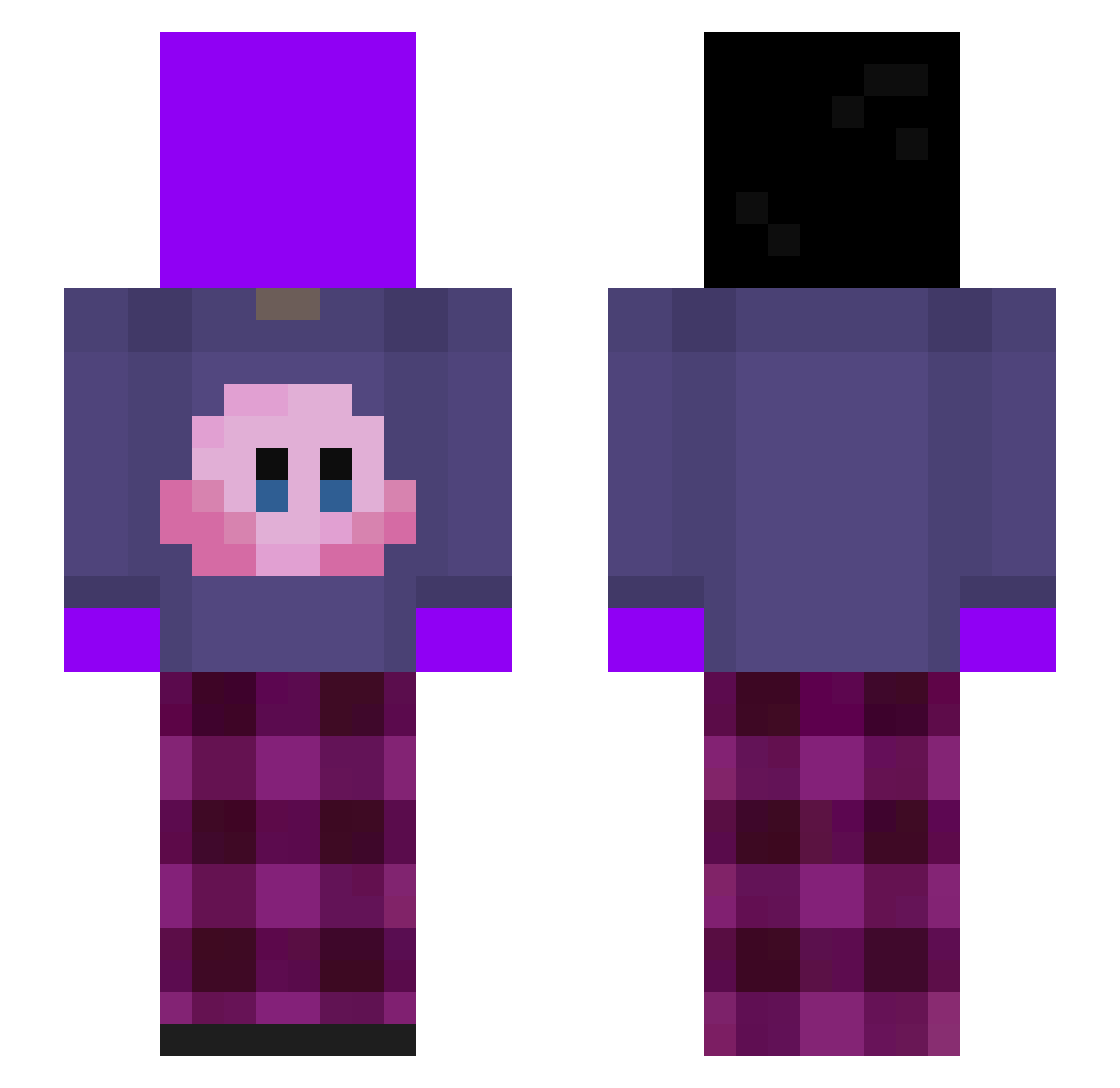
Current Minecraft skin of the player AtrixHA, loaded from the official Mojang API. Rotate the 3D model with your mouse or finger, then download the skin as a PNG file and use it in Minecraft: Bedrock Edition or Java Edition for free. When AtrixHA changes their skin, this page updates automatically and the old skin stays in the history below.
Other players with this skin (365)
AtrixHA was the 331st player we have seen with this skin, first spotted on 02.11.2026. The same skin was seen on these players. Open a nickname to see their current skin and skin history.
 SupposeItWar19 Babarok14 cicadafeeler Eneriz marton_ karam5427 monkuma0615 zmogelisPro BatuZ0 Sorlowww turutyan4625 Kuzyapa Zentren s1lencs ZenoV2 bigblackdaddyman huhuh_01 SIRAPI vindas2011 virurs Meh89_ hockeyplay1 GG_illx KyzePl BananaBamBam87 xiaoliu0123 bojii64 Valchozz hydra46 EnderFANGs Andres46715 Rasta_Fary feiiiiiii itsrub3 maconfire Yerayfdez14 Ka_Poof xvuo KokobeanDeMasta kkerosene_ 2_twigss Picblock LnnTx MaggeresHuhn redaxe17 LilAndrada kobai666 RDGLFX oguzramfury23 CasonTheAsian ksywka_ WarriorJoanna JoranaBanana Ilyas_cpvp Kaleemullah18 MagoDelCrafterio Developers_G vountii taeho9608 JUJU_BICHI
More Kirby Minecraft skins
How to install the AtrixHA skin
- Press the Download button above to save the skin as a PNG file.
- Minecraft: Bedrock Edition (PE): open the Dressing Room from the main menu (or tap your character → Edit Character), go to Classic Skins → Owned, press the + (new skin) button, choose the downloaded PNG and pick the Slim (Alex) model. Works on PC and mobile; consoles cannot import custom skins.
- Minecraft: Java Edition: open the Minecraft Launcher, go to the Skins tab, click New Skin, load the PNG, pick the Slim (Alex) model and press Save & Use. You can also upload it at minecraft.net → Profile → Change Skin.
The skin does not show up after import - what should I do?
Restart Minecraft and open the Dressing Room again - imported skins sometimes appear only after a restart. Also make sure you selected the imported skin and picked the Slim (Alex) model.
Which model should I choose, Classic or Slim?
This skin is designed for the Slim (Alex) model. If you pick the wrong model, the arms of the skin will look stretched or squeezed.
Is the skin of AtrixHA free to download?
Yes. Press Download, save the PNG file and use it in Minecraft: Bedrock Edition or Java Edition - no payment or registration needed. The skin also works on multiplayer servers and Realms.
More skins
Looking for more? Go back to all Minecraft skins and check the top skins of the week, month and all time, or find any player's skin by nickname.