
AshtonBuilder - Minecraft Skins & Skin History
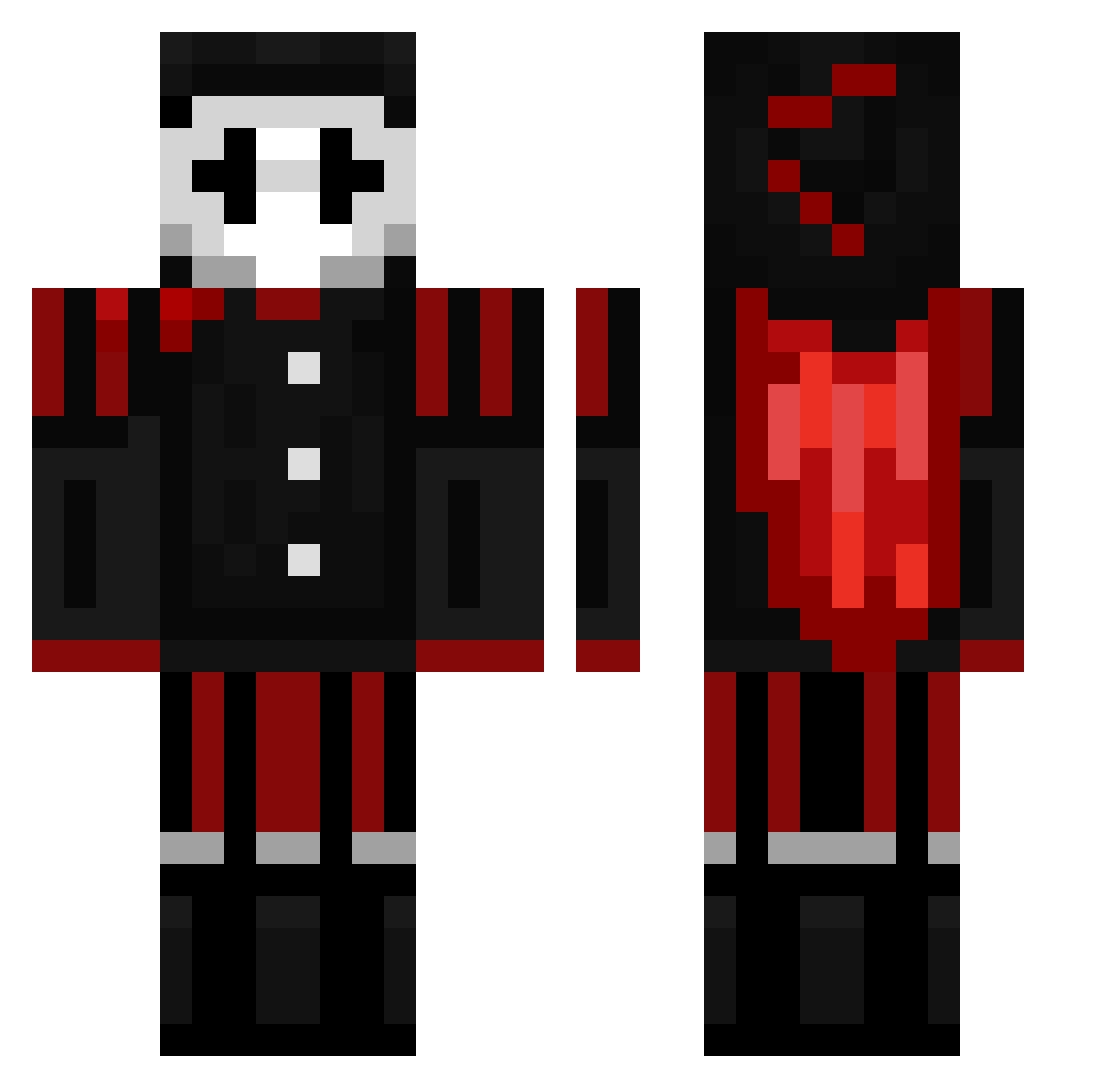
Current Minecraft skin of the player AshtonBuilder, loaded from the official Mojang API. Rotate the 3D model with your mouse or finger, then download the skin as a PNG file and use it in Minecraft: Bedrock Edition or Java Edition for free. When AshtonBuilder changes their skin, this page updates automatically and the old skin stays in the history below.
Other players with this skin (181)
AshtonBuilder was the 150th player we have seen with this skin, first spotted on 21.10.2026. The same skin was seen on these players. Open a nickname to see their current skin and skin history.
 StubbingtonD2 vortex1929 SocksFan123 jasperpit Banso813 ISAACPLAY75321 ONLY4WEED___ Goolarn3 Barewood113 kjaf_mc ClownPierce18 Joeldemos Its_Newo JAS900pk Dkoiyz vefaraydens3 FishxxGamer_ typicalblade56 nielsolito_OG Sdobrinski2662 Vodge_5 NylTheBuilder AirCon_MC Zembobo2 Zombyprayer mudhutmonkeysbro flamfrags22547 ro1z 7s59 HDcrafts SwadeNinja Agentgugu007 Mistro_H 0PCreeper Shooblive_ Lambiki LightskinPrinxce ScrimpySky Maestiic ertje135 turbostampen pengetaler Mixxx76181 qwez1zy ParceAK funkspcaccount12 LiftedGalaxy697 WalmartPierce Vincent2461 GoldDRogerXd clownpierch kadin011 Ninjanic17 SGTCHUCKY Golemcraft hboll69 Syphlex13 Skitzynyx SOLO_K1LL_26 RhysHerbert
More Harlequin Minecraft skins
How to install the AshtonBuilder skin
- Press the Download button above to save the skin as a PNG file.
- Minecraft: Bedrock Edition (PE): open the Dressing Room from the main menu (or tap your character → Edit Character), go to Classic Skins → Owned, press the + (new skin) button, choose the downloaded PNG and pick the Classic (Steve) model. Works on PC and mobile; consoles cannot import custom skins.
- Minecraft: Java Edition: open the Minecraft Launcher, go to the Skins tab, click New Skin, load the PNG, pick the Classic (Steve) model and press Save & Use. You can also upload it at minecraft.net → Profile → Change Skin.
The skin does not show up after import - what should I do?
Restart Minecraft and open the Dressing Room again - imported skins sometimes appear only after a restart. Also make sure you selected the imported skin and picked the Classic (Steve) model.
Which model should I choose, Classic or Slim?
This skin is designed for the Classic (Steve) model. If you pick the wrong model, the arms of the skin will look stretched or squeezed.
Is the skin of AshtonBuilder free to download?
Yes. Press Download, save the PNG file and use it in Minecraft: Bedrock Edition or Java Edition - no payment or registration needed. The skin also works on multiplayer servers and Realms.
More skins
Looking for more? Go back to all Minecraft skins and check the top skins of the week, month and all time, or find any player's skin by nickname.