
AntnoMonkey - Minecraft Skins & Skin History
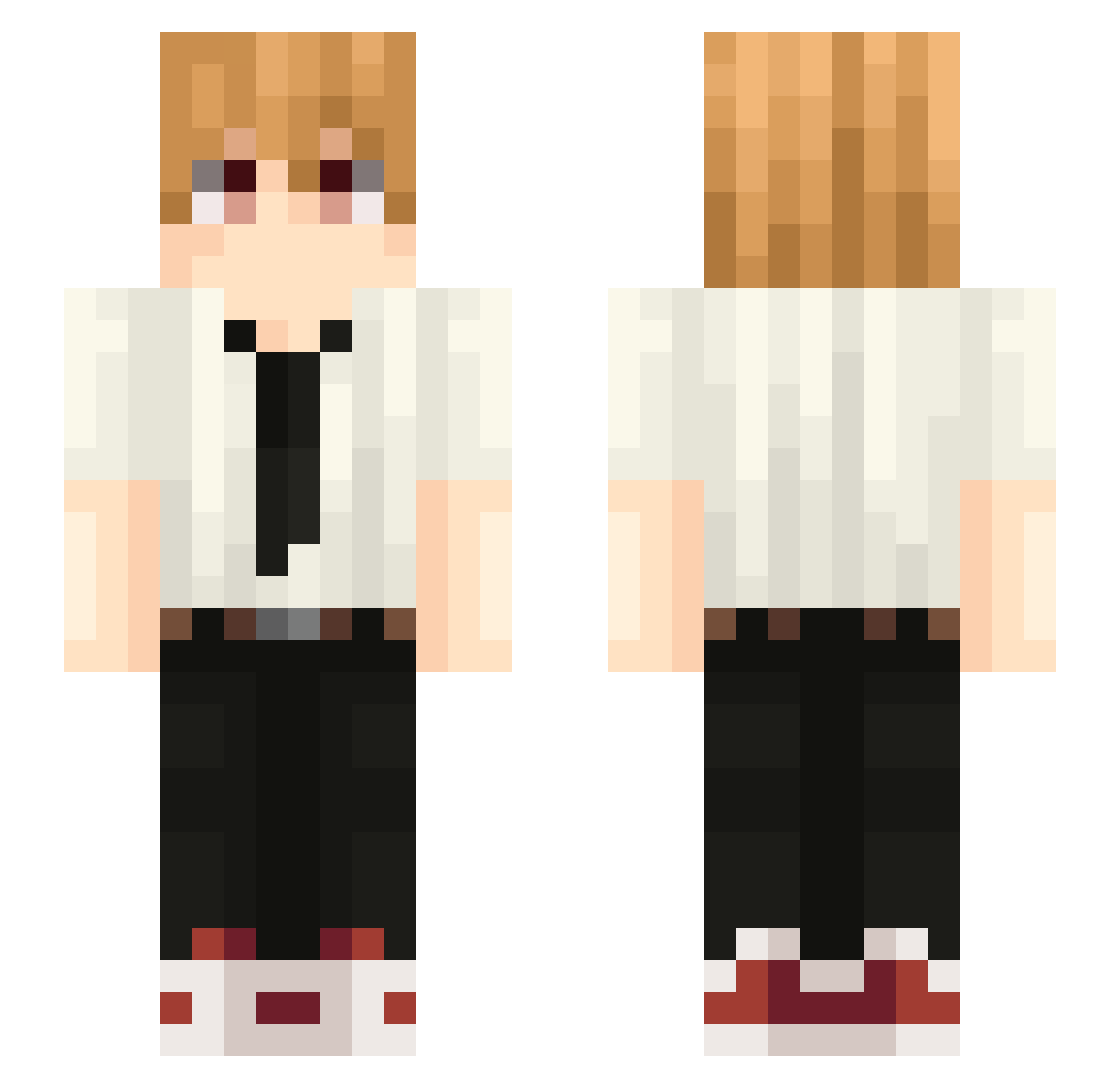
Current Minecraft skin of the player AntnoMonkey, loaded from the official Mojang API. Rotate the 3D model with your mouse or finger, then download the skin as a PNG file and use it in Minecraft: Bedrock Edition or Java Edition for free. When AntnoMonkey changes their skin, this page updates automatically and the old skin stays in the history below.
Other players with this skin (79)
AntnoMonkey was the 54th player we have seen with this skin, first spotted on 10.10.2026. The same skin was seen on these players. Open a nickname to see their current skin and skin history.
 R3Qu_ _Webzy JumpyCartoon884 dmanh Cerucsm rutche Soussou93 KTM2409 tomioka_giyu69 Nalesniczek123 Zamxsu FluidMonkey Slendervlr Hakis_ ErwStone zeerokkk AmikamLM Boosti_ cheepbaboo fultblast Cookooi Funny_Valentine isopod_megazord goneberseerk Techn0kachna PlatyWatty IanSata Vispr puchipupu3 Nightmare_Sato LeLoneL verrx33 GabBtw Delfinek556 Odenrly mathissoccer zxxyNN Jan__9 Chaosslime mroczny_sigma Laxie 6blln neektaar aaronk0831 blznk choless Karmaoop2 itz_migss FabifoOnYoutube Seifares1000 xysys neidroid SAUD51 YonkiDrogadicto Dis4Dino AzukaTems Pussiney Wesley0B i_lilevil Solaris_Wrath
More Denji Minecraft skins
How to install the AntnoMonkey skin
- Press the Download button above to save the skin as a PNG file.
- Minecraft: Bedrock Edition (PE): open the Dressing Room from the main menu (or tap your character → Edit Character), go to Classic Skins → Owned, press the + (new skin) button, choose the downloaded PNG and pick the Slim (Alex) model. Works on PC and mobile; consoles cannot import custom skins.
- Minecraft: Java Edition: open the Minecraft Launcher, go to the Skins tab, click New Skin, load the PNG, pick the Slim (Alex) model and press Save & Use. You can also upload it at minecraft.net → Profile → Change Skin.
The skin does not show up after import - what should I do?
Restart Minecraft and open the Dressing Room again - imported skins sometimes appear only after a restart. Also make sure you selected the imported skin and picked the Slim (Alex) model.
Which model should I choose, Classic or Slim?
This skin is designed for the Slim (Alex) model. If you pick the wrong model, the arms of the skin will look stretched or squeezed.
Is the skin of AntnoMonkey free to download?
Yes. Press Download, save the PNG file and use it in Minecraft: Bedrock Edition or Java Edition - no payment or registration needed. The skin also works on multiplayer servers and Realms.
More skins
Looking for more? Go back to all Minecraft skins and check the top skins of the week, month and all time, or find any player's skin by nickname.