
AlexxxGHG - Minecraft Skins & Skin History
Current Minecraft skin of the player AlexxxGHG, loaded from the official Mojang API. Rotate the 3D model with your mouse or finger, then download the skin as a PNG file and use it in Minecraft: Bedrock Edition or Java Edition for free. When AlexxxGHG changes their skin, this page updates automatically and the old skin stays in the history below.
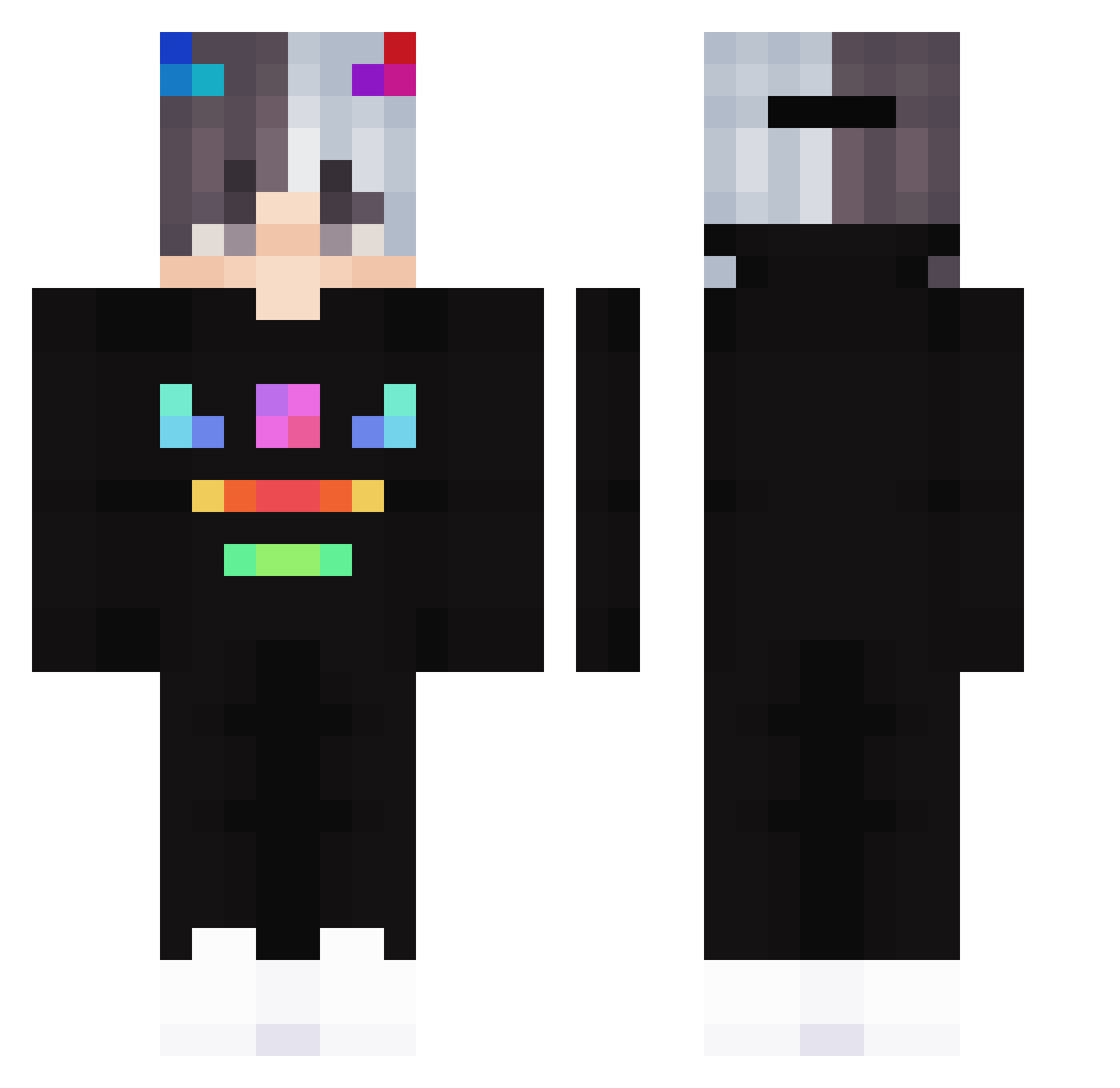
Other players with this skin (216)
AlexxxGHG was the 183rd player we have seen with this skin, first spotted on 23.10.2026. The same skin was seen on these players. Open a nickname to see their current skin and skin history.
 MeOsTheMighty Arctic2202HD Temperman806 Mattoni_08 DomeDev nicobroo lukaszek01 CryDEV Mr_Egor_220 Botlek EpicFishYYY Domz_Light Harry0650 anxhi1 Pavliko Aekalak GH_96 ruuzzt paulin_11 ch_man mero0707 Adhafang JFSmoke Obkoff OrVoxX jamsack zDexio Rwordwastaken Violeta20 Obscuriti Frosty_430 TheReverseAlpha PPduMonster HellStafr XiaoSlayer Sakura_adachi Olpadine LenzaiWK triple080830 ImGayNoHomo minecrafter25000 Acdexc Feort nixakoye Gamodril xemand ETX_Snab Lynx327 BLACKSIT marischu L20_ Aquiillaaa creeper0216 Hero_Crazy_0_0 ks_pipi WLECIU limitedBOYY gc20099 Ziderr_VN Pix_x
More Neon Minecraft skins
How to install the AlexxxGHG skin
- Press the Download button above to save the skin as a PNG file.
- Minecraft: Bedrock Edition (PE): open the Dressing Room from the main menu (or tap your character → Edit Character), go to Classic Skins → Owned, press the + (new skin) button, choose the downloaded PNG and pick the Classic (Steve) model. Works on PC and mobile; consoles cannot import custom skins.
- Minecraft: Java Edition: open the Minecraft Launcher, go to the Skins tab, click New Skin, load the PNG, pick the Classic (Steve) model and press Save & Use. You can also upload it at minecraft.net → Profile → Change Skin.
The skin does not show up after import - what should I do?
Restart Minecraft and open the Dressing Room again - imported skins sometimes appear only after a restart. Also make sure you selected the imported skin and picked the Classic (Steve) model.
Which model should I choose, Classic or Slim?
This skin is designed for the Classic (Steve) model. If you pick the wrong model, the arms of the skin will look stretched or squeezed.
Is the skin of AlexxxGHG free to download?
Yes. Press Download, save the PNG file and use it in Minecraft: Bedrock Edition or Java Edition - no payment or registration needed. The skin also works on multiplayer servers and Realms.
More skins
Looking for more? Go back to all Minecraft skins and check the top skins of the week, month and all time, or find any player's skin by nickname.