
AlexPrewitt2004 - Minecraft Skins & Skin History
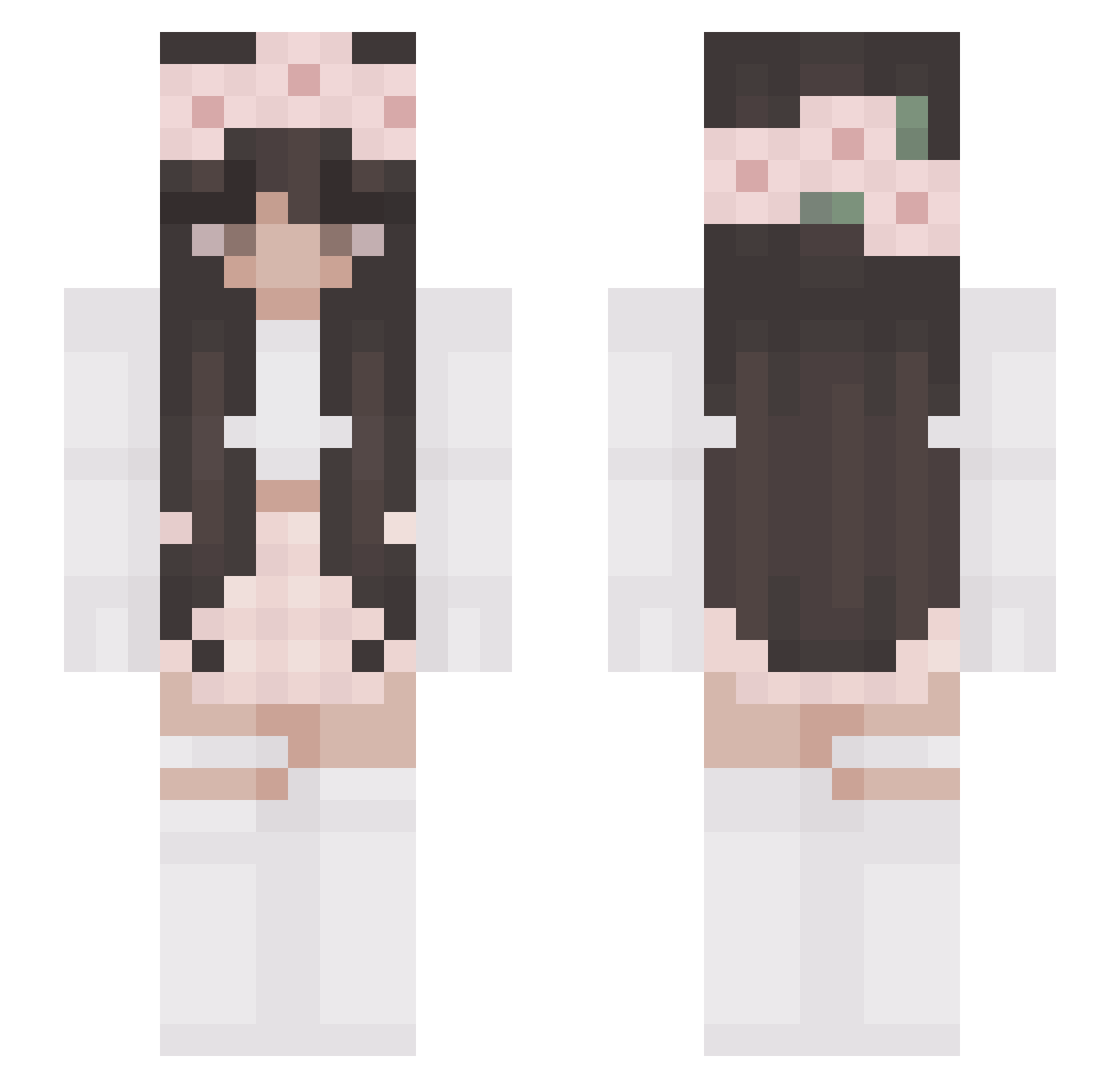
Current Minecraft skin of the player AlexPrewitt2004, loaded from the official Mojang API. Rotate the 3D model with your mouse or finger, then download the skin as a PNG file and use it in Minecraft: Bedrock Edition or Java Edition for free. When AlexPrewitt2004 changes their skin, this page updates automatically and the old skin stays in the history below.
Other players with this skin (327)
AlexPrewitt2004 was the 160th player we have seen with this skin, first spotted on 24.09.2026. The same skin was seen on these players. Open a nickname to see their current skin and skin history.
 Riah33 MariMonica27 Celxine BeeBeeMochi kit_ka1 KaiiLuv XxCottonXCandyxX PumpkinC_17 Judy0315 evxxo Pu55ySquad baebaee VanilliMilli Haydengirly14 LeafMe0211 Aechas Liza0169 Kresencia FloatingSunn HopelessLegacy lanaatje STA_mom wingsprint vyforvendetta Kacza2137 Fellizz Meelu99 Petranine Ficoujyca pauuline mailekim ItsNadiii AllieBug6249 Aaliyahx3x raquel0215 bahi1ra lollinaa04 Sa_rah6302 Avanitii Violet_MC rubylayla MarieD18 EvieLovesPugs UnwastedFrozen lyhu LolaTheFruity Ioanina OliwiaYTT courtneybale kjkif cindyqqq BruniUni ally7724 gwen_p281 Julciaa69 minde99 H0PE1127 Alelele26 nestr1x kruwkara
More Flower Crown Minecraft skins
See all 3687 Flower Crown skins
How to install the AlexPrewitt2004 skin
- Press the Download button above to save the skin as a PNG file.
- Minecraft: Bedrock Edition (PE): open the Dressing Room from the main menu (or tap your character → Edit Character), go to Classic Skins → Owned, press the + (new skin) button, choose the downloaded PNG and pick the Slim (Alex) model. Works on PC and mobile; consoles cannot import custom skins.
- Minecraft: Java Edition: open the Minecraft Launcher, go to the Skins tab, click New Skin, load the PNG, pick the Slim (Alex) model and press Save & Use. You can also upload it at minecraft.net → Profile → Change Skin.
The skin does not show up after import - what should I do?
Restart Minecraft and open the Dressing Room again - imported skins sometimes appear only after a restart. Also make sure you selected the imported skin and picked the Slim (Alex) model.
Which model should I choose, Classic or Slim?
This skin is designed for the Slim (Alex) model. If you pick the wrong model, the arms of the skin will look stretched or squeezed.
Is the skin of AlexPrewitt2004 free to download?
Yes. Press Download, save the PNG file and use it in Minecraft: Bedrock Edition or Java Edition - no payment or registration needed. The skin also works on multiplayer servers and Realms.
More skins
Looking for more? Go back to all Minecraft skins and check the top skins of the week, month and all time, or find any player's skin by nickname.