
Alcholic - Minecraft Skins & Skin History
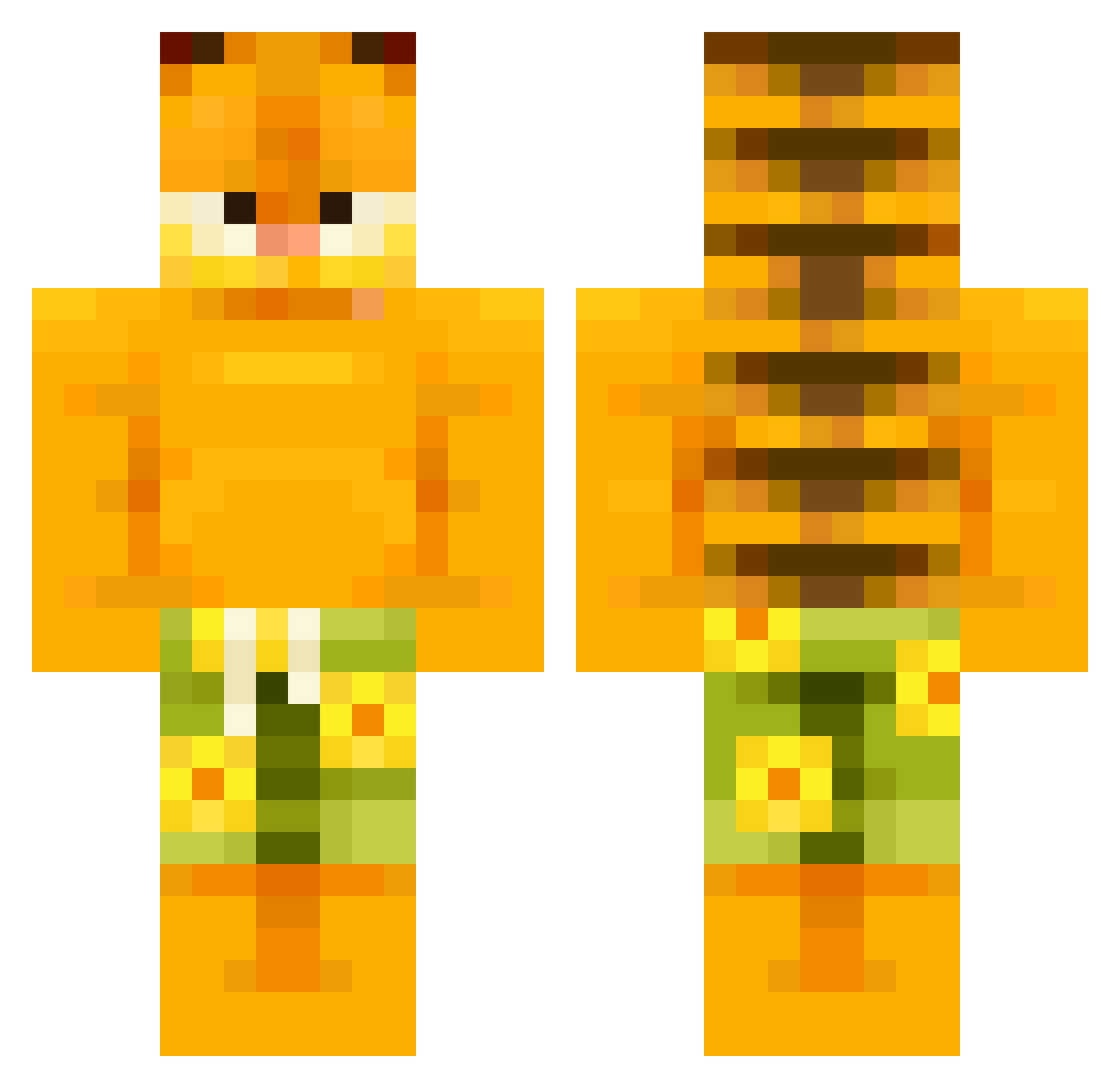
Current Minecraft skin of the player Alcholic, loaded from the official Mojang API. Rotate the 3D model with your mouse or finger, then download the skin as a PNG file and use it in Minecraft: Bedrock Edition or Java Edition for free. When Alcholic changes their skin, this page updates automatically and the old skin stays in the history below.
Other players with this skin (658)
Alcholic was the 627th player we have seen with this skin, first spotted on 04.11.2026. The same skin was seen on these players. Open a nickname to see their current skin and skin history.
 buckethead2005 Vistoft Ennuiwasd Maggotpie LoKoChOn_00 addslikesfrogs soplandro EnderGrey14 DIEGOKU08 nekoo2k blackhero4 Dr_P_Fresh_Funk HumanB0t1 jack3D2010 oniyuh YaBoiQbert BabyMikoo possumluvr69420 lowlyhalo8 EnginJr ITSMISHEL PhatBigFellla cacaciosulstef Dathoooo e4471les G0ld_AL Bleasus WildAnimalJ laKmayuscula Ev_ann01 JawJah_ barbecyou arthuro06_ Zarwid xCheems AlexDAGreat05 Kasiula1408 Spartaslo milnuu Kiliandergeilo ly472 HokyzH AlandAud motboy paincafe DEFINITIVOGETA ChappyCheeks Bob2152 Danizzlle trapjuggfinesser michelin27 not_kevi jaspi_333 BW_TheDuck beugmaster420 calusea Kimp3nisTheGreat tasha4ko Firlot Crypto448
More Garfield Minecraft skins
How to install the Alcholic skin
- Press the Download button above to save the skin as a PNG file.
- Minecraft: Bedrock Edition (PE): open the Dressing Room from the main menu (or tap your character → Edit Character), go to Classic Skins → Owned, press the + (new skin) button, choose the downloaded PNG and pick the Classic (Steve) model. Works on PC and mobile; consoles cannot import custom skins.
- Minecraft: Java Edition: open the Minecraft Launcher, go to the Skins tab, click New Skin, load the PNG, pick the Classic (Steve) model and press Save & Use. You can also upload it at minecraft.net → Profile → Change Skin.
The skin does not show up after import - what should I do?
Restart Minecraft and open the Dressing Room again - imported skins sometimes appear only after a restart. Also make sure you selected the imported skin and picked the Classic (Steve) model.
Which model should I choose, Classic or Slim?
This skin is designed for the Classic (Steve) model. If you pick the wrong model, the arms of the skin will look stretched or squeezed.
Is the skin of Alcholic free to download?
Yes. Press Download, save the PNG file and use it in Minecraft: Bedrock Edition or Java Edition - no payment or registration needed. The skin also works on multiplayer servers and Realms.
More skins
Looking for more? Go back to all Minecraft skins and check the top skins of the week, month and all time, or find any player's skin by nickname.