
Alan8733 - Minecraft Skins & Skin History
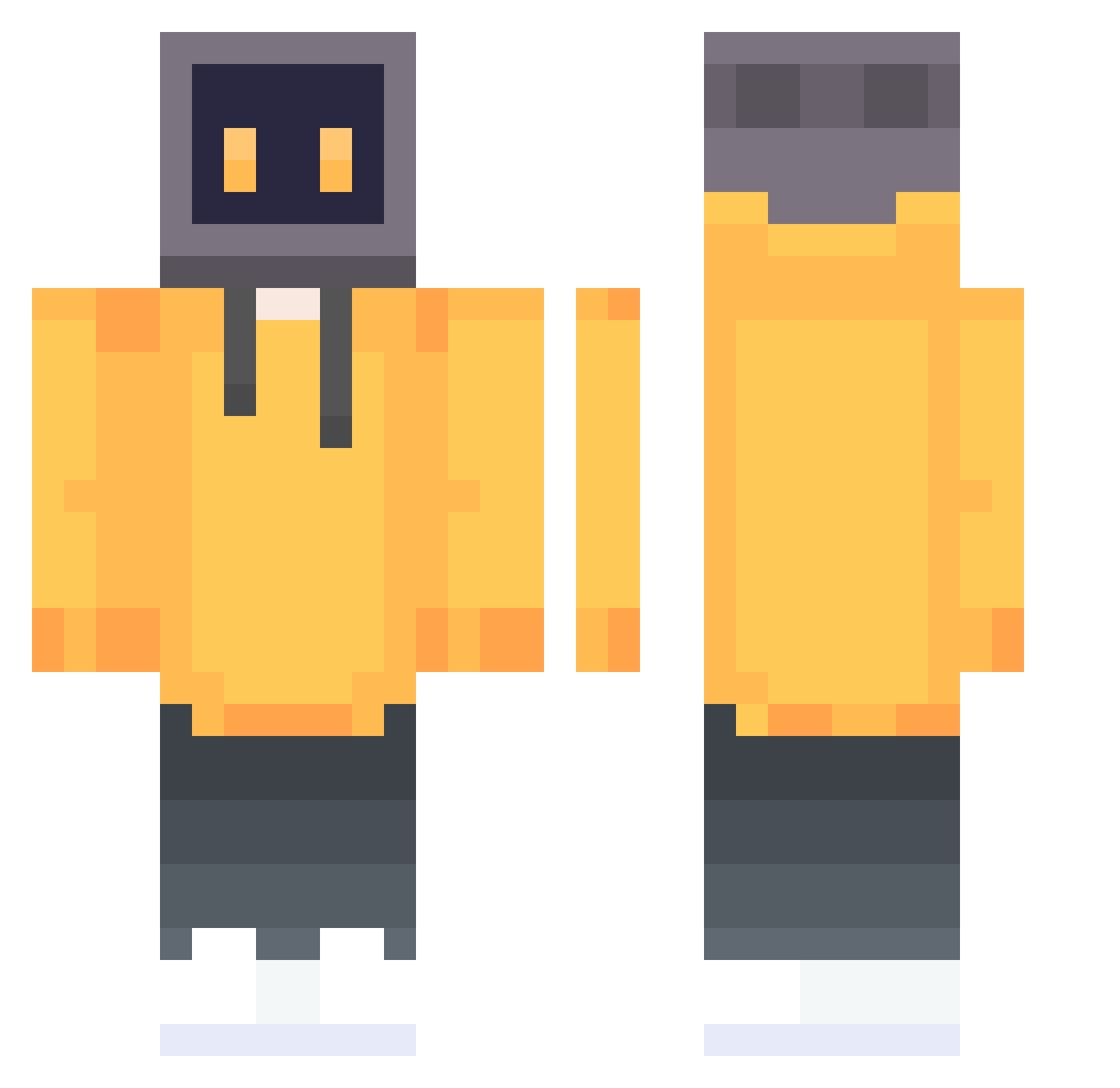
Current Minecraft skin of the player Alan8733, loaded from the official Mojang API. Rotate the 3D model with your mouse or finger, then download the skin as a PNG file and use it in Minecraft: Bedrock Edition or Java Edition for free. When Alan8733 changes their skin, this page updates automatically and the old skin stays in the history below.
Other players with this skin (808)
Alan8733 was the 657th player we have seen with this skin, first spotted on 22.10.2026. The same skin was seen on these players. Open a nickname to see their current skin and skin history.
 FL_aze_ RTGxs LCCY2 Luckyywastaken lucas4869 E_plus theSilenceSky W_yc123 Kucharzy CTBLONG WHITERIX ConjureWind bambok228 Stella__Artois biscotti999 TeckieWu CBer666 dhdjid peitakan Lza2007 Serendipity098 PeterSkb Hoonbuggy McCinodin RiderZero01 iKraziii Hisilicon Fridolizia PXin9 Dusty_Mdude HuangJunXuan SB_Zl990a DarthPepino Diana_Luo super148 KANON_1013 PaTheticq CefanA ooooooooh_my_god Compucraft_ hayun0325 syjmjj UV_Gordon Onemoreshot ings00 Botzz1 Forstree SunriseA kskito jk6shiliu alibaba816 0zyh_0 kukaka ZHANGYUXUANA azakaaa FormalBand WhiteLitter huangsir1 mobadb SanMuGe
More TV Head Minecraft skins
How to install the Alan8733 skin
- Press the Download button above to save the skin as a PNG file.
- Minecraft: Bedrock Edition (PE): open the Dressing Room from the main menu (or tap your character → Edit Character), go to Classic Skins → Owned, press the + (new skin) button, choose the downloaded PNG and pick the Classic (Steve) model. Works on PC and mobile; consoles cannot import custom skins.
- Minecraft: Java Edition: open the Minecraft Launcher, go to the Skins tab, click New Skin, load the PNG, pick the Classic (Steve) model and press Save & Use. You can also upload it at minecraft.net → Profile → Change Skin.
The skin does not show up after import - what should I do?
Restart Minecraft and open the Dressing Room again - imported skins sometimes appear only after a restart. Also make sure you selected the imported skin and picked the Classic (Steve) model.
Which model should I choose, Classic or Slim?
This skin is designed for the Classic (Steve) model. If you pick the wrong model, the arms of the skin will look stretched or squeezed.
Is the skin of Alan8733 free to download?
Yes. Press Download, save the PNG file and use it in Minecraft: Bedrock Edition or Java Edition - no payment or registration needed. The skin also works on multiplayer servers and Realms.
More skins
Looking for more? Go back to all Minecraft skins and check the top skins of the week, month and all time, or find any player's skin by nickname.