
Ahmet5ear - Minecraft Skins & Skin History
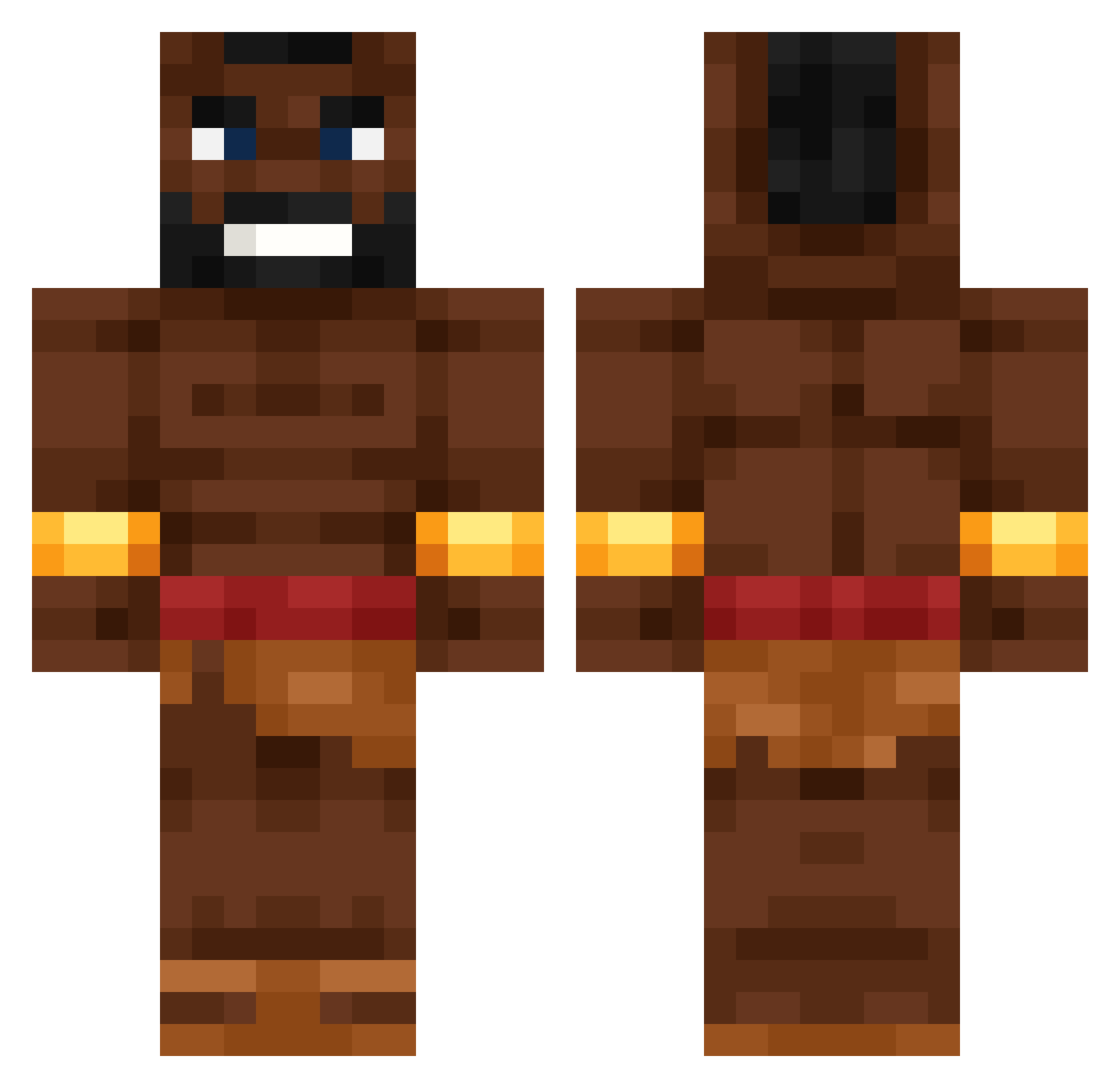
Current Minecraft skin of the player Ahmet5ear, loaded from the official Mojang API. Rotate the 3D model with your mouse or finger, then download the skin as a PNG file and use it in Minecraft: Bedrock Edition or Java Edition for free. When Ahmet5ear changes their skin, this page updates automatically and the old skin stays in the history below.
Other players with this skin (697)
Ahmet5ear was the 554th player we have seen with this skin, first spotted on 23.10.2026. The same skin was seen on these players. Open a nickname to see their current skin and skin history.
 YIOP_ Berkanzbk Reaperfangg Charkose Chimken_Jomkey Ahoyaroo pre2said FeelsBlueMen Emonimi AleMastro0 Lekusiasz apfelmus787 Justnotinnit xXeZBoyXx Kaczorskyy_ jasulo maxmccool hogrider_3169 JackDaniels_86 jursonszef Shynix_RGA RycerzTop1 dogriderr masneciastk no51921 ninjatosbaga fartwalrus Flov3y Tesser12 Quvars NIEGR_3000 fredagErGodt Richshot0007 HippoMogger c3glak MrCheto1911 Clipord_ kiwi532 WinterBeetle635 Momoshabba17 H3zk4 4lacy ProfessorManu Daniel_bobyHarel Brownrizz KisteKarsten sardaarji COCA_FRIEND DaweBoy nl_king hus4rz_P ABCNiclass BobDiddy _Langus_ DarthSalad9 Amin_IX E037xjs ChickenPro228 trojnix Jalakaka
More Actor Minecraft skins
How to install the Ahmet5ear skin
- Press the Download button above to save the skin as a PNG file.
- Minecraft: Bedrock Edition (PE): open the Dressing Room from the main menu (or tap your character → Edit Character), go to Classic Skins → Owned, press the + (new skin) button, choose the downloaded PNG and pick the Classic (Steve) model. Works on PC and mobile; consoles cannot import custom skins.
- Minecraft: Java Edition: open the Minecraft Launcher, go to the Skins tab, click New Skin, load the PNG, pick the Classic (Steve) model and press Save & Use. You can also upload it at minecraft.net → Profile → Change Skin.
The skin does not show up after import - what should I do?
Restart Minecraft and open the Dressing Room again - imported skins sometimes appear only after a restart. Also make sure you selected the imported skin and picked the Classic (Steve) model.
Which model should I choose, Classic or Slim?
This skin is designed for the Classic (Steve) model. If you pick the wrong model, the arms of the skin will look stretched or squeezed.
Is the skin of Ahmet5ear free to download?
Yes. Press Download, save the PNG file and use it in Minecraft: Bedrock Edition or Java Edition - no payment or registration needed. The skin also works on multiplayer servers and Realms.
More skins
Looking for more? Go back to all Minecraft skins and check the top skins of the week, month and all time, or find any player's skin by nickname.