
Aderling - Minecraft Skins & Skin History
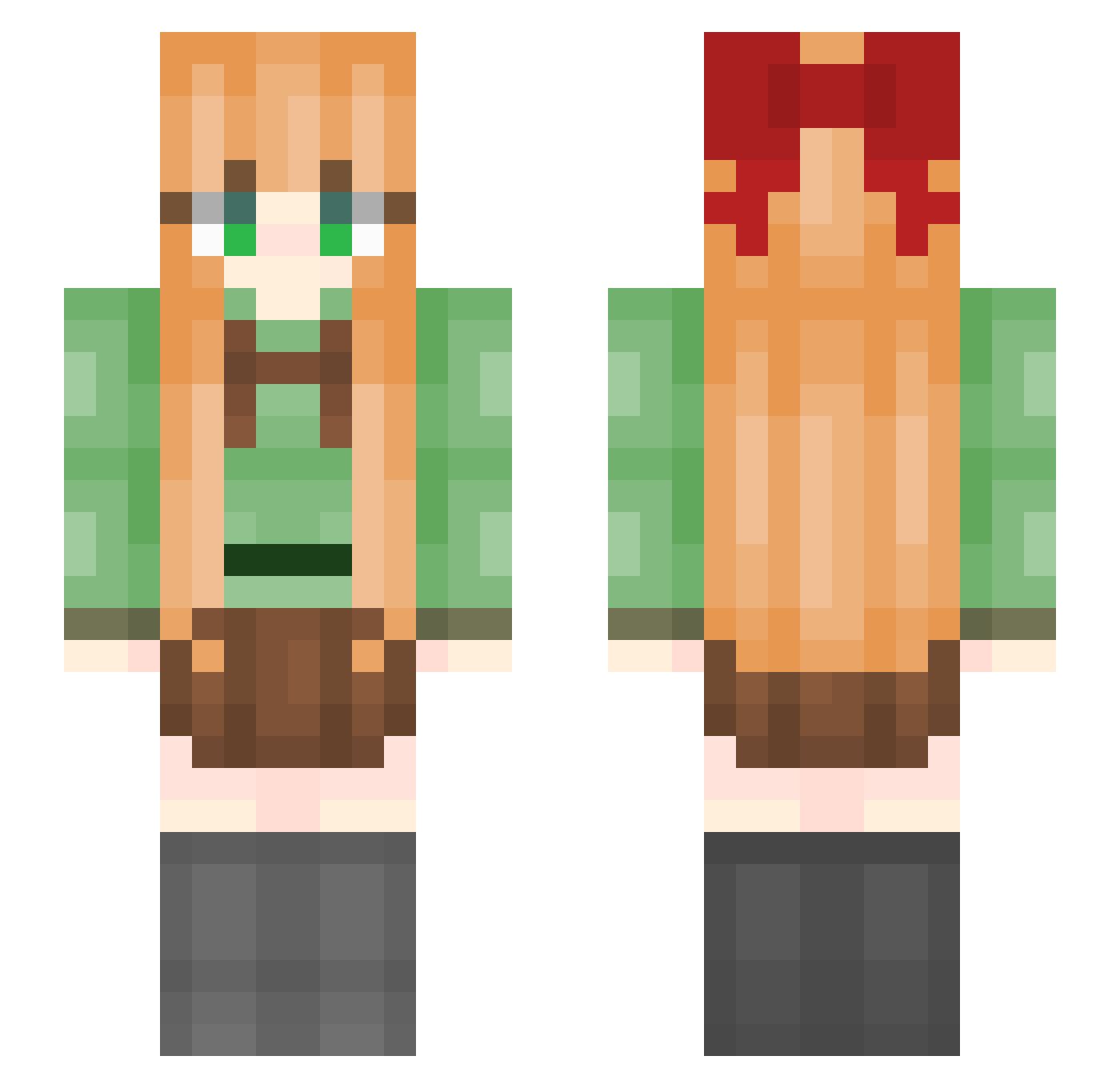
Current Minecraft skin of the player Aderling, loaded from the official Mojang API. Rotate the 3D model with your mouse or finger, then download the skin as a PNG file and use it in Minecraft: Bedrock Edition or Java Edition for free. When Aderling changes their skin, this page updates automatically and the old skin stays in the history below.
Other players with this skin (40)
Aderling was the 8th player we have seen with this skin, first spotted on 22.08.2026. The same skin was seen on these players. Open a nickname to see their current skin and skin history.
 g5e MaoMaoY falanded Lilita_Lita wwx12315 Yy1u_ Yo_joo DianaAkko MikoGo_ _DropEnch_ yiagju Warzp icesensei Yumeikii selen007 Eutopia_ A_baoa Homeyane skdmkd TANYUANL HanDan_Yu taolinxi HXNNNNN Penguin__Qie Gin_Trigger BHWMDMR Ancean Reset_zzz Yeyu0721 XHonly _Maiev_ Alien_Host iwsssss AQIhaha66 LD_Cinder Pacxes Spacute Word6 wuteshu Wuyoudongzhen
More Elizabeth Afton Minecraft skins
See all 31 Elizabeth Afton skins
How to install the Aderling skin
- Press the Download button above to save the skin as a PNG file.
- Minecraft: Bedrock Edition (PE): open the Dressing Room from the main menu (or tap your character → Edit Character), go to Classic Skins → Owned, press the + (new skin) button, choose the downloaded PNG and pick the Slim (Alex) model. Works on PC and mobile; consoles cannot import custom skins.
- Minecraft: Java Edition: open the Minecraft Launcher, go to the Skins tab, click New Skin, load the PNG, pick the Slim (Alex) model and press Save & Use. You can also upload it at minecraft.net → Profile → Change Skin.
The skin does not show up after import - what should I do?
Restart Minecraft and open the Dressing Room again - imported skins sometimes appear only after a restart. Also make sure you selected the imported skin and picked the Slim (Alex) model.
Which model should I choose, Classic or Slim?
This skin is designed for the Slim (Alex) model. If you pick the wrong model, the arms of the skin will look stretched or squeezed.
Is the skin of Aderling free to download?
Yes. Press Download, save the PNG file and use it in Minecraft: Bedrock Edition or Java Edition - no payment or registration needed. The skin also works on multiplayer servers and Realms.
More skins
Looking for more? Go back to all Minecraft skins and check the top skins of the week, month and all time, or find any player's skin by nickname.