
AaronDragon2 - Minecraft Skins & Skin History
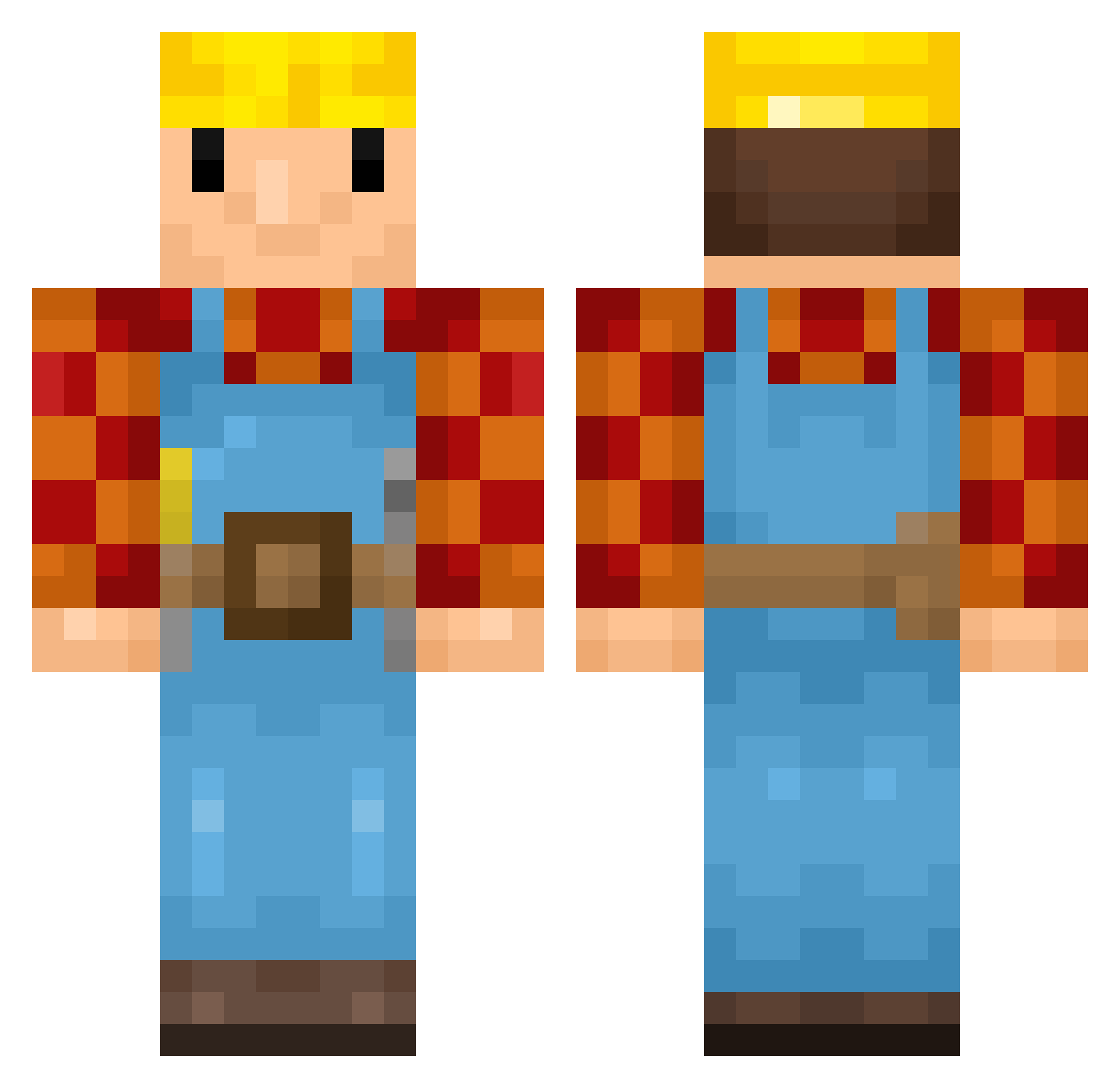
Current Minecraft skin of the player AaronDragon2, loaded from the official Mojang API. Rotate the 3D model with your mouse or finger, then download the skin as a PNG file and use it in Minecraft: Bedrock Edition or Java Edition for free. When AaronDragon2 changes their skin, this page updates automatically and the old skin stays in the history below.
Other players with this skin (189)
AaronDragon2 was the 174th player we have seen with this skin, first spotted on 05.11.2026. The same skin was seen on these players. Open a nickname to see their current skin and skin history.
 Headgar iloveabgs99 Bob_the_BuiIder L3x_ Bulleee intact11 kuberekss nick00name FiboFynn RagingDoggies _N1ckS_ BigTimeRusch Coledrew16 SeelachsGG arsenal2k7 sindri112 ajbelei Jzae MxsticJxkke Puju21 Cynamic_ Algeri Lopes fugao Geolasl ProxyMime8 simp_king5 xs1n1st3rx Alty bioptic_gecko Z1nkyyy TapLWasTaken Appel_Erik Siering Benjadeante osryde Jakkustan03 Hayduhn K1yroxx Tialorer LoreVitaz fuuuckxing Koksinik zoomalk _hnrq markoboy22 Dyblorn OstakeX chaise2bureau gnomolandia 2saera ottomanism tambu__ TeyZZero1997 nathannnn pjusko Mottoslol Singa230101 Fabian1413 ELLOCKIE
More Bob The Builder Minecraft skins
See all 74 Bob The Builder skins
How to install the AaronDragon2 skin
- Press the Download button above to save the skin as a PNG file.
- Minecraft: Bedrock Edition (PE): open the Dressing Room from the main menu (or tap your character → Edit Character), go to Classic Skins → Owned, press the + (new skin) button, choose the downloaded PNG and pick the Classic (Steve) model. Works on PC and mobile; consoles cannot import custom skins.
- Minecraft: Java Edition: open the Minecraft Launcher, go to the Skins tab, click New Skin, load the PNG, pick the Classic (Steve) model and press Save & Use. You can also upload it at minecraft.net → Profile → Change Skin.
The skin does not show up after import - what should I do?
Restart Minecraft and open the Dressing Room again - imported skins sometimes appear only after a restart. Also make sure you selected the imported skin and picked the Classic (Steve) model.
Which model should I choose, Classic or Slim?
This skin is designed for the Classic (Steve) model. If you pick the wrong model, the arms of the skin will look stretched or squeezed.
Is the skin of AaronDragon2 free to download?
Yes. Press Download, save the PNG file and use it in Minecraft: Bedrock Edition or Java Edition - no payment or registration needed. The skin also works on multiplayer servers and Realms.
More skins
Looking for more? Go back to all Minecraft skins and check the top skins of the week, month and all time, or find any player's skin by nickname.