
7ruLeZ - Minecraft Skins & Skin History
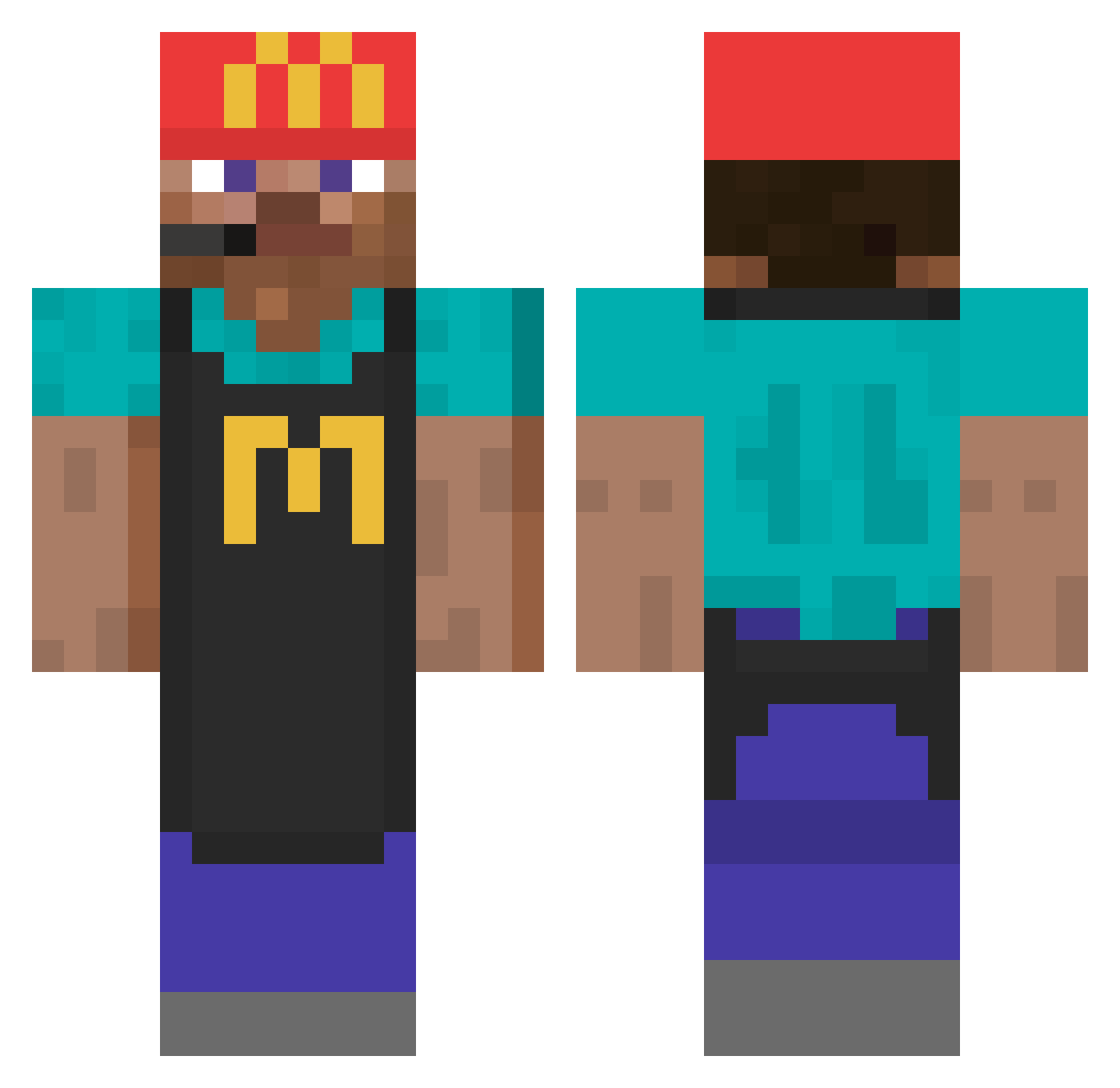
Current Minecraft skin of the player 7ruLeZ, loaded from the official Mojang API. Rotate the 3D model with your mouse or finger, then download the skin as a PNG file and use it in Minecraft: Bedrock Edition or Java Edition for free. When 7ruLeZ changes their skin, this page updates automatically and the old skin stays in the history below.
Other players with this skin (964)
7ruLeZ was the 907th player we have seen with this skin, first spotted on 06.11.2026. The same skin was seen on these players. Open a nickname to see their current skin and skin history.
 G0RKME NACHAch MaybeeNextTime Abetis haru_mak1 Chacalmath DeclanPro1 RobertoLopez_ Fey_Fox decdec11 Vale0303 Vinceb67 UruKuruta Jasson1102 Mr_FIXXAH captain95 kplxd GreasyCheese799 Chico379 LiuYW lauthals mottimagi ItzJustDave Walpiz matiwallace PayBon BeaTs_DeMoliSHe jinwoo1530 PacosTacos14 tim_campbell1997 shikinzu Revolt8500 martesiak TheOnlyEln ImStarxav W3WfL wakedogjr Ini1603 bocLala XEXIS The_UnderMiner3 c4cowboys bastoss117 Krame_Krame Ezwario Gamertus ArdaTheZbabo Frisky_Fr0g Czasior Rahuls14 m_T_n CreezEXE Lucasdinho BooleeBoolee matteo_vdb Temwalker Hilarant692 RudyyQ1 elgroovejamboy jimin42
More Cashier Minecraft skins
How to install the 7ruLeZ skin
- Press the Download button above to save the skin as a PNG file.
- Minecraft: Bedrock Edition (PE): open the Dressing Room from the main menu (or tap your character → Edit Character), go to Classic Skins → Owned, press the + (new skin) button, choose the downloaded PNG and pick the Classic (Steve) model. Works on PC and mobile; consoles cannot import custom skins.
- Minecraft: Java Edition: open the Minecraft Launcher, go to the Skins tab, click New Skin, load the PNG, pick the Classic (Steve) model and press Save & Use. You can also upload it at minecraft.net → Profile → Change Skin.
The skin does not show up after import - what should I do?
Restart Minecraft and open the Dressing Room again - imported skins sometimes appear only after a restart. Also make sure you selected the imported skin and picked the Classic (Steve) model.
Which model should I choose, Classic or Slim?
This skin is designed for the Classic (Steve) model. If you pick the wrong model, the arms of the skin will look stretched or squeezed.
Is the skin of 7ruLeZ free to download?
Yes. Press Download, save the PNG file and use it in Minecraft: Bedrock Edition or Java Edition - no payment or registration needed. The skin also works on multiplayer servers and Realms.
More skins
Looking for more? Go back to all Minecraft skins and check the top skins of the week, month and all time, or find any player's skin by nickname.