
4roun - Minecraft Skins & Skin History
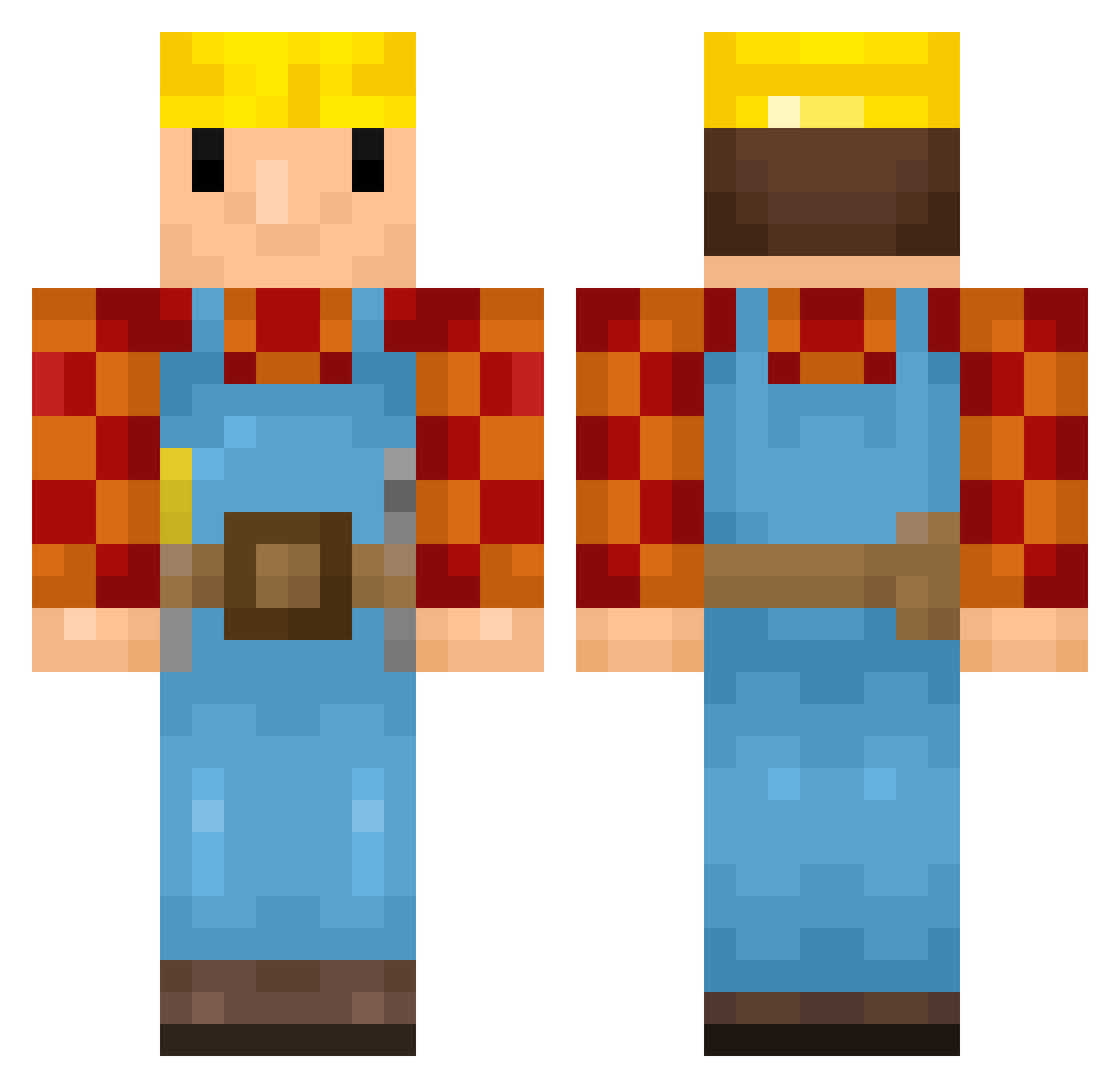
Current Minecraft skin of the player 4roun, loaded from the official Mojang API. Rotate the 3D model with your mouse or finger, then download the skin as a PNG file and use it in Minecraft: Bedrock Edition or Java Edition for free. When 4roun changes their skin, this page updates automatically and the old skin stays in the history below.
Other players with this skin (447)
4roun was the 342nd player we have seen with this skin, first spotted on 20.10.2026. The same skin was seen on these players. Open a nickname to see their current skin and skin history.
 dsjoker97 DieHardi Bosanen Unwarn Dakkul TotallyNotNot N1ttz_DK Adansoni Skibidiwappapa Bob_De_Brouwer_ Smelon BadCarpenter EkarnStekarn Michiellinkens TheTruestBuilder Gonz2115 jackb9771 Jopie356 Luzzius Sempiebempie Jiminaldo Crazy_Burger17 sneesh1119 TMIndiaDishTV TajHams kimchiss Osaris_ AuntJemima52 MrPlow442 Lihamestari Builder_Bron JSaaal Dansenx TurtleAlien51 AmazingCuberAJ 69_N00BMASTER_69 Yacobsters Downatelloh Doolsenburg Chagi27 Alexanderbn28 WredeGamer2175 Borekjr45 BlutB4rt Johannanasen lilreaper247 Rens_2000 77142 Rula_9 travsux yousje070 GeorgeTheMonkeyy matze1993 Slaskus fmorais jjthebuilder Ludster wouterzwan5 Tarnley harryexp16
More Bob The Builder Minecraft skins
See all 74 Bob The Builder skins
How to install the 4roun skin
- Press the Download button above to save the skin as a PNG file.
- Minecraft: Bedrock Edition (PE): open the Dressing Room from the main menu (or tap your character → Edit Character), go to Classic Skins → Owned, press the + (new skin) button, choose the downloaded PNG and pick the Classic (Steve) model. Works on PC and mobile; consoles cannot import custom skins.
- Minecraft: Java Edition: open the Minecraft Launcher, go to the Skins tab, click New Skin, load the PNG, pick the Classic (Steve) model and press Save & Use. You can also upload it at minecraft.net → Profile → Change Skin.
The skin does not show up after import - what should I do?
Restart Minecraft and open the Dressing Room again - imported skins sometimes appear only after a restart. Also make sure you selected the imported skin and picked the Classic (Steve) model.
Which model should I choose, Classic or Slim?
This skin is designed for the Classic (Steve) model. If you pick the wrong model, the arms of the skin will look stretched or squeezed.
Is the skin of 4roun free to download?
Yes. Press Download, save the PNG file and use it in Minecraft: Bedrock Edition or Java Edition - no payment or registration needed. The skin also works on multiplayer servers and Realms.
More skins
Looking for more? Go back to all Minecraft skins and check the top skins of the week, month and all time, or find any player's skin by nickname.